# Distributed Tracing
Acontext traces requests through API, Core, database, cache, storage, and LLM calls using OpenTelemetry and Jaeger.
## What's Traced [#whats-traced]
* HTTP requests
* Database queries
* Redis cache operations
* S3 storage operations
* RabbitMQ messages
* LLM embedding/completion calls
## View Traces [#view-traces]
Access traces from the dashboard:
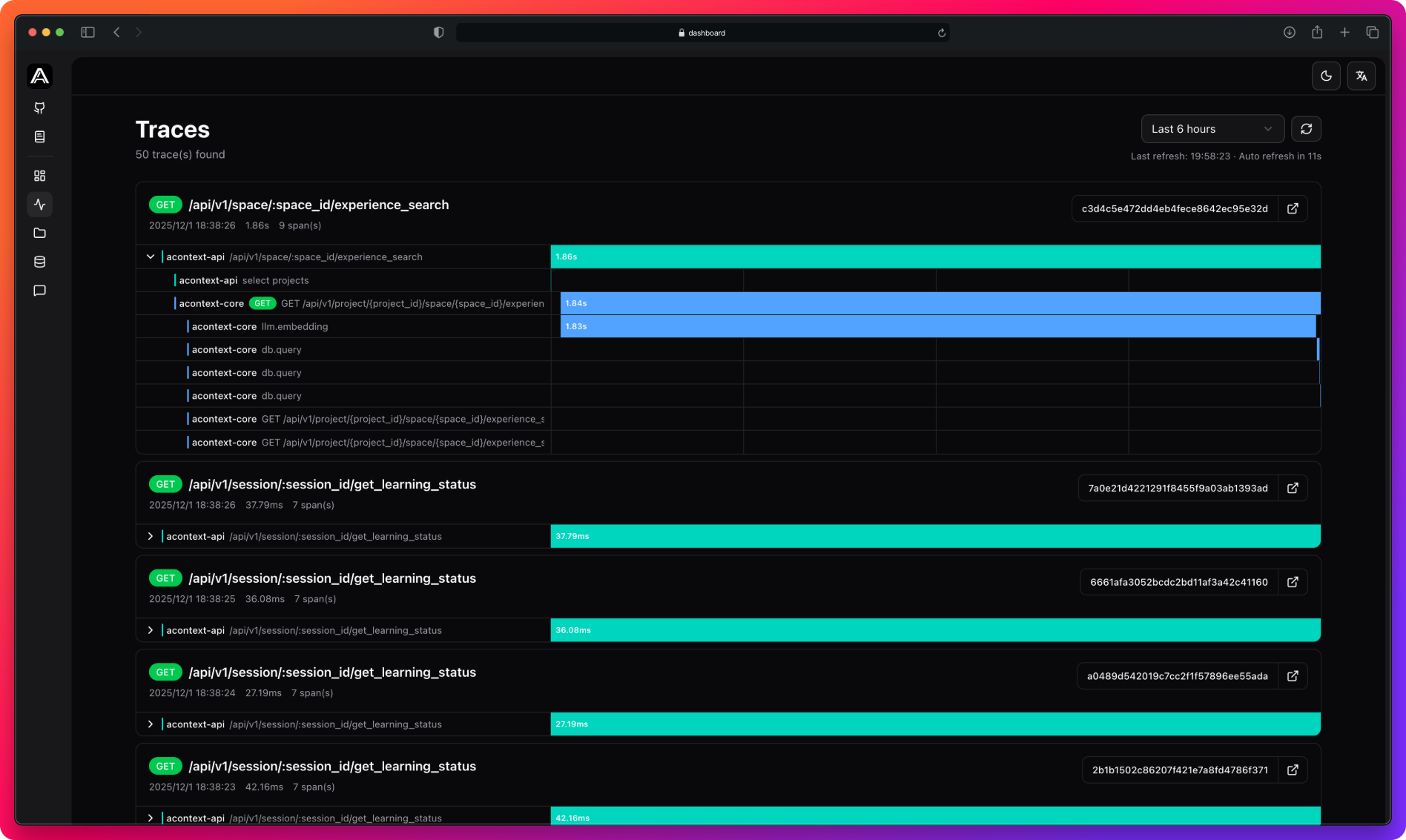 * **Time filtering**: 15min, 1h, 6h, 24h, 7d
* **Auto-refresh**: Every 30 seconds
* **Service colors**: Teal (api), Blue (core)
* **Jaeger link**: Click trace ID for detailed view
## Configuration [#configuration]
**Core (Python):**
```bash
TELEMETRY_ENABLED=true
TELEMETRY_OTLP_ENDPOINT=http://localhost:4317
TELEMETRY_SAMPLE_RATIO=1.0
```
**API (Go):**
```yaml
telemetry:
enabled: true
otlp_endpoint: "localhost:4317"
sample_ratio: 1.0
```
Use sampling ratio \< 1.0 in production (e.g., 0.1 for 10%) to reduce storage costs.
## Next Steps [#next-steps]
View all task tracking data
Configure tracing
* **Time filtering**: 15min, 1h, 6h, 24h, 7d
* **Auto-refresh**: Every 30 seconds
* **Service colors**: Teal (api), Blue (core)
* **Jaeger link**: Click trace ID for detailed view
## Configuration [#configuration]
**Core (Python):**
```bash
TELEMETRY_ENABLED=true
TELEMETRY_OTLP_ENDPOINT=http://localhost:4317
TELEMETRY_SAMPLE_RATIO=1.0
```
**API (Go):**
```yaml
telemetry:
enabled: true
otlp_endpoint: "localhost:4317"
sample_ratio: 1.0
```
Use sampling ratio \< 1.0 in production (e.g., 0.1 for 10%) to reduce storage costs.
## Next Steps [#next-steps]
View all task tracking data
Configure tracing