# What is Acontext?
Acontext is skill memory for AI agents. It automatically captures learnings from agent runs, stores them as Markdown files, and lets agents reuse those skills on the next run.
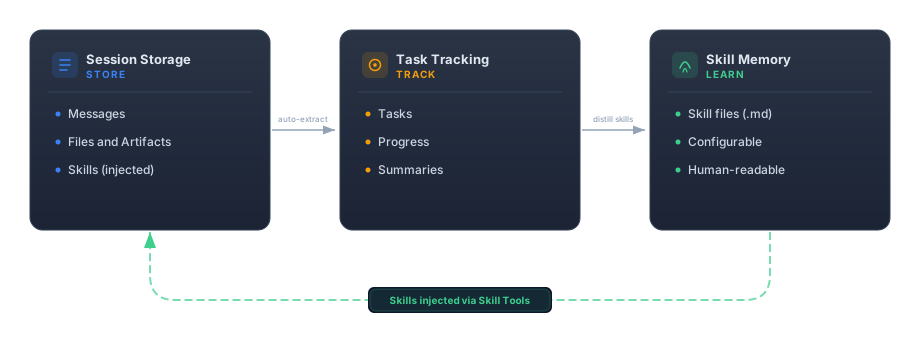 Session-scoped storage for messages, files, artifacts, and sandboxes — with context engineering built in.
Task status, progress tracking, and automatic summaries.
Persistent skills learned across sessions — Markdown-native, configurable, and human-readable.
---
# Quickstart for AI
Use [llms.txt](https://docs.acontext.io/llms.txt) to give any coding agent full context on Acontext in \~2k tokens.
Open [https://docs.acontext.io/llms.txt](https://docs.acontext.io/llms.txt) and copy all content, or just paste the link directly.
Paste the content (or link) into your coding agent — Cursor, Claude Code, Windsurf, or any AI assistant — along with your request:
```
Build a backend for an agent application with Acontext
```
Most coding agents can fetch URL content directly. Try pasting just the link `https://docs.acontext.io/llms.txt` into your prompt.
---
# Quickstart
Get up and running with Acontext in under 5 minutes. This guide walks you through setting up the server, installing the SDK, and storing your first messages.
Choose between hosted or self-hosted Acontext:
Go to [Acontext Dashboard](https://dash.acontext.io) and sign up for a free account. The onboarding process will guide you to get an API key.
Set your API key as an environment variable:
```bash
export ACONTEXT_API_KEY="your-api-key"
```
Refer to [local deployment](/settings/local) to start Acontext server in 2 commands. This launches:
* **API**: [http://localhost:8029/api/v1](http://localhost:8029/api/v1)
* **Dashboard**: [http://localhost:3000/](http://localhost:3000/)
The default API key is `sk-ac-your-root-api-bearer-token`.
```bash
pip install acontext
```
Requires Python 3.10 or newer.
```bash title="npm"
npm install @acontext/acontext
```
```bash title="yarn"
yarn add @acontext/acontext
```
```bash title="pnpm"
pnpm add @acontext/acontext
```
Requires Node.js 16.x or newer.
Run this script to test your connection and store your first messages:
```python title="Python"
import os
from acontext import AcontextClient
client = AcontextClient(
api_key=os.getenv("ACONTEXT_API_KEY"),
)
# If you're using self-hosted Acontext:
# client = AcontextClient(
# base_url="http://localhost:8029/api/v1",
# api_key="sk-ac-your-root-api-bearer-token",
# )
print(client.ping())
# Create a session (optionally associate with a user)
session = client.sessions.create(user="user@example.com")
# Store messages
client.sessions.store_message(
session_id=session.id,
blob={
"role": "assistant",
"content": """Here is my plan:
1. Use Next.js for the frontend
2. Use Supabase for the database
3. Deploy to Cloudflare Pages
""",
},
)
client.sessions.store_message(
session_id=session.id,
blob={
"role": "user",
"content": "Confirm, go ahead. Use tailwind for frontend styling.",
},
)
# Retrieve messages
messages = client.sessions.get_messages(session_id=session.id)
print(messages.items)
```
```typescript title="TypeScript"
import { AcontextClient } from '@acontext/acontext';
const client = new AcontextClient({
apiKey: process.env.ACONTEXT_API_KEY,
});
// If you're using self-hosted Acontext:
// const client = new AcontextClient({
// baseUrl: "http://localhost:8029/api/v1",
// apiKey: "sk-ac-your-root-api-bearer-token",
// });
async function main() {
console.log(await client.ping());
// Create a session (optionally associate with a user)
const session = await client.sessions.create({ user: 'user@example.com' });
// Store messages
await client.sessions.storeMessage(session.id, {
role: 'assistant',
content: `Here is my plan:
1. Use Next.js for the frontend
2. Use Supabase for the database
3. Deploy to Cloudflare Pages
`,
});
await client.sessions.storeMessage(session.id, {
role: 'user',
content: 'Confirm, go ahead. Use tailwind for frontend styling.',
});
// Retrieve messages
const messages = await client.sessions.getMessages(session.id);
console.log(messages.items);
}
main();
```
If you see the success message and your stored messages, you're ready to start using Acontext!
Troubleshooting [#troubleshooting]
* Verify your Acontext server is running
* Check that the `base_url` is correct
* Ensure no firewall is blocking the connection
* For local development, confirm you're using `http://localhost:8029/api/v1`
* Verify your API key is correct
* Check that the API key has the necessary permissions
* Ensure you're passing the API key in the correct format
* Confirm the package is installed: `pip list | grep acontext` (Python) or `npm list @acontext/acontext` (TypeScript)
* Try reinstalling the package
* Check your Python version is 3.10+ or Node.js version is 16+
* Ensure you're using TypeScript 4.5 or newer
* Run `npm install` to ensure all type definitions are installed
* Check that your `tsconfig.json` has proper settings for module resolution
Next steps [#next-steps]
Create and manage sessions for organizing your conversations
Build a compact context for agents in one API call
Store and manage files and artifacts in Acontext
Understand how skill memory works
Explore the complete API documentation
---
# Introduction
Overview [#overview]
Acontext provides a REST API for building AI agents with persistent context.
RESTful endpoints with predictable URLs
Full OpenAPI specification available
OpenAI, Anthropic, Gemini, and native formats
Python and TypeScript libraries
Authentication [#authentication]
All API requests require a Bearer token in the `Authorization` header:
```bash
Authorization: Bearer YOUR_API_KEY
```
Keep your API keys secure and never expose them in client-side code.
Install SDKs [#install-sdks]
```bash title="Python"
pip install acontext
```
```bash title="TypeScript"
npm install @acontext/acontext
```
Quick Start [#quick-start]
```python title="Python"
import os
from acontext import AcontextClient
# Initialize client
client = AcontextClient(
api_key=os.getenv("ACONTEXT_API_KEY"),
)
# If you're using self-hosted Acontext:
# client = AcontextClient(
# base_url="http://localhost:8029/api/v1",
# api_key="sk-ac-your-root-api-bearer-token",
# )
# Create a session
session = client.sessions.create()
# Store a message
client.sessions.store_message(
session.id,
blob={'role': 'user', 'content': 'How do I reset my password?'}
)
```
```typescript title="TypeScript"
import { AcontextClient } from '@acontext/acontext';
// Initialize client
const client = new AcontextClient({
apiKey: process.env.ACONTEXT_API_KEY,
});
// If you're using self-hosted Acontext:
// const client = new AcontextClient({
// baseUrl: "http://localhost:8029/api/v1",
// apiKey: "sk-ac-your-root-api-bearer-token",
// });
// Create a session
const session = await client.sessions.create();
// Store a message
await client.sessions.storeMessage(
session.id,
{ role: 'user', content: 'How do I reset my password?' }
);
```
Core Concepts [#core-concepts]
Sessions represent conversation threads with message history.
Isolated storage groups for organizing files and artifacts within a project.
Capabilities that AI agents can use. Manage and configure tools across your project.
API Resources [#api-resources]
Handle conversations and messages
Manage storage groups
Configure agent capabilities
Message Formats [#message-formats]
Acontext supports multiple message formats for compatibility:
* **OpenAI** - Compatible with OpenAI Chat Completion format (default)
* **Anthropic** - Compatible with Anthropic Messages format
* **Gemini** - Compatible with Google Gemini Messages format
Convert between formats when retrieving or storing messages using the `format` parameter.
Community [#community]
Report issues and contribute
Join our community
---
# Agno
Agno's message format is OpenAI-compatible, so it works directly with Acontext.
Quick Start [#quick-start]
```bash
acontext create my-agno-project --template-path "python/agno-basic"
```
Install CLI first: `curl -fsSL https://install.acontext.io | sh`
Manual Setup [#manual-setup]
```bash
pip install agno acontext python-dotenv
```
```bash
OPENAI_API_KEY=your_openai_key_here
ACONTEXT_API_KEY=sk-ac-your-api-key
```
```python
import os
from agno.agent import Agent
from agno.models.openai import OpenAIChat
from agno.tools import tool
from acontext import AcontextClient
client = AcontextClient(
api_key=os.getenv("ACONTEXT_API_KEY"),
)
# If you're using self-hosted Acontext:
# client = AcontextClient(
# base_url="http://localhost:8029/api/v1",
# api_key="sk-ac-your-root-api-bearer-token",
# )
@tool
def get_weather(city: str) -> str:
"""Returns weather info for the specified city."""
return f"The weather in {city} is sunny"
agent = Agent(
name="Assistant",
model=OpenAIChat(id="gpt-4"),
instructions="You are a helpful assistant",
tools=[get_weather],
)
# Create session
session = client.sessions.create()
conversation = []
# User message
user_msg = {"role": "user", "content": "Plan a 3-day trip to Finland"}
conversation.append(user_msg)
client.sessions.store_message(session_id=session.id, blob=user_msg)
# Run agent
response = agent.run(conversation)
# Store response
assistant_msg = {"role": "assistant", "content": response.content}
conversation.append(assistant_msg)
client.sessions.store_message(session_id=session.id, blob=assistant_msg)
# Extract tasks
client.sessions.flush(session.id)
tasks = client.sessions.get_tasks(session.id)
for task in tasks.items:
print(f"Task: {task.data.task_description} | Status: {task.status}")
```
Resume Sessions [#resume-sessions]
```python
messages = client.sessions.get_messages(session_id)
conversation = messages.items
conversation.append({"role": "user", "content": "Continue from where we left off"})
response = agent.run(conversation)
```
Next Steps [#next-steps]
Monitor agent tasks and progress
View all interactions
---
# Vercel AI SDK
The Vercel AI SDK provides a unified interface for multiple AI providers. Store conversations to Acontext for persistence and task extraction.
Quick Start [#quick-start]
```bash
acontext create my-ai-project --template-path "typescript/vercel-ai-basic"
```
Install CLI first: `curl -fsSL https://install.acontext.io | sh`
Manual Setup [#manual-setup]
```bash
npm install ai @ai-sdk/openai @acontext/acontext dotenv zod
```
```bash
OPENAI_API_KEY=your_openai_key_here
ACONTEXT_API_KEY=sk-ac-your-api-key
```
```typescript
import { generateText, tool } from 'ai';
import { createOpenAI } from '@ai-sdk/openai';
import { z } from 'zod';
import { AcontextClient } from '@acontext/acontext';
import dotenv from 'dotenv';
dotenv.config();
const openaiProvider = createOpenAI({
apiKey: process.env.OPENAI_API_KEY,
});
const client = new AcontextClient({
apiKey: process.env.ACONTEXT_API_KEY,
});
// If you're using self-hosted Acontext:
// const client = new AcontextClient({
// baseUrl: "http://localhost:8029/api/v1",
// apiKey: "sk-ac-your-root-api-bearer-token",
// });
const tools = {
get_weather: tool({
description: 'Returns weather info for the specified city.',
inputSchema: z.object({
city: z.string(),
}),
execute: async ({ city }) => `The weather in ${city} is sunny`,
}),
};
async function main() {
const session = await client.sessions.create();
const model = openaiProvider('gpt-4o-mini');
// User message
const userMsg = { role: 'user', content: "What's the weather in Helsinki?" };
await client.sessions.storeMessage(session.id, userMsg, { format: 'openai' });
// Generate response
const result = await generateText({
model,
messages: [userMsg],
tools,
});
// Store response
const assistantMsg = { role: 'assistant', content: result.text };
await client.sessions.storeMessage(session.id, assistantMsg, { format: 'openai' });
// Extract tasks
await client.sessions.flush(session.id);
const tasks = await client.sessions.getTasks(session.id);
for (const task of tasks.items) {
console.log(`Task: ${task.data.task_description} | Status: ${task.status}`);
}
}
main().catch(console.error);
```
Vercel AI SDK v5 only accepts 'user' and 'assistant' roles. Tool results must be converted to user messages marked as internal.
Resume Sessions [#resume-sessions]
```typescript
const messages = await client.sessions.getMessages(sessionId, { format: 'openai' });
const conversation = messages.items;
conversation.push({ role: 'user', content: 'Continue' });
const result = await generateText({ model, messages: conversation, tools });
```
Next Steps [#next-steps]
Monitor agent tasks and progress
View all interactions
---
# Claude Agent SDK
The `ClaudeAgentStorage` integration persists messages from the Claude Agent SDK to Acontext automatically. It stores **only** `UserMessage` and `AssistantMessage` in Anthropic format — `SystemMessage`, `ResultMessage`, and `StreamEvent` are used only for session-id resolution.
Quick Start [#quick-start]
```bash
pip install claude-agent-sdk acontext python-dotenv
```
```bash
ANTHROPIC_API_KEY=your_anthropic_key_here
ACONTEXT_API_KEY=sk-ac-your-api-key
```
```python
import asyncio
from acontext import AcontextAsyncClient, ClaudeAgentStorage
from claude_agent_sdk import ClaudeAgentOptions, ClaudeSDKClient
async def main():
acontext_client = AcontextAsyncClient(api_key="sk-ac-your-api-key")
storage = ClaudeAgentStorage(client=acontext_client)
options = ClaudeAgentOptions(
extra_args={"replay-user-messages": None}, # include UserMessage in stream
)
async with ClaudeSDKClient(options=options) as claude_client:
await claude_client.query("What is the capital of France?")
async for message in claude_client.receive_response():
await storage.save_message(message)
asyncio.run(main())
```
The `replay-user-messages` flag ensures `UserMessage` is included in the `receive_response()` stream so that both sides of the conversation are stored. Without it, only `AssistantMessage` appears in the stream and user messages won't be persisted.
```bash
npm install @anthropic-ai/claude-agent-sdk @acontext/acontext
```
```bash
ANTHROPIC_API_KEY=your_anthropic_key_here
ACONTEXT_API_KEY=sk-ac-your-api-key
```
```typescript
import { AcontextClient, ClaudeAgentStorage } from '@acontext/acontext';
import { query } from '@anthropic-ai/claude-agent-sdk';
const client = new AcontextClient({ apiKey: 'sk-ac-your-api-key' });
const storage = new ClaudeAgentStorage({ client });
const q = query({ prompt: 'What is the capital of France?',
options: {
extraArgs: { "replay-user-messages": null }, // include UserMessage in stream
}});
for await (const message of q) {
await storage.saveMessage(message);
}
```
Session Handling [#session-handling]
Auto-discovered session id [#auto-discovered-session-id]
By default, `ClaudeAgentStorage` discovers the session id from the Claude Agent SDK.
When the Claude session id is a valid UUID, Acontext **reuses it as the Acontext session id** (via `use_uuid`). This means the Acontext session and the Claude session share the same id, making it easy to correlate them across systems.
If the Claude stream provides a non-UUID session id, it is ignored and Acontext generates its own session id instead.
```python
storage = ClaudeAgentStorage(client=acontext_client)
# session_id is None until the init message arrives
async for message in claude_client.receive_response():
await storage.save_message(message)
# After init: storage.session_id matches the Claude session id
print(storage.session_id)
```
```typescript
const storage = new ClaudeAgentStorage({ client });
// sessionId is null until the init message arrives
for await (const message of q) {
await storage.saveMessage(message);
}
// After init: storage.sessionId matches the Claude session id
console.log(storage.sessionId);
```
Explicit Acontext session [#explicit-acontext-session]
To correlate the Claude run with a specific Acontext session:
```python
session = await acontext_client.sessions.create()
storage = ClaudeAgentStorage(client=acontext_client, session_id=session.id)
async for message in claude_client.receive_response():
await storage.save_message(message)
```
```typescript
const session = await client.sessions.create();
const storage = new ClaudeAgentStorage({ client, sessionId: session.id });
for await (const message of q) {
await storage.saveMessage(message);
}
```
Options [#options]
Include thinking blocks [#include-thinking-blocks]
By default, `ThinkingBlock` content is omitted from stored messages. To include it as native thinking blocks:
```python
storage = ClaudeAgentStorage(
client=acontext_client,
include_thinking=True,
)
```
```typescript
const storage = new ClaudeAgentStorage({
client,
includeThinking: true,
});
```
Thinking blocks are stored as Anthropic `thinking` content blocks with their `signature` preserved. When retrieved in Anthropic or Gemini format, they round-trip as native `thinking` blocks. When retrieved in OpenAI format, thinking content is automatically downgraded to plain text.
The stored message `meta` will contain `"has_thinking": True` for observability.
Custom error handling [#custom-error-handling]
By default, API errors during storage are logged and swallowed so your message loop is never interrupted. To customize:
```python
storage = ClaudeAgentStorage(
client=acontext_client,
on_error=lambda exc, msg: print(f"Storage failed: {exc}"),
)
```
```typescript
const storage = new ClaudeAgentStorage({
client,
onError: (err, blob) => console.error('Storage failed:', err),
});
```
User identifier [#user-identifier]
Pass a `user` string to associate the Acontext session with a specific user. This value is forwarded to `sessions.create()` when the session is first created:
```python
storage = ClaudeAgentStorage(
client=acontext_client,
user="alice@example.com",
)
```
```typescript
const storage = new ClaudeAgentStorage({
client,
user: 'alice@example.com',
});
```
What gets stored [#what-gets-stored]
| Message type | Stored? | Notes |
| -------------------- | ------- | ----------------------------------------------------------------------------------------------------------------------------------------------------------------------------------------------- |
| **UserMessage** | Yes | `role: "user"`. String content wrapped as text block. `ToolUseBlock` skipped (invalid in user role). |
| **AssistantMessage** | Yes | `role: "assistant"`. `model` stored in message `meta`. `ToolResultBlock` skipped (invalid in assistant role). If `error` field is set, its value is included in `meta.error` for observability. |
| **SystemMessage** | No | Used only for session-id resolution (`subtype == "init"` in Python, `session_id` field in TypeScript). |
| **ResultMessage** | No | Fallback session-id source. |
| **StreamEvent** | No | Fallback session-id source. |
Learn and Download Skills [#learn-and-download-skills]
Acontext can automatically learn [skills](/learn/quick) from the stored messages — extracting patterns, user preferences, and domain knowledge into structured markdown files. You can then download these skills to your local filesystem:
```python
# Create a learning space and learn from the session
space = await acontext_client.learning_spaces.create()
await acontext_client.learning_spaces.learn(space.id, session_id=storage.session_id)
# your agent runs as usual...
# ...
# Download learned skills to local
skills = await acontext_client.learning_spaces.list_skills(space.id)
for skill in skills:
result = await acontext_client.skills.download(skill_id=skill.id, path=f"./skills/{skill.name}")
print(f"Downloaded {result.name} to {result.dir_path}")
print(f"Files: {result.files}")
```
```typescript
// Create a learning space and learn from the session
const space = await client.learningSpaces.create();
await client.learningSpaces.learn({ spaceId: space.id, sessionId: storage.sessionId });
// your agent runs as usual...
// ...
// Download learned skills to local
const skills = await client.learningSpaces.listSkills(space.id);
for (const skill of skills) {
const result = await client.skills.download(skill.id, { path: `./skills/${skill.name}` });
console.log(`Downloaded ${result.name} to ${result.dirPath}`);
console.log(`Files: ${result.files}`);
}
```
Next Steps [#next-steps]
Anthropic message storage details
Working with message metadata
Learn skills from agent sessions automatically
View all interactions
---
# Introduction
Acontext integrates with popular AI frameworks to add session persistence, task extraction, and skill memory to your agents.
Quick Start [#quick-start]
```bash
curl -fsSL https://install.acontext.io | sh
acontext create my-proj --template-path "python/openai-agent-artifacts"
```
For more examples, see [Acontext-Examples](https://github.com/memodb-io/Acontext-Examples).
Supported Frameworks [#supported-frameworks]
Direct integration with OpenAI's Python SDK
Direct integration with OpenAI's TypeScript SDK
Persist conversations from the Agents SDK
Automatic message persistence for Claude agents
Unified AI provider interface with Acontext storage
OpenAI-compatible agent framework integration
Skill memory plugin with auto-capture, auto-learn, and native skill sync
---
# OpenAI Python SDK
OpenAI's message format is natively compatible with Acontext. Store messages directly without conversion.
Quick Start [#quick-start]
```bash
acontext create my-openai-project --template-path "python/openai-basic"
```
Install CLI first: `curl -fsSL https://install.acontext.io | sh`
Manual Setup [#manual-setup]
```bash
pip install openai acontext python-dotenv
```
```bash
OPENAI_API_KEY=your_openai_key_here
ACONTEXT_API_KEY=sk-ac-your-api-key
```
```python
import os
import json
from openai import OpenAI
from acontext import AcontextClient
openai_client = OpenAI(api_key=os.getenv("OPENAI_API_KEY"))
client = AcontextClient(
api_key=os.getenv("ACONTEXT_API_KEY"),
)
# If you're using self-hosted Acontext:
# client = AcontextClient(
# base_url="http://localhost:8029/api/v1",
# api_key="sk-ac-your-root-api-bearer-token",
# )
tools = [
{
"type": "function",
"function": {
"name": "get_weather",
"description": "Returns weather info for the specified city.",
"parameters": {
"type": "object",
"properties": {"city": {"type": "string"}},
"required": ["city"],
},
},
},
]
def get_weather(city: str) -> str:
return f"The weather in {city} is sunny"
def execute_tool(name: str, args: dict) -> str:
if name == "get_weather":
return get_weather(**args)
return f"Unknown tool: {name}"
def run_agent(conversation: list) -> tuple[str, list]:
messages = list(conversation)
new_messages = []
while True:
response = openai_client.chat.completions.create(
model="gpt-4o-mini",
messages=messages,
tools=tools,
tool_choice="auto",
)
message = response.choices[0].message
msg_dict = {"role": message.role, "content": message.content}
if message.tool_calls:
msg_dict["tool_calls"] = [
{"id": tc.id, "type": "function", "function": {"name": tc.function.name, "arguments": tc.function.arguments}}
for tc in message.tool_calls
]
messages.append(msg_dict)
new_messages.append(msg_dict)
for tc in message.tool_calls:
result = execute_tool(tc.function.name, json.loads(tc.function.arguments))
tool_msg = {"role": "tool", "tool_call_id": tc.id, "content": result}
messages.append(tool_msg)
new_messages.append(tool_msg)
else:
new_messages.append(msg_dict)
return message.content, new_messages
# Create session
session = client.sessions.create()
conversation = []
# User message
user_msg = {"role": "user", "content": "What's the weather in Helsinki?"}
conversation.append(user_msg)
client.sessions.store_message(session_id=session.id, blob=user_msg)
# Run agent
response_content, new_messages = run_agent(conversation)
# Store all messages
for msg in new_messages:
conversation.append(msg)
client.sessions.store_message(session_id=session.id, blob=msg)
# Extract tasks
client.sessions.flush(session.id)
tasks = client.sessions.get_tasks(session.id)
for task in tasks.items:
print(f"Task: {task.data.task_description} | Status: {task.status}")
```
Resume Sessions [#resume-sessions]
```python
messages = client.sessions.get_messages(session_id)
conversation = messages.items
conversation.append({"role": "user", "content": "Summarize our conversation"})
response = openai_client.chat.completions.create(model="gpt-4o-mini", messages=conversation)
```
Next Steps [#next-steps]
Monitor agent tasks and progress
View all interactions
---
# OpenAI TypeScript SDK
OpenAI's message format is natively compatible with Acontext. Store messages directly without conversion.
Quick Start [#quick-start]
```bash
acontext create my-openai-project --template-path "typescript/openai-basic"
```
Install CLI first: `curl -fsSL https://install.acontext.io | sh`
Manual Setup [#manual-setup]
```bash
npm install openai @acontext/acontext dotenv
```
```bash
OPENAI_API_KEY=your_openai_key_here
ACONTEXT_API_KEY=sk-ac-your-api-key
```
```typescript
import OpenAI from 'openai';
import { AcontextClient } from '@acontext/acontext';
import dotenv from 'dotenv';
dotenv.config();
const openaiClient = new OpenAI({
apiKey: process.env.OPENAI_API_KEY,
});
const client = new AcontextClient({
apiKey: process.env.ACONTEXT_API_KEY,
});
// If you're using self-hosted Acontext:
// const client = new AcontextClient({
// baseUrl: "http://localhost:8029/api/v1",
// apiKey: "sk-ac-your-root-api-bearer-token",
// });
const tools = [
{
type: 'function' as const,
function: {
name: 'get_weather',
description: 'Returns weather info for the specified city.',
parameters: {
type: 'object',
properties: { city: { type: 'string' } },
required: ['city'],
},
},
},
];
function getWeather(city: string): string {
return `The weather in ${city} is sunny`;
}
function executeTool(name: string, args: Record): string {
if (name === 'get_weather') return getWeather(args.city);
return `Unknown tool: ${name}`;
}
async function runAgent(conversation: any[]): Promise<[string, any[]]> {
const messages = [...conversation];
const newMessages: any[] = [];
while (true) {
const response = await openaiClient.chat.completions.create({
model: 'gpt-4o-mini',
messages,
tools,
tool_choice: 'auto',
});
const message = response.choices[0].message;
const msgDict: any = { role: message.role, content: message.content };
if (message.tool_calls) {
msgDict.tool_calls = message.tool_calls.map((tc) => ({
id: tc.id,
type: 'function',
function: { name: tc.function.name, arguments: tc.function.arguments },
}));
messages.push(msgDict);
newMessages.push(msgDict);
for (const tc of message.tool_calls) {
const result = executeTool(tc.function.name, JSON.parse(tc.function.arguments));
const toolMsg = { role: 'tool' as const, tool_call_id: tc.id, content: result };
messages.push(toolMsg);
newMessages.push(toolMsg);
}
} else {
newMessages.push(msgDict);
return [message.content || '', newMessages];
}
}
}
async function main() {
const session = await client.sessions.create();
let conversation: any[] = [];
// User message
const userMsg = { role: 'user', content: "What's the weather in Helsinki?" };
conversation.push(userMsg);
await client.sessions.storeMessage(session.id, userMsg, { format: 'openai' });
// Run agent
const [responseContent, newMessages] = await runAgent(conversation);
// Store all messages
for (const msg of newMessages) {
conversation.push(msg);
await client.sessions.storeMessage(session.id, msg, { format: 'openai' });
}
// Extract tasks
await client.sessions.flush(session.id);
const tasks = await client.sessions.getTasks(session.id);
for (const task of tasks.items) {
console.log(`Task: ${task.data.task_description} | Status: ${task.status}`);
}
}
main().catch(console.error);
```
Resume Sessions [#resume-sessions]
```typescript
const messages = await client.sessions.getMessages(sessionId, { format: 'openai' });
const conversation = messages.items;
conversation.push({ role: 'user', content: 'Summarize our conversation' });
const response = await openaiClient.chat.completions.create({
model: 'gpt-4o-mini',
messages: conversation,
});
```
Next Steps [#next-steps]
Monitor agent tasks and progress
View all interactions
---
# OpenAI Agents SDK
The OpenAI Agents SDK handles tool execution automatically. Use `Converter.items_to_messages()` to convert to Acontext-compatible format.
Quick Start [#quick-start]
```bash
acontext create my-agent-project --template-path "python/openai-agent-basic"
```
Install CLI first: `curl -fsSL https://install.acontext.io | sh`
Manual Setup [#manual-setup]
```bash
pip install openai-agents acontext python-dotenv
```
```bash
OPENAI_API_KEY=your_openai_key_here
ACONTEXT_API_KEY=sk-ac-your-api-key
```
```python
import asyncio
import os
from agents import Agent, Runner, OpenAIChatCompletionsModel, AsyncOpenAI, function_tool
from agents.models.chatcmpl_converter import Converter
from acontext import AcontextClient
client = AcontextClient(
api_key=os.getenv("ACONTEXT_API_KEY"),
)
# If you're using self-hosted Acontext:
# client = AcontextClient(
# base_url="http://localhost:8029/api/v1",
# api_key="sk-ac-your-root-api-bearer-token",
# )
@function_tool
def get_weather(city: str) -> str:
"""Returns weather info for the specified city."""
return f"The weather in {city} is sunny"
agent = Agent(
name="Assistant",
instructions="You are a helpful assistant",
model=OpenAIChatCompletionsModel(
model="gpt-4o-mini",
openai_client=AsyncOpenAI(),
),
tools=[get_weather],
)
async def main():
session = client.sessions.create()
# Run agent
result = await Runner.run(agent, "Plan a 3-day trip to Finland")
# Continue conversation
user_msg_2 = {"role": "user", "content": "Check the weather there"}
new_input = result.to_input_list() + [user_msg_2]
result = await Runner.run(agent, new_input)
# Convert and store to Acontext
messages = Converter.items_to_messages(result.to_input_list())
for msg in messages:
client.sessions.store_message(session_id=session.id, blob=msg, format="openai")
# Extract tasks
client.sessions.flush(session.id)
tasks = client.sessions.get_tasks(session.id)
for task in tasks.items:
print(f"Task: {task.data.task_description} | Status: {task.status}")
if __name__ == "__main__":
asyncio.run(main())
```
Resume Sessions [#resume-sessions]
```python
from helper import message_to_input_items
messages = client.sessions.get_messages(session_id, format="openai")
# Convert back to Responses API format
conversation = []
for msg in messages.items:
items = message_to_input_items(msg)
conversation.extend(items)
conversation.append({"role": "user", "content": "Continue"})
result = await Runner.run(agent, conversation)
```
Next Steps [#next-steps]
Monitor agent tasks and progress
View all interactions
---
# OpenClaw
The `@acontext/openclaw` plugin gives OpenClaw agents cross-session skill memory. It captures conversations, extracts tasks, distills reusable Markdown skills, and syncs them to OpenClaw's native skill directory for automatic loading.
Quick Start [#quick-start]
```bash
openclaw plugins install @acontext/openclaw
```
Get an API key from [dash.acontext.io](https://dash.acontext.io/) and export it:
```bash
export ACONTEXT_API_KEY=sk-ac-your-api-key
```
Add the Acontext plugin to your `openclaw.json` config:
```json5
// plugins.entries
"acontext": {
"enabled": true,
"config": {
"apiKey": "${ACONTEXT_API_KEY}",
"userId": "your-user-id"
}
}
```
```bash
openclaw gateway
```
Your agent now has skill memory. Every conversation is captured, tasks are extracted, and skills are distilled and synced to `~/.openclaw/skills/` for native loading.
How It Works [#how-it-works]
```
Session 1: User talks to agent
└→ Messages stored to Acontext session (auto-capture)
└→ CORE extracts structured tasks
└→ Learning Space distills skills as Markdown
Session 2: User returns
└→ Skills synced to ~/.openclaw/skills/ (native loading)
└→ OpenClaw auto-loads skill files from its skill directory
└→ New messages captured (auto-capture)
└→ Skills updated (auto-learn)
```
The plugin hooks into two OpenClaw lifecycle events:
* **`before_agent_start`** — Ensures learned skills are synced to `~/.openclaw/skills/` so OpenClaw can load them natively
* **`agent_end`** — Stores conversation messages to Acontext, triggers task extraction, and conditionally triggers skill distillation
Configuration [#configuration]
| Key | Type | Default | Description |
| ------------------ | --------- | --------------------------------- | --------------------------------------------------------------- |
| `apiKey` | `string` | — | **Required.** Acontext API key (supports `${ACONTEXT_API_KEY}`) |
| `baseUrl` | `string` | `https://api.acontext.app/api/v1` | Acontext API base URL |
| `userId` | `string` | `"default"` | Scope sessions per user |
| `learningSpaceId` | `string` | auto-created | Explicit Learning Space ID |
| `skillsDir` | `string` | `~/.openclaw/skills` | Directory where skills are synced for native loading |
| `autoCapture` | `boolean` | `true` | Store messages after each turn |
| `autoLearn` | `boolean` | `true` | Trigger skill distillation after sessions |
| `minTurnsForLearn` | `number` | `4` | Minimum conversation turns before triggering auto-learn |
For self-hosted Acontext, set `baseUrl` to your local API endpoint (e.g. `http://localhost:8029/api/v1`).
Agent Tools [#agent-tools]
The plugin registers three tools your agent can call explicitly during conversations:
| Tool | Description |
| -------------------------- | ----------------------------------------------------------- |
| `acontext_search_skills` | Search through learned skill files by keyword |
| `acontext_session_history` | Get task summaries from recent past sessions |
| `acontext_learn_now` | Trigger skill learning from the current session immediately |
CLI Commands [#cli-commands]
```bash
# List all learned skills in the Learning Space
openclaw acontext skills
# Show memory statistics (sessions, tasks, skills)
openclaw acontext stats
```
Skill Sync [#skill-sync]
Skills are synced as Markdown files to OpenClaw's native skill directory (`~/.openclaw/skills/` by default). OpenClaw auto-loads them — no prompt injection needed.
* **Incremental sync** — Only changed skills are re-downloaded, using server-side `updated_at` timestamps
* **Sync triggers** — On service start, before each agent turn (if stale), and after learning
Unlike plugins that inject context into prompts, Acontext syncs skills as files that OpenClaw loads natively. You can inspect, modify, and share these Markdown skill files directly in `~/.openclaw/skills/`.
Next Steps [#next-steps]
How Learning Spaces distill skills from sessions
Session persistence and message storage
Automatic task extraction from conversations
View all agent interactions and skills
---
# Async Python Client
You can use async python client:
```python title="Python"
from acontext import AcontextAsyncClient
client = AcontextAsyncClient(
api_key=os.getenv("ACONTEXT_API_KEY"),
)
# If you're using self-hosted Acontext:
# client = AcontextAsyncClient(
# base_url="http://localhost:8029/api/v1",
# api_key="sk-ac-your-root-api-bearer-token",
# )
print(await client.ping())
session = await client.sessions.create()
# ...
```
Every method is available in async client, just add `await` prefix to the method call.
Async Agentic Tools [#async-agentic-tools]
The [Filesystem Tools](/tool/disk_tools), [Skill Tools](/tool/skill_tools), and [Sandbox Tools](/tool/bash_tools) also support async operations. Use `async_format_context()` and `async_execute_tool()` methods with `AcontextAsyncClient`.
Async Disk Tools [#async-disk-tools]
```python title="Python"
import json
from acontext import AcontextAsyncClient
from acontext.agent.disk import DISK_TOOLS
from openai import AsyncOpenAI
# Initialize async clients
acontext_client = AcontextAsyncClient(
api_key=os.getenv("ACONTEXT_API_KEY"),
)
openai_client = AsyncOpenAI()
# Create a disk and async tool context
disk = await acontext_client.disks.create()
ctx = await DISK_TOOLS.async_format_context(acontext_client, disk.id)
# Get tool schemas for OpenAI
tools = DISK_TOOLS.to_openai_tool_schema()
# Async agentic loop
messages = [
{"role": "user", "content": "Create a todo.md file with 3 tasks"}
]
while True:
response = await openai_client.chat.completions.create(
model="gpt-4.1",
messages=messages,
tools=tools,
)
message = response.choices[0].message
messages.append(message)
if not message.tool_calls:
print(f"Assistant: {message.content}")
break
# Execute each tool call asynchronously
for tool_call in message.tool_calls:
result = await DISK_TOOLS.async_execute_tool(
ctx, tool_call.function.name, json.loads(tool_call.function.arguments)
)
messages.append(
{"role": "tool", "tool_call_id": tool_call.id, "content": result}
)
```
Async Skill Tools [#async-skill-tools]
```python title="Python"
import json
from acontext import AcontextAsyncClient
from acontext.agent.skill import SKILL_TOOLS
from openai import AsyncOpenAI
# Initialize async clients
acontext_client = AcontextAsyncClient(
api_key=os.getenv("ACONTEXT_API_KEY"),
)
openai_client = AsyncOpenAI()
# Preload skills and create async tool context
skill_ids = ["uuid-of-skill-1", "uuid-of-skill-2"]
ctx = await SKILL_TOOLS.async_format_context(acontext_client, skill_ids)
# Get tool schemas for OpenAI
tools = SKILL_TOOLS.to_openai_tool_schema()
# Async agentic loop
messages = [
{"role": "user", "content": "List the available skills and read the SKILL.md from the first one"}
]
while True:
response = await openai_client.chat.completions.create(
model="gpt-4.1",
messages=messages,
tools=tools,
)
message = response.choices[0].message
messages.append(message)
if not message.tool_calls:
print(f"Assistant: {message.content}")
break
# Execute each tool call asynchronously
for tool_call in message.tool_calls:
result = await SKILL_TOOLS.async_execute_tool(
ctx, tool_call.function.name, json.loads(tool_call.function.arguments)
)
messages.append(
{"role": "tool", "tool_call_id": tool_call.id, "content": result}
)
```
Async Sandbox Tools [#async-sandbox-tools]
```python title="Python"
import json
from acontext import AcontextAsyncClient
from acontext.agent.sandbox import SANDBOX_TOOLS
from openai import AsyncOpenAI
# Initialize async clients
acontext_client = AcontextAsyncClient(
api_key=os.getenv("ACONTEXT_API_KEY"),
)
openai_client = AsyncOpenAI()
# Create sandbox and disk
sandbox = await acontext_client.sandboxes.create()
disk = await acontext_client.disks.create()
# Create async sandbox context (optionally mount skills)
ctx = await SANDBOX_TOOLS.async_format_context(
acontext_client,
sandbox_id=sandbox.sandbox_id,
disk_id=disk.id,
# mount_skills=["skill-uuid-1", "skill-uuid-2"]
)
# Get tool schemas for OpenAI
tools = SANDBOX_TOOLS.to_openai_tool_schema()
# Get context prompt to include in system message
context_prompt = ctx.get_context_prompt()
# Async agentic loop
messages = [
{
"role": "system",
"content": f"You are a helpful assistant.\n\n{context_prompt}",
},
{"role": "user", "content": "Create a Python script and run it"}
]
while True:
response = await openai_client.chat.completions.create(
model="gpt-4.1",
messages=messages,
tools=tools,
)
message = response.choices[0].message
messages.append(message)
if not message.tool_calls:
print(f"Assistant: {message.content}")
break
# Execute each tool call asynchronously
for tool_call in message.tool_calls:
result = await SANDBOX_TOOLS.async_execute_tool(
ctx, tool_call.function.name, json.loads(tool_call.function.arguments)
)
messages.append(
{"role": "tool", "tool_call_id": tool_call.id, "content": result}
)
# Clean up
await acontext_client.sandboxes.kill(sandbox.sandbox_id)
```
The async versions are identical to the sync versions except:
* Use `AcontextAsyncClient` instead of `AcontextClient`
* Use `await async_format_context()` instead of `format_context()`
* Use `await async_execute_tool()` instead of `execute_tool()`
---
# Use Acontext Badge
Session-scoped storage for messages, files, artifacts, and sandboxes — with context engineering built in.
Task status, progress tracking, and automatic summaries.
Persistent skills learned across sessions — Markdown-native, configurable, and human-readable.
---
# Quickstart for AI
Use [llms.txt](https://docs.acontext.io/llms.txt) to give any coding agent full context on Acontext in \~2k tokens.
Open [https://docs.acontext.io/llms.txt](https://docs.acontext.io/llms.txt) and copy all content, or just paste the link directly.
Paste the content (or link) into your coding agent — Cursor, Claude Code, Windsurf, or any AI assistant — along with your request:
```
Build a backend for an agent application with Acontext
```
Most coding agents can fetch URL content directly. Try pasting just the link `https://docs.acontext.io/llms.txt` into your prompt.
---
# Quickstart
Get up and running with Acontext in under 5 minutes. This guide walks you through setting up the server, installing the SDK, and storing your first messages.
Choose between hosted or self-hosted Acontext:
Go to [Acontext Dashboard](https://dash.acontext.io) and sign up for a free account. The onboarding process will guide you to get an API key.
Set your API key as an environment variable:
```bash
export ACONTEXT_API_KEY="your-api-key"
```
Refer to [local deployment](/settings/local) to start Acontext server in 2 commands. This launches:
* **API**: [http://localhost:8029/api/v1](http://localhost:8029/api/v1)
* **Dashboard**: [http://localhost:3000/](http://localhost:3000/)
The default API key is `sk-ac-your-root-api-bearer-token`.
```bash
pip install acontext
```
Requires Python 3.10 or newer.
```bash title="npm"
npm install @acontext/acontext
```
```bash title="yarn"
yarn add @acontext/acontext
```
```bash title="pnpm"
pnpm add @acontext/acontext
```
Requires Node.js 16.x or newer.
Run this script to test your connection and store your first messages:
```python title="Python"
import os
from acontext import AcontextClient
client = AcontextClient(
api_key=os.getenv("ACONTEXT_API_KEY"),
)
# If you're using self-hosted Acontext:
# client = AcontextClient(
# base_url="http://localhost:8029/api/v1",
# api_key="sk-ac-your-root-api-bearer-token",
# )
print(client.ping())
# Create a session (optionally associate with a user)
session = client.sessions.create(user="user@example.com")
# Store messages
client.sessions.store_message(
session_id=session.id,
blob={
"role": "assistant",
"content": """Here is my plan:
1. Use Next.js for the frontend
2. Use Supabase for the database
3. Deploy to Cloudflare Pages
""",
},
)
client.sessions.store_message(
session_id=session.id,
blob={
"role": "user",
"content": "Confirm, go ahead. Use tailwind for frontend styling.",
},
)
# Retrieve messages
messages = client.sessions.get_messages(session_id=session.id)
print(messages.items)
```
```typescript title="TypeScript"
import { AcontextClient } from '@acontext/acontext';
const client = new AcontextClient({
apiKey: process.env.ACONTEXT_API_KEY,
});
// If you're using self-hosted Acontext:
// const client = new AcontextClient({
// baseUrl: "http://localhost:8029/api/v1",
// apiKey: "sk-ac-your-root-api-bearer-token",
// });
async function main() {
console.log(await client.ping());
// Create a session (optionally associate with a user)
const session = await client.sessions.create({ user: 'user@example.com' });
// Store messages
await client.sessions.storeMessage(session.id, {
role: 'assistant',
content: `Here is my plan:
1. Use Next.js for the frontend
2. Use Supabase for the database
3. Deploy to Cloudflare Pages
`,
});
await client.sessions.storeMessage(session.id, {
role: 'user',
content: 'Confirm, go ahead. Use tailwind for frontend styling.',
});
// Retrieve messages
const messages = await client.sessions.getMessages(session.id);
console.log(messages.items);
}
main();
```
If you see the success message and your stored messages, you're ready to start using Acontext!
Troubleshooting [#troubleshooting]
* Verify your Acontext server is running
* Check that the `base_url` is correct
* Ensure no firewall is blocking the connection
* For local development, confirm you're using `http://localhost:8029/api/v1`
* Verify your API key is correct
* Check that the API key has the necessary permissions
* Ensure you're passing the API key in the correct format
* Confirm the package is installed: `pip list | grep acontext` (Python) or `npm list @acontext/acontext` (TypeScript)
* Try reinstalling the package
* Check your Python version is 3.10+ or Node.js version is 16+
* Ensure you're using TypeScript 4.5 or newer
* Run `npm install` to ensure all type definitions are installed
* Check that your `tsconfig.json` has proper settings for module resolution
Next steps [#next-steps]
Create and manage sessions for organizing your conversations
Build a compact context for agents in one API call
Store and manage files and artifacts in Acontext
Understand how skill memory works
Explore the complete API documentation
---
# Introduction
Overview [#overview]
Acontext provides a REST API for building AI agents with persistent context.
RESTful endpoints with predictable URLs
Full OpenAPI specification available
OpenAI, Anthropic, Gemini, and native formats
Python and TypeScript libraries
Authentication [#authentication]
All API requests require a Bearer token in the `Authorization` header:
```bash
Authorization: Bearer YOUR_API_KEY
```
Keep your API keys secure and never expose them in client-side code.
Install SDKs [#install-sdks]
```bash title="Python"
pip install acontext
```
```bash title="TypeScript"
npm install @acontext/acontext
```
Quick Start [#quick-start]
```python title="Python"
import os
from acontext import AcontextClient
# Initialize client
client = AcontextClient(
api_key=os.getenv("ACONTEXT_API_KEY"),
)
# If you're using self-hosted Acontext:
# client = AcontextClient(
# base_url="http://localhost:8029/api/v1",
# api_key="sk-ac-your-root-api-bearer-token",
# )
# Create a session
session = client.sessions.create()
# Store a message
client.sessions.store_message(
session.id,
blob={'role': 'user', 'content': 'How do I reset my password?'}
)
```
```typescript title="TypeScript"
import { AcontextClient } from '@acontext/acontext';
// Initialize client
const client = new AcontextClient({
apiKey: process.env.ACONTEXT_API_KEY,
});
// If you're using self-hosted Acontext:
// const client = new AcontextClient({
// baseUrl: "http://localhost:8029/api/v1",
// apiKey: "sk-ac-your-root-api-bearer-token",
// });
// Create a session
const session = await client.sessions.create();
// Store a message
await client.sessions.storeMessage(
session.id,
{ role: 'user', content: 'How do I reset my password?' }
);
```
Core Concepts [#core-concepts]
Sessions represent conversation threads with message history.
Isolated storage groups for organizing files and artifacts within a project.
Capabilities that AI agents can use. Manage and configure tools across your project.
API Resources [#api-resources]
Handle conversations and messages
Manage storage groups
Configure agent capabilities
Message Formats [#message-formats]
Acontext supports multiple message formats for compatibility:
* **OpenAI** - Compatible with OpenAI Chat Completion format (default)
* **Anthropic** - Compatible with Anthropic Messages format
* **Gemini** - Compatible with Google Gemini Messages format
Convert between formats when retrieving or storing messages using the `format` parameter.
Community [#community]
Report issues and contribute
Join our community
---
# Agno
Agno's message format is OpenAI-compatible, so it works directly with Acontext.
Quick Start [#quick-start]
```bash
acontext create my-agno-project --template-path "python/agno-basic"
```
Install CLI first: `curl -fsSL https://install.acontext.io | sh`
Manual Setup [#manual-setup]
```bash
pip install agno acontext python-dotenv
```
```bash
OPENAI_API_KEY=your_openai_key_here
ACONTEXT_API_KEY=sk-ac-your-api-key
```
```python
import os
from agno.agent import Agent
from agno.models.openai import OpenAIChat
from agno.tools import tool
from acontext import AcontextClient
client = AcontextClient(
api_key=os.getenv("ACONTEXT_API_KEY"),
)
# If you're using self-hosted Acontext:
# client = AcontextClient(
# base_url="http://localhost:8029/api/v1",
# api_key="sk-ac-your-root-api-bearer-token",
# )
@tool
def get_weather(city: str) -> str:
"""Returns weather info for the specified city."""
return f"The weather in {city} is sunny"
agent = Agent(
name="Assistant",
model=OpenAIChat(id="gpt-4"),
instructions="You are a helpful assistant",
tools=[get_weather],
)
# Create session
session = client.sessions.create()
conversation = []
# User message
user_msg = {"role": "user", "content": "Plan a 3-day trip to Finland"}
conversation.append(user_msg)
client.sessions.store_message(session_id=session.id, blob=user_msg)
# Run agent
response = agent.run(conversation)
# Store response
assistant_msg = {"role": "assistant", "content": response.content}
conversation.append(assistant_msg)
client.sessions.store_message(session_id=session.id, blob=assistant_msg)
# Extract tasks
client.sessions.flush(session.id)
tasks = client.sessions.get_tasks(session.id)
for task in tasks.items:
print(f"Task: {task.data.task_description} | Status: {task.status}")
```
Resume Sessions [#resume-sessions]
```python
messages = client.sessions.get_messages(session_id)
conversation = messages.items
conversation.append({"role": "user", "content": "Continue from where we left off"})
response = agent.run(conversation)
```
Next Steps [#next-steps]
Monitor agent tasks and progress
View all interactions
---
# Vercel AI SDK
The Vercel AI SDK provides a unified interface for multiple AI providers. Store conversations to Acontext for persistence and task extraction.
Quick Start [#quick-start]
```bash
acontext create my-ai-project --template-path "typescript/vercel-ai-basic"
```
Install CLI first: `curl -fsSL https://install.acontext.io | sh`
Manual Setup [#manual-setup]
```bash
npm install ai @ai-sdk/openai @acontext/acontext dotenv zod
```
```bash
OPENAI_API_KEY=your_openai_key_here
ACONTEXT_API_KEY=sk-ac-your-api-key
```
```typescript
import { generateText, tool } from 'ai';
import { createOpenAI } from '@ai-sdk/openai';
import { z } from 'zod';
import { AcontextClient } from '@acontext/acontext';
import dotenv from 'dotenv';
dotenv.config();
const openaiProvider = createOpenAI({
apiKey: process.env.OPENAI_API_KEY,
});
const client = new AcontextClient({
apiKey: process.env.ACONTEXT_API_KEY,
});
// If you're using self-hosted Acontext:
// const client = new AcontextClient({
// baseUrl: "http://localhost:8029/api/v1",
// apiKey: "sk-ac-your-root-api-bearer-token",
// });
const tools = {
get_weather: tool({
description: 'Returns weather info for the specified city.',
inputSchema: z.object({
city: z.string(),
}),
execute: async ({ city }) => `The weather in ${city} is sunny`,
}),
};
async function main() {
const session = await client.sessions.create();
const model = openaiProvider('gpt-4o-mini');
// User message
const userMsg = { role: 'user', content: "What's the weather in Helsinki?" };
await client.sessions.storeMessage(session.id, userMsg, { format: 'openai' });
// Generate response
const result = await generateText({
model,
messages: [userMsg],
tools,
});
// Store response
const assistantMsg = { role: 'assistant', content: result.text };
await client.sessions.storeMessage(session.id, assistantMsg, { format: 'openai' });
// Extract tasks
await client.sessions.flush(session.id);
const tasks = await client.sessions.getTasks(session.id);
for (const task of tasks.items) {
console.log(`Task: ${task.data.task_description} | Status: ${task.status}`);
}
}
main().catch(console.error);
```
Vercel AI SDK v5 only accepts 'user' and 'assistant' roles. Tool results must be converted to user messages marked as internal.
Resume Sessions [#resume-sessions]
```typescript
const messages = await client.sessions.getMessages(sessionId, { format: 'openai' });
const conversation = messages.items;
conversation.push({ role: 'user', content: 'Continue' });
const result = await generateText({ model, messages: conversation, tools });
```
Next Steps [#next-steps]
Monitor agent tasks and progress
View all interactions
---
# Claude Agent SDK
The `ClaudeAgentStorage` integration persists messages from the Claude Agent SDK to Acontext automatically. It stores **only** `UserMessage` and `AssistantMessage` in Anthropic format — `SystemMessage`, `ResultMessage`, and `StreamEvent` are used only for session-id resolution.
Quick Start [#quick-start]
```bash
pip install claude-agent-sdk acontext python-dotenv
```
```bash
ANTHROPIC_API_KEY=your_anthropic_key_here
ACONTEXT_API_KEY=sk-ac-your-api-key
```
```python
import asyncio
from acontext import AcontextAsyncClient, ClaudeAgentStorage
from claude_agent_sdk import ClaudeAgentOptions, ClaudeSDKClient
async def main():
acontext_client = AcontextAsyncClient(api_key="sk-ac-your-api-key")
storage = ClaudeAgentStorage(client=acontext_client)
options = ClaudeAgentOptions(
extra_args={"replay-user-messages": None}, # include UserMessage in stream
)
async with ClaudeSDKClient(options=options) as claude_client:
await claude_client.query("What is the capital of France?")
async for message in claude_client.receive_response():
await storage.save_message(message)
asyncio.run(main())
```
The `replay-user-messages` flag ensures `UserMessage` is included in the `receive_response()` stream so that both sides of the conversation are stored. Without it, only `AssistantMessage` appears in the stream and user messages won't be persisted.
```bash
npm install @anthropic-ai/claude-agent-sdk @acontext/acontext
```
```bash
ANTHROPIC_API_KEY=your_anthropic_key_here
ACONTEXT_API_KEY=sk-ac-your-api-key
```
```typescript
import { AcontextClient, ClaudeAgentStorage } from '@acontext/acontext';
import { query } from '@anthropic-ai/claude-agent-sdk';
const client = new AcontextClient({ apiKey: 'sk-ac-your-api-key' });
const storage = new ClaudeAgentStorage({ client });
const q = query({ prompt: 'What is the capital of France?',
options: {
extraArgs: { "replay-user-messages": null }, // include UserMessage in stream
}});
for await (const message of q) {
await storage.saveMessage(message);
}
```
Session Handling [#session-handling]
Auto-discovered session id [#auto-discovered-session-id]
By default, `ClaudeAgentStorage` discovers the session id from the Claude Agent SDK.
When the Claude session id is a valid UUID, Acontext **reuses it as the Acontext session id** (via `use_uuid`). This means the Acontext session and the Claude session share the same id, making it easy to correlate them across systems.
If the Claude stream provides a non-UUID session id, it is ignored and Acontext generates its own session id instead.
```python
storage = ClaudeAgentStorage(client=acontext_client)
# session_id is None until the init message arrives
async for message in claude_client.receive_response():
await storage.save_message(message)
# After init: storage.session_id matches the Claude session id
print(storage.session_id)
```
```typescript
const storage = new ClaudeAgentStorage({ client });
// sessionId is null until the init message arrives
for await (const message of q) {
await storage.saveMessage(message);
}
// After init: storage.sessionId matches the Claude session id
console.log(storage.sessionId);
```
Explicit Acontext session [#explicit-acontext-session]
To correlate the Claude run with a specific Acontext session:
```python
session = await acontext_client.sessions.create()
storage = ClaudeAgentStorage(client=acontext_client, session_id=session.id)
async for message in claude_client.receive_response():
await storage.save_message(message)
```
```typescript
const session = await client.sessions.create();
const storage = new ClaudeAgentStorage({ client, sessionId: session.id });
for await (const message of q) {
await storage.saveMessage(message);
}
```
Options [#options]
Include thinking blocks [#include-thinking-blocks]
By default, `ThinkingBlock` content is omitted from stored messages. To include it as native thinking blocks:
```python
storage = ClaudeAgentStorage(
client=acontext_client,
include_thinking=True,
)
```
```typescript
const storage = new ClaudeAgentStorage({
client,
includeThinking: true,
});
```
Thinking blocks are stored as Anthropic `thinking` content blocks with their `signature` preserved. When retrieved in Anthropic or Gemini format, they round-trip as native `thinking` blocks. When retrieved in OpenAI format, thinking content is automatically downgraded to plain text.
The stored message `meta` will contain `"has_thinking": True` for observability.
Custom error handling [#custom-error-handling]
By default, API errors during storage are logged and swallowed so your message loop is never interrupted. To customize:
```python
storage = ClaudeAgentStorage(
client=acontext_client,
on_error=lambda exc, msg: print(f"Storage failed: {exc}"),
)
```
```typescript
const storage = new ClaudeAgentStorage({
client,
onError: (err, blob) => console.error('Storage failed:', err),
});
```
User identifier [#user-identifier]
Pass a `user` string to associate the Acontext session with a specific user. This value is forwarded to `sessions.create()` when the session is first created:
```python
storage = ClaudeAgentStorage(
client=acontext_client,
user="alice@example.com",
)
```
```typescript
const storage = new ClaudeAgentStorage({
client,
user: 'alice@example.com',
});
```
What gets stored [#what-gets-stored]
| Message type | Stored? | Notes |
| -------------------- | ------- | ----------------------------------------------------------------------------------------------------------------------------------------------------------------------------------------------- |
| **UserMessage** | Yes | `role: "user"`. String content wrapped as text block. `ToolUseBlock` skipped (invalid in user role). |
| **AssistantMessage** | Yes | `role: "assistant"`. `model` stored in message `meta`. `ToolResultBlock` skipped (invalid in assistant role). If `error` field is set, its value is included in `meta.error` for observability. |
| **SystemMessage** | No | Used only for session-id resolution (`subtype == "init"` in Python, `session_id` field in TypeScript). |
| **ResultMessage** | No | Fallback session-id source. |
| **StreamEvent** | No | Fallback session-id source. |
Learn and Download Skills [#learn-and-download-skills]
Acontext can automatically learn [skills](/learn/quick) from the stored messages — extracting patterns, user preferences, and domain knowledge into structured markdown files. You can then download these skills to your local filesystem:
```python
# Create a learning space and learn from the session
space = await acontext_client.learning_spaces.create()
await acontext_client.learning_spaces.learn(space.id, session_id=storage.session_id)
# your agent runs as usual...
# ...
# Download learned skills to local
skills = await acontext_client.learning_spaces.list_skills(space.id)
for skill in skills:
result = await acontext_client.skills.download(skill_id=skill.id, path=f"./skills/{skill.name}")
print(f"Downloaded {result.name} to {result.dir_path}")
print(f"Files: {result.files}")
```
```typescript
// Create a learning space and learn from the session
const space = await client.learningSpaces.create();
await client.learningSpaces.learn({ spaceId: space.id, sessionId: storage.sessionId });
// your agent runs as usual...
// ...
// Download learned skills to local
const skills = await client.learningSpaces.listSkills(space.id);
for (const skill of skills) {
const result = await client.skills.download(skill.id, { path: `./skills/${skill.name}` });
console.log(`Downloaded ${result.name} to ${result.dirPath}`);
console.log(`Files: ${result.files}`);
}
```
Next Steps [#next-steps]
Anthropic message storage details
Working with message metadata
Learn skills from agent sessions automatically
View all interactions
---
# Introduction
Acontext integrates with popular AI frameworks to add session persistence, task extraction, and skill memory to your agents.
Quick Start [#quick-start]
```bash
curl -fsSL https://install.acontext.io | sh
acontext create my-proj --template-path "python/openai-agent-artifacts"
```
For more examples, see [Acontext-Examples](https://github.com/memodb-io/Acontext-Examples).
Supported Frameworks [#supported-frameworks]
Direct integration with OpenAI's Python SDK
Direct integration with OpenAI's TypeScript SDK
Persist conversations from the Agents SDK
Automatic message persistence for Claude agents
Unified AI provider interface with Acontext storage
OpenAI-compatible agent framework integration
Skill memory plugin with auto-capture, auto-learn, and native skill sync
---
# OpenAI Python SDK
OpenAI's message format is natively compatible with Acontext. Store messages directly without conversion.
Quick Start [#quick-start]
```bash
acontext create my-openai-project --template-path "python/openai-basic"
```
Install CLI first: `curl -fsSL https://install.acontext.io | sh`
Manual Setup [#manual-setup]
```bash
pip install openai acontext python-dotenv
```
```bash
OPENAI_API_KEY=your_openai_key_here
ACONTEXT_API_KEY=sk-ac-your-api-key
```
```python
import os
import json
from openai import OpenAI
from acontext import AcontextClient
openai_client = OpenAI(api_key=os.getenv("OPENAI_API_KEY"))
client = AcontextClient(
api_key=os.getenv("ACONTEXT_API_KEY"),
)
# If you're using self-hosted Acontext:
# client = AcontextClient(
# base_url="http://localhost:8029/api/v1",
# api_key="sk-ac-your-root-api-bearer-token",
# )
tools = [
{
"type": "function",
"function": {
"name": "get_weather",
"description": "Returns weather info for the specified city.",
"parameters": {
"type": "object",
"properties": {"city": {"type": "string"}},
"required": ["city"],
},
},
},
]
def get_weather(city: str) -> str:
return f"The weather in {city} is sunny"
def execute_tool(name: str, args: dict) -> str:
if name == "get_weather":
return get_weather(**args)
return f"Unknown tool: {name}"
def run_agent(conversation: list) -> tuple[str, list]:
messages = list(conversation)
new_messages = []
while True:
response = openai_client.chat.completions.create(
model="gpt-4o-mini",
messages=messages,
tools=tools,
tool_choice="auto",
)
message = response.choices[0].message
msg_dict = {"role": message.role, "content": message.content}
if message.tool_calls:
msg_dict["tool_calls"] = [
{"id": tc.id, "type": "function", "function": {"name": tc.function.name, "arguments": tc.function.arguments}}
for tc in message.tool_calls
]
messages.append(msg_dict)
new_messages.append(msg_dict)
for tc in message.tool_calls:
result = execute_tool(tc.function.name, json.loads(tc.function.arguments))
tool_msg = {"role": "tool", "tool_call_id": tc.id, "content": result}
messages.append(tool_msg)
new_messages.append(tool_msg)
else:
new_messages.append(msg_dict)
return message.content, new_messages
# Create session
session = client.sessions.create()
conversation = []
# User message
user_msg = {"role": "user", "content": "What's the weather in Helsinki?"}
conversation.append(user_msg)
client.sessions.store_message(session_id=session.id, blob=user_msg)
# Run agent
response_content, new_messages = run_agent(conversation)
# Store all messages
for msg in new_messages:
conversation.append(msg)
client.sessions.store_message(session_id=session.id, blob=msg)
# Extract tasks
client.sessions.flush(session.id)
tasks = client.sessions.get_tasks(session.id)
for task in tasks.items:
print(f"Task: {task.data.task_description} | Status: {task.status}")
```
Resume Sessions [#resume-sessions]
```python
messages = client.sessions.get_messages(session_id)
conversation = messages.items
conversation.append({"role": "user", "content": "Summarize our conversation"})
response = openai_client.chat.completions.create(model="gpt-4o-mini", messages=conversation)
```
Next Steps [#next-steps]
Monitor agent tasks and progress
View all interactions
---
# OpenAI TypeScript SDK
OpenAI's message format is natively compatible with Acontext. Store messages directly without conversion.
Quick Start [#quick-start]
```bash
acontext create my-openai-project --template-path "typescript/openai-basic"
```
Install CLI first: `curl -fsSL https://install.acontext.io | sh`
Manual Setup [#manual-setup]
```bash
npm install openai @acontext/acontext dotenv
```
```bash
OPENAI_API_KEY=your_openai_key_here
ACONTEXT_API_KEY=sk-ac-your-api-key
```
```typescript
import OpenAI from 'openai';
import { AcontextClient } from '@acontext/acontext';
import dotenv from 'dotenv';
dotenv.config();
const openaiClient = new OpenAI({
apiKey: process.env.OPENAI_API_KEY,
});
const client = new AcontextClient({
apiKey: process.env.ACONTEXT_API_KEY,
});
// If you're using self-hosted Acontext:
// const client = new AcontextClient({
// baseUrl: "http://localhost:8029/api/v1",
// apiKey: "sk-ac-your-root-api-bearer-token",
// });
const tools = [
{
type: 'function' as const,
function: {
name: 'get_weather',
description: 'Returns weather info for the specified city.',
parameters: {
type: 'object',
properties: { city: { type: 'string' } },
required: ['city'],
},
},
},
];
function getWeather(city: string): string {
return `The weather in ${city} is sunny`;
}
function executeTool(name: string, args: Record): string {
if (name === 'get_weather') return getWeather(args.city);
return `Unknown tool: ${name}`;
}
async function runAgent(conversation: any[]): Promise<[string, any[]]> {
const messages = [...conversation];
const newMessages: any[] = [];
while (true) {
const response = await openaiClient.chat.completions.create({
model: 'gpt-4o-mini',
messages,
tools,
tool_choice: 'auto',
});
const message = response.choices[0].message;
const msgDict: any = { role: message.role, content: message.content };
if (message.tool_calls) {
msgDict.tool_calls = message.tool_calls.map((tc) => ({
id: tc.id,
type: 'function',
function: { name: tc.function.name, arguments: tc.function.arguments },
}));
messages.push(msgDict);
newMessages.push(msgDict);
for (const tc of message.tool_calls) {
const result = executeTool(tc.function.name, JSON.parse(tc.function.arguments));
const toolMsg = { role: 'tool' as const, tool_call_id: tc.id, content: result };
messages.push(toolMsg);
newMessages.push(toolMsg);
}
} else {
newMessages.push(msgDict);
return [message.content || '', newMessages];
}
}
}
async function main() {
const session = await client.sessions.create();
let conversation: any[] = [];
// User message
const userMsg = { role: 'user', content: "What's the weather in Helsinki?" };
conversation.push(userMsg);
await client.sessions.storeMessage(session.id, userMsg, { format: 'openai' });
// Run agent
const [responseContent, newMessages] = await runAgent(conversation);
// Store all messages
for (const msg of newMessages) {
conversation.push(msg);
await client.sessions.storeMessage(session.id, msg, { format: 'openai' });
}
// Extract tasks
await client.sessions.flush(session.id);
const tasks = await client.sessions.getTasks(session.id);
for (const task of tasks.items) {
console.log(`Task: ${task.data.task_description} | Status: ${task.status}`);
}
}
main().catch(console.error);
```
Resume Sessions [#resume-sessions]
```typescript
const messages = await client.sessions.getMessages(sessionId, { format: 'openai' });
const conversation = messages.items;
conversation.push({ role: 'user', content: 'Summarize our conversation' });
const response = await openaiClient.chat.completions.create({
model: 'gpt-4o-mini',
messages: conversation,
});
```
Next Steps [#next-steps]
Monitor agent tasks and progress
View all interactions
---
# OpenAI Agents SDK
The OpenAI Agents SDK handles tool execution automatically. Use `Converter.items_to_messages()` to convert to Acontext-compatible format.
Quick Start [#quick-start]
```bash
acontext create my-agent-project --template-path "python/openai-agent-basic"
```
Install CLI first: `curl -fsSL https://install.acontext.io | sh`
Manual Setup [#manual-setup]
```bash
pip install openai-agents acontext python-dotenv
```
```bash
OPENAI_API_KEY=your_openai_key_here
ACONTEXT_API_KEY=sk-ac-your-api-key
```
```python
import asyncio
import os
from agents import Agent, Runner, OpenAIChatCompletionsModel, AsyncOpenAI, function_tool
from agents.models.chatcmpl_converter import Converter
from acontext import AcontextClient
client = AcontextClient(
api_key=os.getenv("ACONTEXT_API_KEY"),
)
# If you're using self-hosted Acontext:
# client = AcontextClient(
# base_url="http://localhost:8029/api/v1",
# api_key="sk-ac-your-root-api-bearer-token",
# )
@function_tool
def get_weather(city: str) -> str:
"""Returns weather info for the specified city."""
return f"The weather in {city} is sunny"
agent = Agent(
name="Assistant",
instructions="You are a helpful assistant",
model=OpenAIChatCompletionsModel(
model="gpt-4o-mini",
openai_client=AsyncOpenAI(),
),
tools=[get_weather],
)
async def main():
session = client.sessions.create()
# Run agent
result = await Runner.run(agent, "Plan a 3-day trip to Finland")
# Continue conversation
user_msg_2 = {"role": "user", "content": "Check the weather there"}
new_input = result.to_input_list() + [user_msg_2]
result = await Runner.run(agent, new_input)
# Convert and store to Acontext
messages = Converter.items_to_messages(result.to_input_list())
for msg in messages:
client.sessions.store_message(session_id=session.id, blob=msg, format="openai")
# Extract tasks
client.sessions.flush(session.id)
tasks = client.sessions.get_tasks(session.id)
for task in tasks.items:
print(f"Task: {task.data.task_description} | Status: {task.status}")
if __name__ == "__main__":
asyncio.run(main())
```
Resume Sessions [#resume-sessions]
```python
from helper import message_to_input_items
messages = client.sessions.get_messages(session_id, format="openai")
# Convert back to Responses API format
conversation = []
for msg in messages.items:
items = message_to_input_items(msg)
conversation.extend(items)
conversation.append({"role": "user", "content": "Continue"})
result = await Runner.run(agent, conversation)
```
Next Steps [#next-steps]
Monitor agent tasks and progress
View all interactions
---
# OpenClaw
The `@acontext/openclaw` plugin gives OpenClaw agents cross-session skill memory. It captures conversations, extracts tasks, distills reusable Markdown skills, and syncs them to OpenClaw's native skill directory for automatic loading.
Quick Start [#quick-start]
```bash
openclaw plugins install @acontext/openclaw
```
Get an API key from [dash.acontext.io](https://dash.acontext.io/) and export it:
```bash
export ACONTEXT_API_KEY=sk-ac-your-api-key
```
Add the Acontext plugin to your `openclaw.json` config:
```json5
// plugins.entries
"acontext": {
"enabled": true,
"config": {
"apiKey": "${ACONTEXT_API_KEY}",
"userId": "your-user-id"
}
}
```
```bash
openclaw gateway
```
Your agent now has skill memory. Every conversation is captured, tasks are extracted, and skills are distilled and synced to `~/.openclaw/skills/` for native loading.
How It Works [#how-it-works]
```
Session 1: User talks to agent
└→ Messages stored to Acontext session (auto-capture)
└→ CORE extracts structured tasks
└→ Learning Space distills skills as Markdown
Session 2: User returns
└→ Skills synced to ~/.openclaw/skills/ (native loading)
└→ OpenClaw auto-loads skill files from its skill directory
└→ New messages captured (auto-capture)
└→ Skills updated (auto-learn)
```
The plugin hooks into two OpenClaw lifecycle events:
* **`before_agent_start`** — Ensures learned skills are synced to `~/.openclaw/skills/` so OpenClaw can load them natively
* **`agent_end`** — Stores conversation messages to Acontext, triggers task extraction, and conditionally triggers skill distillation
Configuration [#configuration]
| Key | Type | Default | Description |
| ------------------ | --------- | --------------------------------- | --------------------------------------------------------------- |
| `apiKey` | `string` | — | **Required.** Acontext API key (supports `${ACONTEXT_API_KEY}`) |
| `baseUrl` | `string` | `https://api.acontext.app/api/v1` | Acontext API base URL |
| `userId` | `string` | `"default"` | Scope sessions per user |
| `learningSpaceId` | `string` | auto-created | Explicit Learning Space ID |
| `skillsDir` | `string` | `~/.openclaw/skills` | Directory where skills are synced for native loading |
| `autoCapture` | `boolean` | `true` | Store messages after each turn |
| `autoLearn` | `boolean` | `true` | Trigger skill distillation after sessions |
| `minTurnsForLearn` | `number` | `4` | Minimum conversation turns before triggering auto-learn |
For self-hosted Acontext, set `baseUrl` to your local API endpoint (e.g. `http://localhost:8029/api/v1`).
Agent Tools [#agent-tools]
The plugin registers three tools your agent can call explicitly during conversations:
| Tool | Description |
| -------------------------- | ----------------------------------------------------------- |
| `acontext_search_skills` | Search through learned skill files by keyword |
| `acontext_session_history` | Get task summaries from recent past sessions |
| `acontext_learn_now` | Trigger skill learning from the current session immediately |
CLI Commands [#cli-commands]
```bash
# List all learned skills in the Learning Space
openclaw acontext skills
# Show memory statistics (sessions, tasks, skills)
openclaw acontext stats
```
Skill Sync [#skill-sync]
Skills are synced as Markdown files to OpenClaw's native skill directory (`~/.openclaw/skills/` by default). OpenClaw auto-loads them — no prompt injection needed.
* **Incremental sync** — Only changed skills are re-downloaded, using server-side `updated_at` timestamps
* **Sync triggers** — On service start, before each agent turn (if stale), and after learning
Unlike plugins that inject context into prompts, Acontext syncs skills as files that OpenClaw loads natively. You can inspect, modify, and share these Markdown skill files directly in `~/.openclaw/skills/`.
Next Steps [#next-steps]
How Learning Spaces distill skills from sessions
Session persistence and message storage
Automatic task extraction from conversations
View all agent interactions and skills
---
# Async Python Client
You can use async python client:
```python title="Python"
from acontext import AcontextAsyncClient
client = AcontextAsyncClient(
api_key=os.getenv("ACONTEXT_API_KEY"),
)
# If you're using self-hosted Acontext:
# client = AcontextAsyncClient(
# base_url="http://localhost:8029/api/v1",
# api_key="sk-ac-your-root-api-bearer-token",
# )
print(await client.ping())
session = await client.sessions.create()
# ...
```
Every method is available in async client, just add `await` prefix to the method call.
Async Agentic Tools [#async-agentic-tools]
The [Filesystem Tools](/tool/disk_tools), [Skill Tools](/tool/skill_tools), and [Sandbox Tools](/tool/bash_tools) also support async operations. Use `async_format_context()` and `async_execute_tool()` methods with `AcontextAsyncClient`.
Async Disk Tools [#async-disk-tools]
```python title="Python"
import json
from acontext import AcontextAsyncClient
from acontext.agent.disk import DISK_TOOLS
from openai import AsyncOpenAI
# Initialize async clients
acontext_client = AcontextAsyncClient(
api_key=os.getenv("ACONTEXT_API_KEY"),
)
openai_client = AsyncOpenAI()
# Create a disk and async tool context
disk = await acontext_client.disks.create()
ctx = await DISK_TOOLS.async_format_context(acontext_client, disk.id)
# Get tool schemas for OpenAI
tools = DISK_TOOLS.to_openai_tool_schema()
# Async agentic loop
messages = [
{"role": "user", "content": "Create a todo.md file with 3 tasks"}
]
while True:
response = await openai_client.chat.completions.create(
model="gpt-4.1",
messages=messages,
tools=tools,
)
message = response.choices[0].message
messages.append(message)
if not message.tool_calls:
print(f"Assistant: {message.content}")
break
# Execute each tool call asynchronously
for tool_call in message.tool_calls:
result = await DISK_TOOLS.async_execute_tool(
ctx, tool_call.function.name, json.loads(tool_call.function.arguments)
)
messages.append(
{"role": "tool", "tool_call_id": tool_call.id, "content": result}
)
```
Async Skill Tools [#async-skill-tools]
```python title="Python"
import json
from acontext import AcontextAsyncClient
from acontext.agent.skill import SKILL_TOOLS
from openai import AsyncOpenAI
# Initialize async clients
acontext_client = AcontextAsyncClient(
api_key=os.getenv("ACONTEXT_API_KEY"),
)
openai_client = AsyncOpenAI()
# Preload skills and create async tool context
skill_ids = ["uuid-of-skill-1", "uuid-of-skill-2"]
ctx = await SKILL_TOOLS.async_format_context(acontext_client, skill_ids)
# Get tool schemas for OpenAI
tools = SKILL_TOOLS.to_openai_tool_schema()
# Async agentic loop
messages = [
{"role": "user", "content": "List the available skills and read the SKILL.md from the first one"}
]
while True:
response = await openai_client.chat.completions.create(
model="gpt-4.1",
messages=messages,
tools=tools,
)
message = response.choices[0].message
messages.append(message)
if not message.tool_calls:
print(f"Assistant: {message.content}")
break
# Execute each tool call asynchronously
for tool_call in message.tool_calls:
result = await SKILL_TOOLS.async_execute_tool(
ctx, tool_call.function.name, json.loads(tool_call.function.arguments)
)
messages.append(
{"role": "tool", "tool_call_id": tool_call.id, "content": result}
)
```
Async Sandbox Tools [#async-sandbox-tools]
```python title="Python"
import json
from acontext import AcontextAsyncClient
from acontext.agent.sandbox import SANDBOX_TOOLS
from openai import AsyncOpenAI
# Initialize async clients
acontext_client = AcontextAsyncClient(
api_key=os.getenv("ACONTEXT_API_KEY"),
)
openai_client = AsyncOpenAI()
# Create sandbox and disk
sandbox = await acontext_client.sandboxes.create()
disk = await acontext_client.disks.create()
# Create async sandbox context (optionally mount skills)
ctx = await SANDBOX_TOOLS.async_format_context(
acontext_client,
sandbox_id=sandbox.sandbox_id,
disk_id=disk.id,
# mount_skills=["skill-uuid-1", "skill-uuid-2"]
)
# Get tool schemas for OpenAI
tools = SANDBOX_TOOLS.to_openai_tool_schema()
# Get context prompt to include in system message
context_prompt = ctx.get_context_prompt()
# Async agentic loop
messages = [
{
"role": "system",
"content": f"You are a helpful assistant.\n\n{context_prompt}",
},
{"role": "user", "content": "Create a Python script and run it"}
]
while True:
response = await openai_client.chat.completions.create(
model="gpt-4.1",
messages=messages,
tools=tools,
)
message = response.choices[0].message
messages.append(message)
if not message.tool_calls:
print(f"Assistant: {message.content}")
break
# Execute each tool call asynchronously
for tool_call in message.tool_calls:
result = await SANDBOX_TOOLS.async_execute_tool(
ctx, tool_call.function.name, json.loads(tool_call.function.arguments)
)
messages.append(
{"role": "tool", "tool_call_id": tool_call.id, "content": result}
)
# Clean up
await acontext_client.sandboxes.kill(sandbox.sandbox_id)
```
The async versions are identical to the sync versions except:
* Use `AcontextAsyncClient` instead of `AcontextClient`
* Use `await async_format_context()` instead of `format_context()`
* Use `await async_execute_tool()` instead of `execute_tool()`
---
# Use Acontext Badge
 ```md title="Markdown"
[](https://acontext.io)
```
```md title="Markdown"
[](https://acontext.io)
```
 ```md title="Markdown"
[](https://acontext.io)
```
---
# Using Agent Skills
[Agent Skills](https://agentskills.io/home) are folders of instructions and resources that agents can use. This guide shows how to upload a skill and build an agent that reads it.
Step 1: Get a Skill [#step-1-get-a-skill]
Download from [Anthropic Skills Repository](https://github.com/anthropics/skills/tree/main/skills):
```bash
git clone https://github.com/anthropics/skills.git
cd skills/skills/internal-comms
zip -r internal-comms.zip .
```
Step 2: Upload the Skill [#step-2-upload-the-skill]
```python title="Python"
import os
from acontext import AcontextClient, FileUpload
client = AcontextClient(api_key=os.getenv("ACONTEXT_API_KEY"))
with open("internal-comms.zip", "rb") as f:
skill = client.skills.create(
file=FileUpload(filename="internal-comms.zip", content=f.read())
)
print(f"Skill ID: {skill.id}")
```
```typescript title="TypeScript"
import { AcontextClient, FileUpload } from '@acontext/acontext';
import * as fs from 'fs';
const client = new AcontextClient({
apiKey: process.env.ACONTEXT_API_KEY,
});
const fileContent = fs.readFileSync("internal-comms.zip");
const skill = await client.skills.create({
file: new FileUpload({ filename: "internal-comms.zip", content: fileContent }),
});
console.log(`Skill ID: ${skill.id}`);
```
Step 3: Build an Agent with Sandbox Tools [#step-3-build-an-agent-with-sandbox-tools]
```python title="Python"
import json
import os
from acontext import AcontextClient
from acontext.agent.sandbox import SANDBOX_TOOLS
from openai import OpenAI
client = AcontextClient(api_key=os.getenv("ACONTEXT_API_KEY"))
openai_client = OpenAI()
skill_id = "your-skill-id"
# Create sandbox and disk
sandbox = client.sandboxes.create()
disk = client.disks.create()
# Mount skill in sandbox
ctx = SANDBOX_TOOLS.format_context(
client,
sandbox_id=sandbox.sandbox_id,
disk_id=disk.id,
mount_skills=[skill_id]
)
tools = SANDBOX_TOOLS.to_openai_tool_schema()
context_prompt = ctx.get_context_prompt()
messages = [
{"role": "system", "content": f"You have sandbox tools.\n\n{context_prompt}"},
{"role": "user", "content": "What communication guidelines should I follow?"}
]
# Agent loop
while True:
response = openai_client.chat.completions.create(
model="gpt-4.1", messages=messages, tools=tools
)
message = response.choices[0].message
messages.append(message)
if not message.tool_calls:
print(f"Assistant: {message.content}")
break
for tc in message.tool_calls:
result = SANDBOX_TOOLS.execute_tool(ctx, tc.function.name, json.loads(tc.function.arguments))
messages.append({"role": "tool", "tool_call_id": tc.id, "content": result})
# Cleanup
client.sandboxes.kill(sandbox.sandbox_id)
client.disks.delete(disk.id)
```
```typescript title="TypeScript"
import { AcontextClient, SANDBOX_TOOLS } from '@acontext/acontext';
import OpenAI from 'openai';
const client = new AcontextClient({
apiKey: process.env.ACONTEXT_API_KEY,
});
const openai = new OpenAI();
const skillId = "your-skill-id";
// Create sandbox and disk
const sandbox = await client.sandboxes.create();
const disk = await client.disks.create();
// Mount skill in sandbox
const ctx = await SANDBOX_TOOLS.formatContext(
client,
sandbox.sandbox_id,
disk.id,
[skillId]
);
const tools = SANDBOX_TOOLS.toOpenAIToolSchema();
const contextPrompt = ctx.getContextPrompt();
const messages: OpenAI.ChatCompletionMessageParam[] = [
{ role: "system", content: `You have sandbox tools.\n\n${contextPrompt}` },
{ role: "user", content: "What communication guidelines should I follow?" },
];
// Agent loop
while (true) {
const response = await openai.chat.completions.create({
model: "gpt-4.1",
messages,
tools,
});
const message = response.choices[0].message;
messages.push(message);
if (!message.tool_calls) {
console.log(`Assistant: ${message.content}`);
break;
}
for (const tc of message.tool_calls) {
const result = await SANDBOX_TOOLS.executeTool(ctx, tc.function.name, JSON.parse(tc.function.arguments));
messages.push({ role: "tool", tool_call_id: tc.id, content: result });
}
}
// Cleanup
await client.sandboxes.kill(sandbox.sandbox_id);
await client.disks.delete(disk.id);
```
Alternative: Skill Content Tools [#alternative-skill-content-tools]
For read-only skills (no scripts to execute):
```python title="Python"
import json
import os
from acontext import AcontextClient
from acontext.agent.skill import SKILL_TOOLS
from openai import OpenAI
client = AcontextClient(api_key=os.getenv("ACONTEXT_API_KEY"))
openai_client = OpenAI()
ctx = SKILL_TOOLS.format_context(client, ["your-skill-id"])
tools = SKILL_TOOLS.to_openai_tool_schema()
messages = [
{"role": "system", "content": f"You have skill access.\n\n{ctx.get_context_prompt()}"},
{"role": "user", "content": "What are the guidelines?"}
]
while True:
response = openai_client.chat.completions.create(
model="gpt-4.1", messages=messages, tools=tools
)
message = response.choices[0].message
messages.append(message)
if not message.tool_calls:
print(f"Assistant: {message.content}")
break
for tc in message.tool_calls:
result = SKILL_TOOLS.execute_tool(ctx, tc.function.name, json.loads(tc.function.arguments))
messages.append({"role": "tool", "tool_call_id": tc.id, "content": result})
```
```typescript title="TypeScript"
import { AcontextClient, SKILL_TOOLS } from '@acontext/acontext';
import OpenAI from 'openai';
const client = new AcontextClient({
apiKey: process.env.ACONTEXT_API_KEY,
});
const openai = new OpenAI();
const ctx = await SKILL_TOOLS.formatContext(client, ["your-skill-id"]);
const tools = SKILL_TOOLS.toOpenAIToolSchema();
const messages: OpenAI.ChatCompletionMessageParam[] = [
{ role: "system", content: `You have skill access.\n\n${ctx.getContextPrompt()}` },
{ role: "user", content: "What are the guidelines?" },
];
while (true) {
const response = await openai.chat.completions.create({
model: "gpt-4.1",
messages,
tools,
});
const message = response.choices[0].message;
messages.push(message);
if (!message.tool_calls) {
console.log(`Assistant: ${message.content}`);
break;
}
for (const tc of message.tool_calls) {
const result = await SKILL_TOOLS.executeTool(ctx, tc.function.name, JSON.parse(tc.function.arguments));
messages.push({ role: "tool", tool_call_id: tc.id, content: result });
}
}
```
When to Use Each [#when-to-use-each]
| Approach | Use When |
| ----------------------- | ---------------------------- |
| **Sandbox Tools** | Skill has executable scripts |
| **Skill Content Tools** | Skill is read-only reference |
Next Steps [#next-steps]
Skills storage API
Full sandbox API
Build skills from agent sessions
---
# Prompt Cache Stability
Edit strategies change the message prefix, breaking prompt caching. Use `pin_editing_strategies_at_message` to keep the prefix stable.
The Problem [#the-problem]
```
Round 1: [a, b, c]
Round 2: [a(edited), b, c, d] # cache miss
Round 3: [a(edited), b(edited), c, d, e] # cache miss
```
The Solution [#the-solution]
Pin where strategies are applied:
```
Round 1: [z(edited), a, b, c] # edit_at_message_id = c
Round 2: [z(edited), a, b, c, d] # stable prefix ✓
Round 3: [z(edited), a, b, c, d, e] # stable prefix ✓
```
Usage [#usage]
```python title="Python"
from acontext import AcontextClient
import os
client = AcontextClient(api_key=os.getenv("ACONTEXT_API_KEY"))
# First call - get the pin ID
result = client.sessions.get_messages(
session_id="session-uuid",
edit_strategies=[{"type": "remove_tool_result", "params": {"keep_recent_n_tool_results": 3}}]
)
cache_pin_id = result.edit_at_message_id
# Subsequent calls - pin to maintain cache
result = client.sessions.get_messages(
session_id="session-uuid",
pin_editing_strategies_at_message=cache_pin_id,
edit_strategies=[{"type": "remove_tool_result", "params": {"keep_recent_n_tool_results": 3}}]
)
```
```typescript title="TypeScript"
import { AcontextClient } from '@acontext/acontext';
const client = new AcontextClient({
apiKey: process.env.ACONTEXT_API_KEY,
});
// First call - get the pin ID
let result = await client.sessions.getMessages("session-uuid", {
editStrategies: [{ type: "remove_tool_result", params: { keep_recent_n_tool_results: 3 } }],
});
let cachePinId = result.editAtMessageId;
// Subsequent calls - pin to maintain cache
result = await client.sessions.getMessages("session-uuid", {
pinEditingStrategiesAtMessage: cachePinId,
editStrategies: [{ type: "remove_tool_result", params: { keep_recent_n_tool_results: 3 } }],
});
```
When to Reset [#when-to-reset]
When context grows too large, reset by omitting the pin:
```python title="Python"
if result.this_time_tokens > 50000:
result = client.sessions.get_messages(
session_id="session-uuid",
edit_strategies=[
{"type": "remove_tool_result", "params": {"keep_recent_n_tool_results": 3}},
{"type": "token_limit", "params": {"limit_tokens": 30000}}
]
)
cache_pin_id = result.edit_at_message_id # new pin
```
```typescript title="TypeScript"
if (result.thisTimeTokens > 50000) {
result = await client.sessions.getMessages("session-uuid", {
editStrategies: [
{ type: "remove_tool_result", params: { keep_recent_n_tool_results: 3 } },
{ type: "token_limit", params: { limit_tokens: 30000 } },
],
});
cachePinId = result.editAtMessageId; // new pin
}
```
Next Steps [#next-steps]
Available edit strategies
---
# Copy Session
Create independent copies of sessions with all messages, tasks, and configurations intact. Perfect for experimentation, checkpointing, and branching workflows.
Use Cases [#use-cases]
* **Experimentation**: Try different approaches without affecting the original conversation
* **Checkpointing**: Save progress at key decision points
* **Branching workflows**: Explore parallel conversation paths from a common starting point
* **Template sessions**: Reuse successful session patterns
Basic Usage [#basic-usage]
```python title="Python"
from acontext import AcontextClient
import os
client = AcontextClient(api_key=os.getenv("ACONTEXT_API_KEY"))
# Copy a session
result = client.sessions.copy(session_id="session-uuid")
print(f"Original session: {result.old_session_id}")
print(f"Copied session: {result.new_session_id}")
# Now you can modify the copied session independently
client.sessions.store_message(
session_id=result.new_session_id,
blob={"role": "user", "content": "Let's try a different approach"},
format="openai"
)
```
```typescript title="TypeScript"
import { AcontextClient } from '@acontext/acontext';
const client = new AcontextClient({
apiKey: process.env.ACONTEXT_API_KEY,
});
// Copy a session
const result = await client.sessions.copy("session-uuid");
console.log(`Original session: ${result.oldSessionId}`);
console.log(`Copied session: ${result.newSessionId}`);
// Now you can modify the copied session independently
await client.sessions.storeMessage(
result.newSessionId,
{ role: "user", content: "Let's try a different approach" },
{ format: "openai" }
);
```
Async Usage [#async-usage]
```python title="Python (Async)"
from acontext import AsyncAcontextClient
import os
import asyncio
async def copy_example():
async with AsyncAcontextClient(api_key=os.getenv("ACONTEXT_API_KEY")) as client:
result = await client.sessions.copy(session_id="session-uuid")
print(f"Copied session: {result.new_session_id}")
asyncio.run(copy_example())
```
```typescript title="TypeScript"
import { AcontextClient } from '@acontext/acontext';
const client = new AcontextClient({
apiKey: process.env.ACONTEXT_API_KEY,
});
const result = await client.sessions.copy("session-uuid");
console.log(`Copied session: ${result.newSessionId}`);
```
What Gets Copied [#what-gets-copied]
When you copy a session, the following are duplicated:
* **Messages**: All messages with preserved parent-child relationships
* **Tasks**: All tasks with their order, status, and data
* **Configurations**: Session configs and settings
* **User association**: The copied session belongs to the same project
What Doesn't Get Copied [#what-doesnt-get-copied]
* **Asset files**: S3 assets are shared (not duplicated) between sessions for efficiency
* **Message processing status**: Copied messages are marked as "pending" for reprocessing
* **Task-message links**: These are cleared and will be reassigned by the core service
Independence [#independence]
The copied session is completely independent:
* Changes to the original session don't affect the copy
* Changes to the copy don't affect the original
* Each session can have different messages, tasks, and configs going forward
Limitations [#limitations]
Size Limit [#size-limit]
Sessions with more than **5,000 messages** cannot be copied synchronously. You'll receive an error:
```json
{
"error": "SESSION_TOO_LARGE",
"message": "Session exceeds maximum copyable size (5000 messages). Consider using async copy."
}
```
For large sessions, async copy support is planned for a future release.
Error Handling [#error-handling]
```python title="Python"
from acontext import AcontextClient
from acontext.exceptions import AcontextError
client = AcontextClient(api_key="...")
try:
result = client.sessions.copy(session_id="invalid-uuid")
except AcontextError as e:
if "SESSION_NOT_FOUND" in str(e):
print("Session does not exist or you don't have access")
elif "SESSION_TOO_LARGE" in str(e):
print("Session is too large to copy synchronously")
else:
print(f"Copy failed: {e}")
```
```typescript title="TypeScript"
import { AcontextClient } from '@acontext/acontext';
const client = new AcontextClient({ apiKey: "..." });
try {
const result = await client.sessions.copy("invalid-uuid");
} catch (error) {
const message = error.message || String(error);
if (message.includes("SESSION_NOT_FOUND")) {
console.log("Session does not exist or you don't have access");
} else if (message.includes("SESSION_TOO_LARGE")) {
console.log("Session is too large to copy synchronously");
} else {
console.log(`Copy failed: ${error}`);
}
}
```
Common Patterns [#common-patterns]
Experiment and Compare [#experiment-and-compare]
Copy a session to try different approaches, then compare results:
```python title="Python"
result = client.sessions.copy(session_id=original_id)
experimental_id = result.new_session_id
client.sessions.store_message(
session_id=experimental_id,
blob={"role": "user", "content": "Alternative approach..."},
format="openai"
)
original = client.sessions.get_token_counts(session_id=original_id)
experimental = client.sessions.get_token_counts(session_id=experimental_id)
print(f"Original: {original.total_tokens} tokens")
print(f"Experimental: {experimental.total_tokens} tokens")
```
```typescript title="TypeScript"
const result = await client.sessions.copy(originalId);
const experimentalId = result.newSessionId;
await client.sessions.storeMessage(
experimentalId,
{ role: "user", content: "Alternative approach..." },
{ format: "openai" }
);
const original = await client.sessions.getTokenCounts(originalId);
const experimental = await client.sessions.getTokenCounts(experimentalId);
console.log(`Original: ${original.totalTokens} tokens`);
console.log(`Experimental: ${experimental.totalTokens} tokens`);
```
Checkpoint Before Major Changes [#checkpoint-before-major-changes]
Create a checkpoint before making significant changes:
```python title="Python"
checkpoint = client.sessions.copy(session_id=session_id)
print(f"Checkpoint created: {checkpoint.new_session_id}")
client.sessions.store_message(
session_id=session_id,
blob={"role": "user", "content": "Major change..."},
format="openai"
)
```
```typescript title="TypeScript"
const checkpoint = await client.sessions.copy(sessionId);
console.log(`Checkpoint created: ${checkpoint.newSessionId}`);
await client.sessions.storeMessage(
sessionId,
{ role: "user", content: "Major change..." },
{ format: "openai" }
);
```
Template Sessions [#template-sessions]
Create a base session as a template and copy it for each new conversation:
```python title="Python"
template_id = "template-session-uuid"
client.sessions.store_message(
session_id=template_id,
blob={"role": "system", "content": "You are a helpful assistant..."},
format="openai"
)
new_conversation = client.sessions.copy(session_id=template_id)
```
```typescript title="TypeScript"
const templateId = "template-session-uuid";
await client.sessions.storeMessage(
templateId,
{ role: "system", content: "You are a helpful assistant..." },
{ format: "openai" }
);
const newConversation = await client.sessions.copy(templateId);
```
Performance [#performance]
Copy operations typically complete in:
* **\< 1 second**: Sessions with \< 100 messages
* **\< 3 seconds**: Sessions with \< 1000 messages
* **\< 5 seconds**: Sessions with \< 5000 messages
The operation is atomic - either the entire copy succeeds or fails with no partial state.
---
# Context Editing
Apply edit strategies when retrieving messages to manage context window size. The original session remains unchanged.
Current Context Size [#current-context-size]
The `get_messages` response includes `this_time_tokens` - the total token count of returned messages. Use this to:
* Check current context window size
* Decide when to apply edit strategies
* Determine when to [reset the prompt cache](/engineering/cache)
```python title="Python"
result = client.sessions.get_messages(session_id="session-uuid")
print(f"Current tokens: {result.this_time_tokens}")
if result.this_time_tokens > 50000:
# Apply strategies to reduce context
result = client.sessions.get_messages(
session_id="session-uuid",
edit_strategies=[{"type": "token_limit", "params": {"limit_tokens": 30000}}]
)
```
```typescript title="TypeScript"
let result = await client.sessions.getMessages("session-uuid");
console.log(`Current tokens: ${result.thisTimeTokens}`);
if (result.thisTimeTokens > 50000) {
// Apply strategies to reduce context
result = await client.sessions.getMessages("session-uuid", {
editStrategies: [{ type: "token_limit", params: { limit_tokens: 30000 } }],
});
}
```
Basic Usage [#basic-usage]
```python title="Python"
from acontext import AcontextClient
import os
client = AcontextClient(api_key=os.getenv("ACONTEXT_API_KEY"))
result = client.sessions.get_messages(
session_id="session-uuid",
edit_strategies=[
{"type": "token_limit", "params": {"limit_tokens": 20000}}
]
)
print(f"Messages: {len(result.items)}, Tokens: {result.this_time_tokens}")
```
```typescript title="TypeScript"
import { AcontextClient } from '@acontext/acontext';
const client = new AcontextClient({
apiKey: process.env.ACONTEXT_API_KEY,
});
const result = await client.sessions.getMessages("session-uuid", {
editStrategies: [
{ type: "token_limit", params: { limit_tokens: 20000 } },
],
});
console.log(`Messages: ${result.items.length}, Tokens: ${result.thisTimeTokens}`);
```
Edit Strategies [#edit-strategies]
Token Limit [#token-limit]
Remove oldest messages until under token limit:
```python title="Python"
{"type": "token_limit", "params": {"limit_tokens": 20000}}
```
```typescript title="TypeScript"
{ type: "token_limit", params: { limit_tokens: 20000 } }
```
Remove Tool Results [#remove-tool-results]
Replace old tool results with placeholder, keep recent N, and optionally filter by token count:
```python title="Python"
{
"type": "remove_tool_result",
"params": {
"keep_recent_n_tool_results": 3,
"tool_result_placeholder": "Done",
"keep_tools": ["important_tool"],
"gt_token": 100 # only remove results with more than 100 tokens
}
}
```
```typescript title="TypeScript"
{
type: "remove_tool_result",
params: {
keep_recent_n_tool_results: 3,
tool_result_placeholder: "Done",
keep_tools: ["important_tool"],
gt_token: 100 // only remove results with more than 100 tokens
}
}
```
Remove Tool Call Params [#remove-tool-call-params]
Remove arguments from old tool calls, keep recent N, and optionally filter by token count:
```python title="Python"
{
"type": "remove_tool_call_params",
"params": {
"keep_recent_n_tool_calls": 3,
"keep_tools": ["important_tool"],
"gt_token": 100 # only remove params with more than 100 tokens
}
}
```
```typescript title="TypeScript"
{
type: "remove_tool_call_params",
params: {
keep_recent_n_tool_calls: 3,
keep_tools: ["important_tool"],
gt_token: 100 // only remove params with more than 100 tokens
}
}
```
Middle Out [#middle-out]
Remove messages from the middle, preserve head and tail:
```python title="Python"
{"type": "middle_out", "params": {"token_reduce_to": 5000}}
```
```typescript title="TypeScript"
{ type: "middle_out", params: { token_reduce_to: 5000 } }
```
Combining Strategies [#combining-strategies]
```python title="Python"
result = client.sessions.get_messages(
session_id="session-uuid",
edit_strategies=[
{"type": "remove_tool_result", "params": {"keep_recent_n_tool_results": 3}},
{"type": "token_limit", "params": {"limit_tokens": 30000}}
]
)
```
```typescript title="TypeScript"
const result = await client.sessions.getMessages("session-uuid", {
editStrategies: [
{ type: "remove_tool_result", params: { keep_recent_n_tool_results: 3 } },
{ type: "token_limit", params: { limit_tokens: 30000 } },
],
});
```
Get Raw Token Count [#get-raw-token-count]
```python title="Python"
token_counts = client.sessions.get_token_counts(session_id="session-uuid")
print(f"Total tokens: {token_counts.total_tokens}")
```
```typescript title="TypeScript"
const tokenCounts = await client.sessions.getTokenCounts("session-uuid");
console.log(`Total tokens: ${tokenCounts.totalTokens}`);
```
Next Steps [#next-steps]
Maintain cache hits with editing
Compact task summaries
---
# Session Summary
Get a token-efficient summary of session tasks for prompt injection.
Usage [#usage]
```python title="Python"
import os
from acontext import AcontextClient
client = AcontextClient(api_key=os.getenv("ACONTEXT_API_KEY"))
# Ensure all messages have been processed
client.sessions.flush(session_id)
summary = client.sessions.get_session_summary(session_id)
system_prompt = f"""You are a helpful assistant.
Previous tasks:
{summary}
Continue helping the user.
"""
```
```typescript title="TypeScript"
import { AcontextClient } from '@acontext/acontext';
const client = new AcontextClient({
apiKey: process.env.ACONTEXT_API_KEY,
});
// Ensure all messages have been processed
await client.sessions.flush(sessionId);
const summary = await client.sessions.getSessionSummary(sessionId);
const systemPrompt = `You are a helpful assistant.
Previous tasks:
${summary}
Continue helping the user.
`;
```
Output Format [#output-format]
```xml
1. Focus on camera capabilities
```
Options [#options]
```python title="Python"
client.sessions.flush(session_id)
# Limit to last 5 tasks
summary = client.sessions.get_session_summary(session_id, limit=5)
```
```typescript title="TypeScript"
await client.sessions.flush(sessionId);
// Limit to last 5 tasks
const summary = await client.sessions.getSessionSummary(sessionId, { limit: 5 });
```
Task extraction is async and may lag 1-6 messages. Keep the 4-6 most recent messages in full when using summary as compression.
Next Steps [#next-steps]
How tasks are extracted
Manage context window size
Build skills from agent sessions
---
# What is Context Engineering?
Context Engineering is designing and optimizing the information provided to LLMs and AI agents. While prompt engineering focuses on specific inputs, context engineering covers the entire spectrum of contextual elements.
```md title="Markdown"
[](https://acontext.io)
```
---
# Using Agent Skills
[Agent Skills](https://agentskills.io/home) are folders of instructions and resources that agents can use. This guide shows how to upload a skill and build an agent that reads it.
Step 1: Get a Skill [#step-1-get-a-skill]
Download from [Anthropic Skills Repository](https://github.com/anthropics/skills/tree/main/skills):
```bash
git clone https://github.com/anthropics/skills.git
cd skills/skills/internal-comms
zip -r internal-comms.zip .
```
Step 2: Upload the Skill [#step-2-upload-the-skill]
```python title="Python"
import os
from acontext import AcontextClient, FileUpload
client = AcontextClient(api_key=os.getenv("ACONTEXT_API_KEY"))
with open("internal-comms.zip", "rb") as f:
skill = client.skills.create(
file=FileUpload(filename="internal-comms.zip", content=f.read())
)
print(f"Skill ID: {skill.id}")
```
```typescript title="TypeScript"
import { AcontextClient, FileUpload } from '@acontext/acontext';
import * as fs from 'fs';
const client = new AcontextClient({
apiKey: process.env.ACONTEXT_API_KEY,
});
const fileContent = fs.readFileSync("internal-comms.zip");
const skill = await client.skills.create({
file: new FileUpload({ filename: "internal-comms.zip", content: fileContent }),
});
console.log(`Skill ID: ${skill.id}`);
```
Step 3: Build an Agent with Sandbox Tools [#step-3-build-an-agent-with-sandbox-tools]
```python title="Python"
import json
import os
from acontext import AcontextClient
from acontext.agent.sandbox import SANDBOX_TOOLS
from openai import OpenAI
client = AcontextClient(api_key=os.getenv("ACONTEXT_API_KEY"))
openai_client = OpenAI()
skill_id = "your-skill-id"
# Create sandbox and disk
sandbox = client.sandboxes.create()
disk = client.disks.create()
# Mount skill in sandbox
ctx = SANDBOX_TOOLS.format_context(
client,
sandbox_id=sandbox.sandbox_id,
disk_id=disk.id,
mount_skills=[skill_id]
)
tools = SANDBOX_TOOLS.to_openai_tool_schema()
context_prompt = ctx.get_context_prompt()
messages = [
{"role": "system", "content": f"You have sandbox tools.\n\n{context_prompt}"},
{"role": "user", "content": "What communication guidelines should I follow?"}
]
# Agent loop
while True:
response = openai_client.chat.completions.create(
model="gpt-4.1", messages=messages, tools=tools
)
message = response.choices[0].message
messages.append(message)
if not message.tool_calls:
print(f"Assistant: {message.content}")
break
for tc in message.tool_calls:
result = SANDBOX_TOOLS.execute_tool(ctx, tc.function.name, json.loads(tc.function.arguments))
messages.append({"role": "tool", "tool_call_id": tc.id, "content": result})
# Cleanup
client.sandboxes.kill(sandbox.sandbox_id)
client.disks.delete(disk.id)
```
```typescript title="TypeScript"
import { AcontextClient, SANDBOX_TOOLS } from '@acontext/acontext';
import OpenAI from 'openai';
const client = new AcontextClient({
apiKey: process.env.ACONTEXT_API_KEY,
});
const openai = new OpenAI();
const skillId = "your-skill-id";
// Create sandbox and disk
const sandbox = await client.sandboxes.create();
const disk = await client.disks.create();
// Mount skill in sandbox
const ctx = await SANDBOX_TOOLS.formatContext(
client,
sandbox.sandbox_id,
disk.id,
[skillId]
);
const tools = SANDBOX_TOOLS.toOpenAIToolSchema();
const contextPrompt = ctx.getContextPrompt();
const messages: OpenAI.ChatCompletionMessageParam[] = [
{ role: "system", content: `You have sandbox tools.\n\n${contextPrompt}` },
{ role: "user", content: "What communication guidelines should I follow?" },
];
// Agent loop
while (true) {
const response = await openai.chat.completions.create({
model: "gpt-4.1",
messages,
tools,
});
const message = response.choices[0].message;
messages.push(message);
if (!message.tool_calls) {
console.log(`Assistant: ${message.content}`);
break;
}
for (const tc of message.tool_calls) {
const result = await SANDBOX_TOOLS.executeTool(ctx, tc.function.name, JSON.parse(tc.function.arguments));
messages.push({ role: "tool", tool_call_id: tc.id, content: result });
}
}
// Cleanup
await client.sandboxes.kill(sandbox.sandbox_id);
await client.disks.delete(disk.id);
```
Alternative: Skill Content Tools [#alternative-skill-content-tools]
For read-only skills (no scripts to execute):
```python title="Python"
import json
import os
from acontext import AcontextClient
from acontext.agent.skill import SKILL_TOOLS
from openai import OpenAI
client = AcontextClient(api_key=os.getenv("ACONTEXT_API_KEY"))
openai_client = OpenAI()
ctx = SKILL_TOOLS.format_context(client, ["your-skill-id"])
tools = SKILL_TOOLS.to_openai_tool_schema()
messages = [
{"role": "system", "content": f"You have skill access.\n\n{ctx.get_context_prompt()}"},
{"role": "user", "content": "What are the guidelines?"}
]
while True:
response = openai_client.chat.completions.create(
model="gpt-4.1", messages=messages, tools=tools
)
message = response.choices[0].message
messages.append(message)
if not message.tool_calls:
print(f"Assistant: {message.content}")
break
for tc in message.tool_calls:
result = SKILL_TOOLS.execute_tool(ctx, tc.function.name, json.loads(tc.function.arguments))
messages.append({"role": "tool", "tool_call_id": tc.id, "content": result})
```
```typescript title="TypeScript"
import { AcontextClient, SKILL_TOOLS } from '@acontext/acontext';
import OpenAI from 'openai';
const client = new AcontextClient({
apiKey: process.env.ACONTEXT_API_KEY,
});
const openai = new OpenAI();
const ctx = await SKILL_TOOLS.formatContext(client, ["your-skill-id"]);
const tools = SKILL_TOOLS.toOpenAIToolSchema();
const messages: OpenAI.ChatCompletionMessageParam[] = [
{ role: "system", content: `You have skill access.\n\n${ctx.getContextPrompt()}` },
{ role: "user", content: "What are the guidelines?" },
];
while (true) {
const response = await openai.chat.completions.create({
model: "gpt-4.1",
messages,
tools,
});
const message = response.choices[0].message;
messages.push(message);
if (!message.tool_calls) {
console.log(`Assistant: ${message.content}`);
break;
}
for (const tc of message.tool_calls) {
const result = await SKILL_TOOLS.executeTool(ctx, tc.function.name, JSON.parse(tc.function.arguments));
messages.push({ role: "tool", tool_call_id: tc.id, content: result });
}
}
```
When to Use Each [#when-to-use-each]
| Approach | Use When |
| ----------------------- | ---------------------------- |
| **Sandbox Tools** | Skill has executable scripts |
| **Skill Content Tools** | Skill is read-only reference |
Next Steps [#next-steps]
Skills storage API
Full sandbox API
Build skills from agent sessions
---
# Prompt Cache Stability
Edit strategies change the message prefix, breaking prompt caching. Use `pin_editing_strategies_at_message` to keep the prefix stable.
The Problem [#the-problem]
```
Round 1: [a, b, c]
Round 2: [a(edited), b, c, d] # cache miss
Round 3: [a(edited), b(edited), c, d, e] # cache miss
```
The Solution [#the-solution]
Pin where strategies are applied:
```
Round 1: [z(edited), a, b, c] # edit_at_message_id = c
Round 2: [z(edited), a, b, c, d] # stable prefix ✓
Round 3: [z(edited), a, b, c, d, e] # stable prefix ✓
```
Usage [#usage]
```python title="Python"
from acontext import AcontextClient
import os
client = AcontextClient(api_key=os.getenv("ACONTEXT_API_KEY"))
# First call - get the pin ID
result = client.sessions.get_messages(
session_id="session-uuid",
edit_strategies=[{"type": "remove_tool_result", "params": {"keep_recent_n_tool_results": 3}}]
)
cache_pin_id = result.edit_at_message_id
# Subsequent calls - pin to maintain cache
result = client.sessions.get_messages(
session_id="session-uuid",
pin_editing_strategies_at_message=cache_pin_id,
edit_strategies=[{"type": "remove_tool_result", "params": {"keep_recent_n_tool_results": 3}}]
)
```
```typescript title="TypeScript"
import { AcontextClient } from '@acontext/acontext';
const client = new AcontextClient({
apiKey: process.env.ACONTEXT_API_KEY,
});
// First call - get the pin ID
let result = await client.sessions.getMessages("session-uuid", {
editStrategies: [{ type: "remove_tool_result", params: { keep_recent_n_tool_results: 3 } }],
});
let cachePinId = result.editAtMessageId;
// Subsequent calls - pin to maintain cache
result = await client.sessions.getMessages("session-uuid", {
pinEditingStrategiesAtMessage: cachePinId,
editStrategies: [{ type: "remove_tool_result", params: { keep_recent_n_tool_results: 3 } }],
});
```
When to Reset [#when-to-reset]
When context grows too large, reset by omitting the pin:
```python title="Python"
if result.this_time_tokens > 50000:
result = client.sessions.get_messages(
session_id="session-uuid",
edit_strategies=[
{"type": "remove_tool_result", "params": {"keep_recent_n_tool_results": 3}},
{"type": "token_limit", "params": {"limit_tokens": 30000}}
]
)
cache_pin_id = result.edit_at_message_id # new pin
```
```typescript title="TypeScript"
if (result.thisTimeTokens > 50000) {
result = await client.sessions.getMessages("session-uuid", {
editStrategies: [
{ type: "remove_tool_result", params: { keep_recent_n_tool_results: 3 } },
{ type: "token_limit", params: { limit_tokens: 30000 } },
],
});
cachePinId = result.editAtMessageId; // new pin
}
```
Next Steps [#next-steps]
Available edit strategies
---
# Copy Session
Create independent copies of sessions with all messages, tasks, and configurations intact. Perfect for experimentation, checkpointing, and branching workflows.
Use Cases [#use-cases]
* **Experimentation**: Try different approaches without affecting the original conversation
* **Checkpointing**: Save progress at key decision points
* **Branching workflows**: Explore parallel conversation paths from a common starting point
* **Template sessions**: Reuse successful session patterns
Basic Usage [#basic-usage]
```python title="Python"
from acontext import AcontextClient
import os
client = AcontextClient(api_key=os.getenv("ACONTEXT_API_KEY"))
# Copy a session
result = client.sessions.copy(session_id="session-uuid")
print(f"Original session: {result.old_session_id}")
print(f"Copied session: {result.new_session_id}")
# Now you can modify the copied session independently
client.sessions.store_message(
session_id=result.new_session_id,
blob={"role": "user", "content": "Let's try a different approach"},
format="openai"
)
```
```typescript title="TypeScript"
import { AcontextClient } from '@acontext/acontext';
const client = new AcontextClient({
apiKey: process.env.ACONTEXT_API_KEY,
});
// Copy a session
const result = await client.sessions.copy("session-uuid");
console.log(`Original session: ${result.oldSessionId}`);
console.log(`Copied session: ${result.newSessionId}`);
// Now you can modify the copied session independently
await client.sessions.storeMessage(
result.newSessionId,
{ role: "user", content: "Let's try a different approach" },
{ format: "openai" }
);
```
Async Usage [#async-usage]
```python title="Python (Async)"
from acontext import AsyncAcontextClient
import os
import asyncio
async def copy_example():
async with AsyncAcontextClient(api_key=os.getenv("ACONTEXT_API_KEY")) as client:
result = await client.sessions.copy(session_id="session-uuid")
print(f"Copied session: {result.new_session_id}")
asyncio.run(copy_example())
```
```typescript title="TypeScript"
import { AcontextClient } from '@acontext/acontext';
const client = new AcontextClient({
apiKey: process.env.ACONTEXT_API_KEY,
});
const result = await client.sessions.copy("session-uuid");
console.log(`Copied session: ${result.newSessionId}`);
```
What Gets Copied [#what-gets-copied]
When you copy a session, the following are duplicated:
* **Messages**: All messages with preserved parent-child relationships
* **Tasks**: All tasks with their order, status, and data
* **Configurations**: Session configs and settings
* **User association**: The copied session belongs to the same project
What Doesn't Get Copied [#what-doesnt-get-copied]
* **Asset files**: S3 assets are shared (not duplicated) between sessions for efficiency
* **Message processing status**: Copied messages are marked as "pending" for reprocessing
* **Task-message links**: These are cleared and will be reassigned by the core service
Independence [#independence]
The copied session is completely independent:
* Changes to the original session don't affect the copy
* Changes to the copy don't affect the original
* Each session can have different messages, tasks, and configs going forward
Limitations [#limitations]
Size Limit [#size-limit]
Sessions with more than **5,000 messages** cannot be copied synchronously. You'll receive an error:
```json
{
"error": "SESSION_TOO_LARGE",
"message": "Session exceeds maximum copyable size (5000 messages). Consider using async copy."
}
```
For large sessions, async copy support is planned for a future release.
Error Handling [#error-handling]
```python title="Python"
from acontext import AcontextClient
from acontext.exceptions import AcontextError
client = AcontextClient(api_key="...")
try:
result = client.sessions.copy(session_id="invalid-uuid")
except AcontextError as e:
if "SESSION_NOT_FOUND" in str(e):
print("Session does not exist or you don't have access")
elif "SESSION_TOO_LARGE" in str(e):
print("Session is too large to copy synchronously")
else:
print(f"Copy failed: {e}")
```
```typescript title="TypeScript"
import { AcontextClient } from '@acontext/acontext';
const client = new AcontextClient({ apiKey: "..." });
try {
const result = await client.sessions.copy("invalid-uuid");
} catch (error) {
const message = error.message || String(error);
if (message.includes("SESSION_NOT_FOUND")) {
console.log("Session does not exist or you don't have access");
} else if (message.includes("SESSION_TOO_LARGE")) {
console.log("Session is too large to copy synchronously");
} else {
console.log(`Copy failed: ${error}`);
}
}
```
Common Patterns [#common-patterns]
Experiment and Compare [#experiment-and-compare]
Copy a session to try different approaches, then compare results:
```python title="Python"
result = client.sessions.copy(session_id=original_id)
experimental_id = result.new_session_id
client.sessions.store_message(
session_id=experimental_id,
blob={"role": "user", "content": "Alternative approach..."},
format="openai"
)
original = client.sessions.get_token_counts(session_id=original_id)
experimental = client.sessions.get_token_counts(session_id=experimental_id)
print(f"Original: {original.total_tokens} tokens")
print(f"Experimental: {experimental.total_tokens} tokens")
```
```typescript title="TypeScript"
const result = await client.sessions.copy(originalId);
const experimentalId = result.newSessionId;
await client.sessions.storeMessage(
experimentalId,
{ role: "user", content: "Alternative approach..." },
{ format: "openai" }
);
const original = await client.sessions.getTokenCounts(originalId);
const experimental = await client.sessions.getTokenCounts(experimentalId);
console.log(`Original: ${original.totalTokens} tokens`);
console.log(`Experimental: ${experimental.totalTokens} tokens`);
```
Checkpoint Before Major Changes [#checkpoint-before-major-changes]
Create a checkpoint before making significant changes:
```python title="Python"
checkpoint = client.sessions.copy(session_id=session_id)
print(f"Checkpoint created: {checkpoint.new_session_id}")
client.sessions.store_message(
session_id=session_id,
blob={"role": "user", "content": "Major change..."},
format="openai"
)
```
```typescript title="TypeScript"
const checkpoint = await client.sessions.copy(sessionId);
console.log(`Checkpoint created: ${checkpoint.newSessionId}`);
await client.sessions.storeMessage(
sessionId,
{ role: "user", content: "Major change..." },
{ format: "openai" }
);
```
Template Sessions [#template-sessions]
Create a base session as a template and copy it for each new conversation:
```python title="Python"
template_id = "template-session-uuid"
client.sessions.store_message(
session_id=template_id,
blob={"role": "system", "content": "You are a helpful assistant..."},
format="openai"
)
new_conversation = client.sessions.copy(session_id=template_id)
```
```typescript title="TypeScript"
const templateId = "template-session-uuid";
await client.sessions.storeMessage(
templateId,
{ role: "system", content: "You are a helpful assistant..." },
{ format: "openai" }
);
const newConversation = await client.sessions.copy(templateId);
```
Performance [#performance]
Copy operations typically complete in:
* **\< 1 second**: Sessions with \< 100 messages
* **\< 3 seconds**: Sessions with \< 1000 messages
* **\< 5 seconds**: Sessions with \< 5000 messages
The operation is atomic - either the entire copy succeeds or fails with no partial state.
---
# Context Editing
Apply edit strategies when retrieving messages to manage context window size. The original session remains unchanged.
Current Context Size [#current-context-size]
The `get_messages` response includes `this_time_tokens` - the total token count of returned messages. Use this to:
* Check current context window size
* Decide when to apply edit strategies
* Determine when to [reset the prompt cache](/engineering/cache)
```python title="Python"
result = client.sessions.get_messages(session_id="session-uuid")
print(f"Current tokens: {result.this_time_tokens}")
if result.this_time_tokens > 50000:
# Apply strategies to reduce context
result = client.sessions.get_messages(
session_id="session-uuid",
edit_strategies=[{"type": "token_limit", "params": {"limit_tokens": 30000}}]
)
```
```typescript title="TypeScript"
let result = await client.sessions.getMessages("session-uuid");
console.log(`Current tokens: ${result.thisTimeTokens}`);
if (result.thisTimeTokens > 50000) {
// Apply strategies to reduce context
result = await client.sessions.getMessages("session-uuid", {
editStrategies: [{ type: "token_limit", params: { limit_tokens: 30000 } }],
});
}
```
Basic Usage [#basic-usage]
```python title="Python"
from acontext import AcontextClient
import os
client = AcontextClient(api_key=os.getenv("ACONTEXT_API_KEY"))
result = client.sessions.get_messages(
session_id="session-uuid",
edit_strategies=[
{"type": "token_limit", "params": {"limit_tokens": 20000}}
]
)
print(f"Messages: {len(result.items)}, Tokens: {result.this_time_tokens}")
```
```typescript title="TypeScript"
import { AcontextClient } from '@acontext/acontext';
const client = new AcontextClient({
apiKey: process.env.ACONTEXT_API_KEY,
});
const result = await client.sessions.getMessages("session-uuid", {
editStrategies: [
{ type: "token_limit", params: { limit_tokens: 20000 } },
],
});
console.log(`Messages: ${result.items.length}, Tokens: ${result.thisTimeTokens}`);
```
Edit Strategies [#edit-strategies]
Token Limit [#token-limit]
Remove oldest messages until under token limit:
```python title="Python"
{"type": "token_limit", "params": {"limit_tokens": 20000}}
```
```typescript title="TypeScript"
{ type: "token_limit", params: { limit_tokens: 20000 } }
```
Remove Tool Results [#remove-tool-results]
Replace old tool results with placeholder, keep recent N, and optionally filter by token count:
```python title="Python"
{
"type": "remove_tool_result",
"params": {
"keep_recent_n_tool_results": 3,
"tool_result_placeholder": "Done",
"keep_tools": ["important_tool"],
"gt_token": 100 # only remove results with more than 100 tokens
}
}
```
```typescript title="TypeScript"
{
type: "remove_tool_result",
params: {
keep_recent_n_tool_results: 3,
tool_result_placeholder: "Done",
keep_tools: ["important_tool"],
gt_token: 100 // only remove results with more than 100 tokens
}
}
```
Remove Tool Call Params [#remove-tool-call-params]
Remove arguments from old tool calls, keep recent N, and optionally filter by token count:
```python title="Python"
{
"type": "remove_tool_call_params",
"params": {
"keep_recent_n_tool_calls": 3,
"keep_tools": ["important_tool"],
"gt_token": 100 # only remove params with more than 100 tokens
}
}
```
```typescript title="TypeScript"
{
type: "remove_tool_call_params",
params: {
keep_recent_n_tool_calls: 3,
keep_tools: ["important_tool"],
gt_token: 100 // only remove params with more than 100 tokens
}
}
```
Middle Out [#middle-out]
Remove messages from the middle, preserve head and tail:
```python title="Python"
{"type": "middle_out", "params": {"token_reduce_to": 5000}}
```
```typescript title="TypeScript"
{ type: "middle_out", params: { token_reduce_to: 5000 } }
```
Combining Strategies [#combining-strategies]
```python title="Python"
result = client.sessions.get_messages(
session_id="session-uuid",
edit_strategies=[
{"type": "remove_tool_result", "params": {"keep_recent_n_tool_results": 3}},
{"type": "token_limit", "params": {"limit_tokens": 30000}}
]
)
```
```typescript title="TypeScript"
const result = await client.sessions.getMessages("session-uuid", {
editStrategies: [
{ type: "remove_tool_result", params: { keep_recent_n_tool_results: 3 } },
{ type: "token_limit", params: { limit_tokens: 30000 } },
],
});
```
Get Raw Token Count [#get-raw-token-count]
```python title="Python"
token_counts = client.sessions.get_token_counts(session_id="session-uuid")
print(f"Total tokens: {token_counts.total_tokens}")
```
```typescript title="TypeScript"
const tokenCounts = await client.sessions.getTokenCounts("session-uuid");
console.log(`Total tokens: ${tokenCounts.totalTokens}`);
```
Next Steps [#next-steps]
Maintain cache hits with editing
Compact task summaries
---
# Session Summary
Get a token-efficient summary of session tasks for prompt injection.
Usage [#usage]
```python title="Python"
import os
from acontext import AcontextClient
client = AcontextClient(api_key=os.getenv("ACONTEXT_API_KEY"))
# Ensure all messages have been processed
client.sessions.flush(session_id)
summary = client.sessions.get_session_summary(session_id)
system_prompt = f"""You are a helpful assistant.
Previous tasks:
{summary}
Continue helping the user.
"""
```
```typescript title="TypeScript"
import { AcontextClient } from '@acontext/acontext';
const client = new AcontextClient({
apiKey: process.env.ACONTEXT_API_KEY,
});
// Ensure all messages have been processed
await client.sessions.flush(sessionId);
const summary = await client.sessions.getSessionSummary(sessionId);
const systemPrompt = `You are a helpful assistant.
Previous tasks:
${summary}
Continue helping the user.
`;
```
Output Format [#output-format]
```xml
1. Focus on camera capabilities
```
Options [#options]
```python title="Python"
client.sessions.flush(session_id)
# Limit to last 5 tasks
summary = client.sessions.get_session_summary(session_id, limit=5)
```
```typescript title="TypeScript"
await client.sessions.flush(sessionId);
// Limit to last 5 tasks
const summary = await client.sessions.getSessionSummary(sessionId, { limit: 5 });
```
Task extraction is async and may lag 1-6 messages. Keep the 4-6 most recent messages in full when using summary as compression.
Next Steps [#next-steps]
How tasks are extracted
Manage context window size
Build skills from agent sessions
---
# What is Context Engineering?
Context Engineering is designing and optimizing the information provided to LLMs and AI agents. While prompt engineering focuses on specific inputs, context engineering covers the entire spectrum of contextual elements.
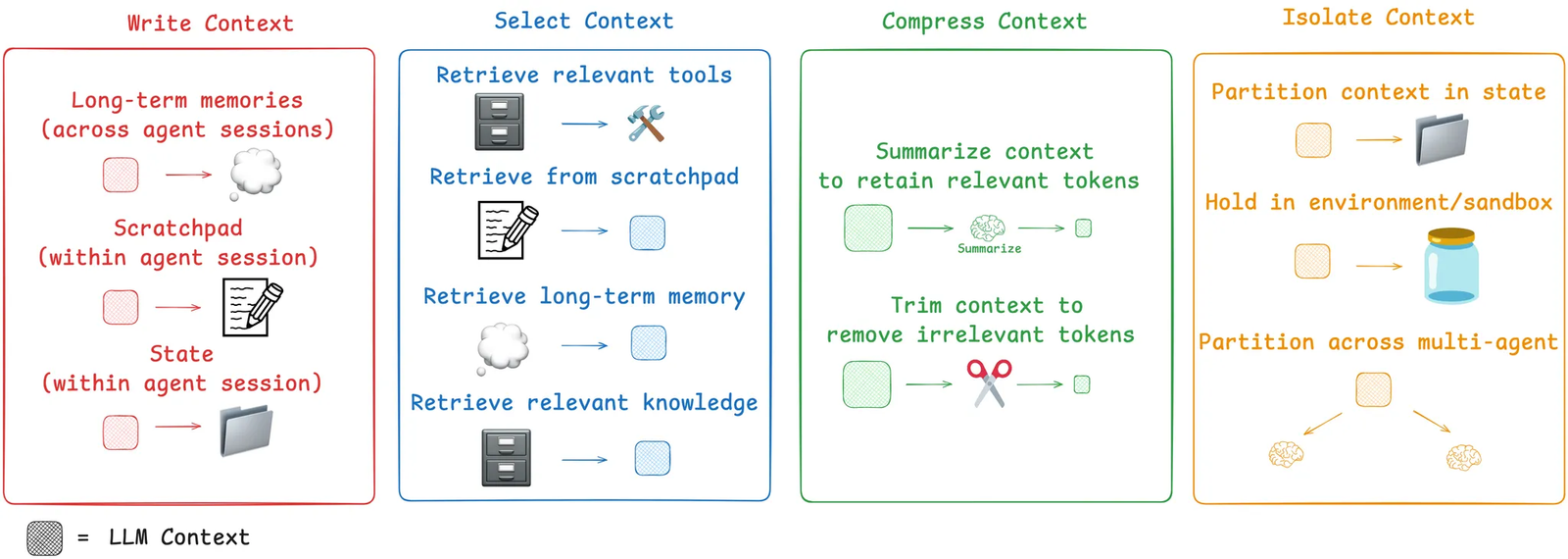 Acontext Features [#acontext-features]
* **[Context Editing](/engineering/editing)**: Manage context window size on-the-fly
* **[Session Summary](/engineering/session_summary)**: Get compact task summaries for prompts
* **[Agent Skills](/engineering/agent_skills)**: Empower agents with reusable skills
Acontext Features [#acontext-features]
* **[Context Editing](/engineering/editing)**: Manage context window size on-the-fly
* **[Session Summary](/engineering/session_summary)**: Get compact task summaries for prompts
* **[Agent Skills](/engineering/agent_skills)**: Empower agents with reusable skills
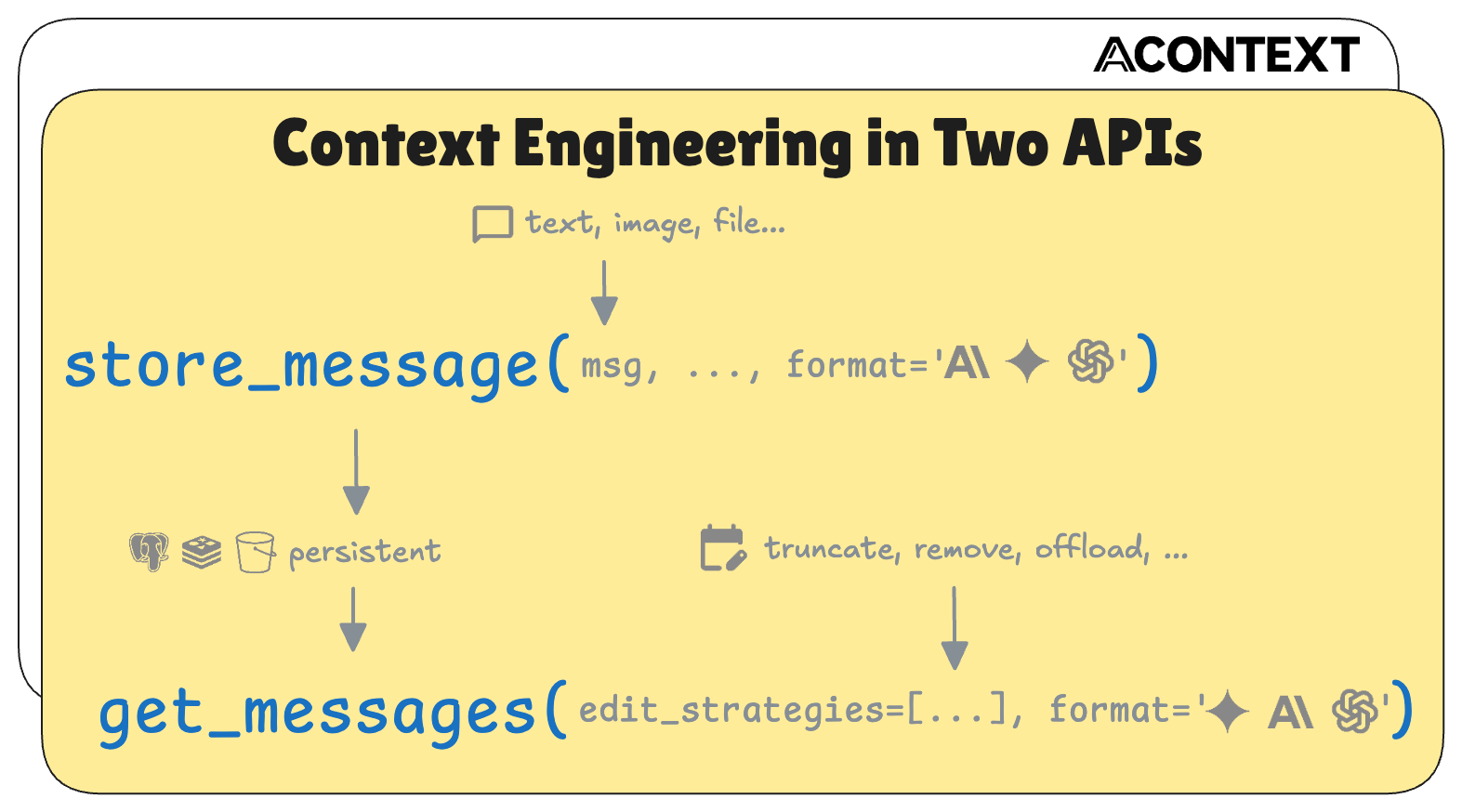 Further Reading [#further-reading]
* [Context Editing by Anthropic](https://platform.claude.com/docs/en/build-with-claude/context-editing)
* [Context Engineering Handbook](https://github.com/davidkimai/Context-Engineering)
* [Context Engineering by Langgraph](https://blog.langchain.com/context-engineering-for-agents/)
---
# What is Skill Memory?
Skill memory is Acontext's approach to persistent agent memory: your agents store memory as **skill files** — plain markdown organized by configurable schemas you control.
```
Session messages ──► Task extraction
└► Learner ──► Skill files
┌─────────────────────┘
▼
social-contacts/
├── SKILL.md (your schema)
├── alice-chen.md (learner-created)
└── bob-martinez.md (learner-created)
```
Quickstart [#quickstart]
```python title="Python"
import os
from acontext import AcontextClient
client = AcontextClient(api_key=os.getenv("ACONTEXT_API_KEY"))
# Create a learning space
space = client.learning_spaces.create()
# Create a session and associate it with the space
session = client.sessions.create()
client.learning_spaces.learn(space.id, session_id=session.id)
# Run your agent as usual — store messages along the way
client.sessions.store_message(session.id, blob={"role": "user", "content": "My name is Gus"})
# ... agent runs and completes the task ...
```
```typescript title="TypeScript"
import { AcontextClient } from '@acontext/acontext';
const client = new AcontextClient({
apiKey: process.env.ACONTEXT_API_KEY,
});
// Create a learning space
const space = await client.learningSpaces.create();
// Create a session and associate it with the space
const session = await client.sessions.create();
await client.learningSpaces.learn({ spaceId: space.id, sessionId: session.id });
// Run your agent as usual — store messages along the way
await client.sessions.storeMessage(session.id, { role: "user", content: "My name is Gus" });
// ... agent runs and completes the task ...
```
Call `.learn()` before the agent runs. When [tasks](/observe/agent_tasks) complete during the session, Acontext automatically picks them up for learning. A **task** is a unit of work the agent completes — Acontext extracts them from session messages automatically.
As tasks complete, Acontext distills outcomes into skill files in the background. Use `wait_for_learning` to block until it finishes:
```python title="Python"
result = client.learning_spaces.wait_for_learning(space.id, session_id=session.id)
print(f"Session {result.session_id}: {result.status}")
# "completed" or "failed"
```
```typescript title="TypeScript"
const result = await client.learningSpaces.waitForLearning({
spaceId: space.id,
sessionId: session.id,
});
console.log(`Session ${result.session_id}: ${result.status}`);
// "completed" or "failed"
```
`wait_for_learning` / `waitForLearning` polls every 1 second (configurable via `poll_interval` / `pollInterval`) and times out after 120 seconds by default (configurable via `timeout`).
Skills are plain markdown files you can read directly:
```python title="Python"
# Ensure learning has finished (called in Step 2, repeated here for completeness)
client.learning_spaces.wait_for_learning(space.id, session_id=session.id)
skills = client.learning_spaces.list_skills(space.id)
for skill in skills:
print(f"\n=== {skill.name} ===")
print(f"Description: {skill.description}")
print(f"Files:")
for f in skill.file_index:
print(f" {f.path}")
content = client.skills.get_file(skill_id=skill.id, file_path=f.path)
print(content.content.raw)
```
```typescript title="TypeScript"
// Ensure learning has finished (called in Step 2, repeated here for completeness)
await client.learningSpaces.waitForLearning({ spaceId: space.id, sessionId: session.id });
const skills = await client.learningSpaces.listSkills(space.id);
for (const skill of skills) {
console.log(`\n=== ${skill.name} ===`);
console.log(`Description: ${skill.description}`);
console.log(`Files:`);
for (const f of skill.fileIndex) {
console.log(` ${f.path}`);
const content = await client.skills.getFile({ skillId: skill.id, filePath: f.path });
console.log(content.content.raw);
}
}
```
Give your agent access to the learned skills via [Skill Content Tools](/tool/skill_tools). The agent can then look up what it learned in previous sessions:
```python title="Python"
from acontext.agent.skill import SKILL_TOOLS
from openai import OpenAI
import json
openai_client = OpenAI()
# Get skill IDs from the learning space
skills = client.learning_spaces.list_skills(space.id)
skill_ids = [s.id for s in skills]
# Give the agent access to those skills
ctx = SKILL_TOOLS.format_context(client, skill_ids)
tools = SKILL_TOOLS.to_openai_tool_schema()
messages = [
{"role": "system", "content": f"You have access to skills from past sessions.\n\n{ctx.get_context_prompt()}"},
{"role": "user", "content": "Do you know my name?"}
]
while True:
response = openai_client.chat.completions.create(
model="gpt-4.1", messages=messages, tools=tools
)
message = response.choices[0].message
messages.append(message)
if not message.tool_calls:
print(f"Assistant: {message.content}")
break
for tc in message.tool_calls:
result = SKILL_TOOLS.execute_tool(ctx, tc.function.name, json.loads(tc.function.arguments))
messages.append({"role": "tool", "tool_call_id": tc.id, "content": result})
```
```typescript title="TypeScript"
import { SKILL_TOOLS } from '@acontext/acontext';
import OpenAI from 'openai';
const openai = new OpenAI();
// Get skill IDs from the learning space
const skills = await client.learningSpaces.listSkills(space.id);
const skillIds = skills.map(s => s.id);
// Give the agent access to those skills
const ctx = await SKILL_TOOLS.formatContext(client, skillIds);
const tools = SKILL_TOOLS.toOpenAIToolSchema();
const messages: OpenAI.ChatCompletionMessageParam[] = [
{ role: "system", content: `You have access to skills from past sessions.\n\n${ctx.getContextPrompt()}` },
{ role: "user", content: "Do you know my name?" },
];
while (true) {
const response = await openai.chat.completions.create({
model: "gpt-4.1",
messages,
tools,
});
const message = response.choices[0].message;
messages.push(message);
if (!message.tool_calls) {
console.log(`Assistant: ${message.content}`);
break;
}
for (const tc of message.tool_calls) {
const result = await SKILL_TOOLS.executeTool(ctx, tc.function.name, JSON.parse(tc.function.arguments));
messages.push({ role: "tool", tool_call_id: tc.id, content: result });
}
}
```
Why Skill Files? [#why-skill-files]
| | Skill Memory (Acontext) | Vector Store | Knowledge Graph | Plain-text Files |
| -------------------- | ----------------------- | ------------ | --------------- | ---------------- |
| Storage format | Markdown files | Embeddings | Nodes & edges | Text files |
| Human-readable | Yes | No | Partially | Partially |
| Configurable schema | Yes (SKILL.md) | No | Complex upfront | No |
| Filesystem-native | Yes | No | No | Yes |
| Version controllable | Yes | No | No | No |
Next Steps [#next-steps]
Define your own memory schemas with SKILL.md
Default skills, custom skills, and managing learning spaces
Full reference for the skill reading tools
---
# What is Task Tracking?
Store messages → Acontext automatically extracts tasks, tracks progress, and detects success/failure. No tracking code needed.
30-Second Example [#30-second-example]
Your agent stores a conversation where the user asks: *"Deploy the new API to staging"*
Acontext's background monitor extracts:
```
Task: "Deploy the new API to staging"
Status: success
Progress:
1. Built Docker image from Dockerfile
2. Pushed to registry at gcr.io/my-project/api:v2.1
3. Deployed to staging cluster via kubectl
User preferences:
1. Always run tests before deploying
```
You didn't write any of that. It came from the conversation automatically.
What Gets Tracked [#what-gets-tracked]
| Field | Example |
| -------------------- | --------------------------------------------- |
| **Task** | "Deploy the new API to staging" |
| **Status** | `pending` → `running` → `success` or `failed` |
| **Progress** | Step-by-step record of what the agent did |
| **User preferences** | Constraints the user mentioned |
Feeds Into Skill Memory [#feeds-into-skill-memory]
Completed tasks feed into the [skill memory pipeline](/learn/quick):
* **Success** → extracts the approach and generalizable patterns
* **Failure** → extracts the failure point and prevention principles
These become reusable agent skills automatically.
Extract and query tasks via SDK.
How message batching and processing timing works.
View messages, tasks, artifacts, and skills visually.
Monitor request flows with OpenTelemetry and Jaeger.
---
# Core Dependencies
Basic Environment Variables [#basic-environment-variables]
Configure your acontext core services using these essential environment variables. All environment variables use uppercase field names corresponding to the configuration schema.
LLM Configuration [#llm-configuration]
API key for your LLM provider (OpenAI or Anthropic). This is the primary authentication credential for AI model access.
Custom base URL for LLM API endpoints. Leave unset to use the provider's default endpoint.
LLM provider to use. Supported values: `openai`, `anthropic`
Default model identifier for LLM operations. Examples: `gpt-4`, `gpt-3.5-turbo`, `claude-3-sonnet`
Timeout in seconds for LLM API responses. Increase for longer operations.
Embedding Configuration [#embedding-configuration]
Embedding provider for vector operations. Supported values: `openai`, `jina`
Embedding model to use for generating vectors. Examples: `text-embedding-3-small`, `text-embedding-ada-002`
Dimension size for embedding vectors. Must match your chosen embedding model's output dimensions.
Separate API key for embedding service. If not set, uses `LLM_API_KEY`.
Custom base URL for embedding API endpoints. Leave unset to use the provider's default.
Cosine distance threshold for embedding similarity searches. Lower values = more strict matching.
Be careful when choosing your embedding model. Changing the embedding model after data has been stored will require you to clean and rebuild your databases, as existing vector embeddings will be incompatible with the new model's output format and dimensions.
.env Examples [#env-examples]
```bash title=".env"
# Required LLM Configuration
LLM_API_KEY=sk-your-openai-api-key-here
# Optional LLM Settings
LLM_SDK=openai
LLM_SIMPLE_MODEL=gpt-4
LLM_RESPONSE_TIMEOUT=60
# Embedding Configuration
BLOCK_EMBEDDING_PROVIDER=openai
BLOCK_EMBEDDING_MODEL=text-embedding-3-small
BLOCK_EMBEDDING_DIM=1536
BLOCK_EMBEDDING_SEARCH_COSINE_DISTANCE_THRESHOLD=0.8
```
```bash title="Anthropic Setup"
# Using Anthropic Claude
LLM_API_KEY=your-anthropic-api-key
LLM_SDK=anthropic
LLM_SIMPLE_MODEL=claude-3-sonnet-20240229
# Keep OpenAI for embeddings (recommended)
BLOCK_EMBEDDING_PROVIDER=openai
BLOCK_EMBEDDING_API_KEY=sk-your-openai-key-for-embeddings
```
```bash title="Custom Endpoints"
# Custom LLM endpoint (e.g., Azure OpenAI)
LLM_API_KEY=your-azure-key
LLM_BASE_URL=https://your-resource.openai.azure.com/
LLM_SDK=openai
# Custom embedding endpoint
BLOCK_EMBEDDING_API_KEY=your-embedding-key
BLOCK_EMBEDDING_BASE_URL=https://api.jina.ai/v1/embeddings
BLOCK_EMBEDDING_PROVIDER=jina
```
```bash title="Local LLM (Ollama)"
# Ollama server running locally
LLM_API_KEY=dummy-key-not-required
LLM_BASE_URL=http://localhost:11434/v1
LLM_SDK=openai
LLM_SIMPLE_MODEL=qwen3:8b
# Local embedding with Ollama
BLOCK_EMBEDDING_PROVIDER=openai
BLOCK_EMBEDDING_API_KEY=dummy-key
BLOCK_EMBEDDING_BASE_URL=http://localhost:11434/v1
BLOCK_EMBEDDING_MODEL=qwen3-embedding:0.6b
BLOCK_EMBEDDING_DIM=1024
```
Appendix [#appendix]
Go to [Ollama](https://ollama.com/download) to download and install Ollama.
```bash
# Pull and run a model
ollama pull qwen3:8b
ollama pull qwen3-embedding:0.6b
ollama serve
```
Ollama automatically provides OpenAI-compatible endpoints at `http://localhost:11434/v1`
Local LLM setups are perfect for development, privacy-sensitive applications, or when you want to avoid API costs. Ollama provides OpenAI-compatible APIs, making integration seamless.
---
# Run Acontext Locally
Install acontext-cli [#install-acontext-cli]
```bash
curl -fsSL https://install.acontext.io | sh
```
Start Acontext Server Locally [#start-acontext-server-locally]
Acontext requires at least an OpenAI API Key to Start.
```bash title=".env"
LLM_API_KEY="YOUR_OPENAI_API_KEY"
```
Place your `.env` file and run `acontext server up` at the same directory:
```bash server
mkdir acontext_server && cd acontext_server
acontext server up
```
`acontext server up` will create/use the existing `.env` and `config.yaml` for Acontext, and create a `db` folder to persist data.
Once it's done, you can access the following endpoints:
* Acontext Base URL: [http://localhost:8029/api/v1](http://localhost:8029/api/v1)
* Acontext Dashboard: [http://localhost:3000/](http://localhost:3000/)
To use different providers, check [Core Settings](/settings/core) for more details.
Next Steps [#next-steps]
View your agent's tasks, conversations in one place
Save agent conversations with context
Configure Acontext to your needs
---
# Runtime
Session Message Buffer [#session-message-buffer]
Acontext will track the agent task and user feedback in the session,
the following settings control how and when tracking is conducted.
Number of previous message turns to include in the context when processing new incoming messages.
Higher values provide more context for task maintaining but consume more tokens.
Maximum number of untracked message turns to keep in the session buffer.
This controls the size of the messages we want to process at the same time, the larger the buffer,
the longer context we can use for once for task maintaining,
and the less total token costs.
Time-to-live in seconds for the session buffer.
If the session buffer hasn't received any new messages for the TTL seconds, it starts processing the current messages.
This parameter + the max turns parameters make sure the session buffer is not too large and the messages are not too old.
Agent Iteration Limits [#agent-iteration-limits]
Maximum number of iterations a task agent can perform before stopping. Prevents infinite loops in task execution.
.env Examples [#env-examples]
```bash title="Default Configuration"
# Session Management
PROJECT_SESSION_MESSAGE_USE_PREVIOUS_MESSAGES_TURNS=3
PROJECT_SESSION_MESSAGE_BUFFER_MAX_TURNS=16
PROJECT_SESSION_MESSAGE_BUFFER_MAX_OVERFLOW=16
PROJECT_SESSION_MESSAGE_BUFFER_TTL_SECONDS=4
# Agent Limits
DEFAULT_TASK_AGENT_MAX_ITERATIONS=4
```
```bash title="High-Context Setup"
# Increased context for complex conversations
PROJECT_SESSION_MESSAGE_USE_PREVIOUS_MESSAGES_TURNS=8
PROJECT_SESSION_MESSAGE_BUFFER_MAX_TURNS=32
PROJECT_SESSION_MESSAGE_BUFFER_MAX_OVERFLOW=24
PROJECT_SESSION_MESSAGE_BUFFER_TTL_SECONDS=10
# More iterations for complex tasks
DEFAULT_TASK_AGENT_MAX_ITERATIONS=8
```
```bash title="Performance Optimized"
# Reduced context for faster processing
PROJECT_SESSION_MESSAGE_USE_PREVIOUS_MESSAGES_TURNS=2
PROJECT_SESSION_MESSAGE_BUFFER_MAX_TURNS=8
PROJECT_SESSION_MESSAGE_BUFFER_MAX_OVERFLOW=8
PROJECT_SESSION_MESSAGE_BUFFER_TTL_SECONDS=2
# Lower iteration limits for speed
DEFAULT_TASK_AGENT_MAX_ITERATIONS=3
```
Setting iteration limits too high may lead to excessive API usage and longer response times. Setting them too low may prevent agents from completing complex tasks.
Message Buffer Tuning [#message-buffer-tuning]
Buffer Size Impact [#buffer-size-impact]
* **Small buffers** (8-16 turns):
* ✅ **Lower update latency** - Tasks and skills update faster
* ❌ **Higher token cost** - More frequent processing with less context sharing
* **Large buffers** (32+ turns):
* ✅ **Lower token cost** - Batch processing with shared context
* ❌ **Higher update latency** - Tasks and skills update less frequently
TTL Configuration Impact [#ttl-configuration-impact]
* **Short TTL** (1-4 seconds):
* ✅ **Near real-time** task extraction and skill updates
* ❌ **Higher costs** due to frequent processing of smaller batches
* **Long TTL** (10+ seconds):
* ✅ **Cost efficient** batch processing
* ❌ **Delayed updates** for tasks and skills
For **development**: Use shorter TTL (2-4s) and smaller buffers (8-16) for faster feedback loops. For **production**: Use longer TTL (6-10s) and larger buffers (24-32) to optimize costs.
---
# What is Session Storage?
Acontext provides unified storage for everything your agent needs — messages, files, skills, and sandboxes — all accessible through one backend.
Store and retrieve LLM messages in OpenAI, Anthropic, or Gemini format with automatic conversion.
S3-backed file storage with paths, metadata, and secure download URLs.
Upload and manage reusable skill packages that agents can discover and use.
Isolated containers for executing shell commands and running code securely.
Associate sessions, disks, and skills with user identifiers for multi-tenant apps.
---
# What is Agent Tool?
Instead of writing custom tools based on Acontext low-level SDKs,
Acontext provides ready-to-use tools that integrate seamlessly with popular LLM providers.
Available Tool Sets [#available-tool-sets]
| Tool Set | Description |
| --------------------------------- | ------------------------------------------ |
| [Sandbox Tools](/tool/bash_tools) | Execute code, edit files, export results |
| [Disk Tools](/tool/disk_tools) | Read and write files to persistent storage |
| [Skill Tools](/tool/skill_tools) | Access agent skills and knowledge |
How It Works [#how-it-works]
Quick Example [#quick-example]
```python title="Python"
from acontext import AcontextClient
from acontext.agent.sandbox import SANDBOX_TOOLS
client = AcontextClient()
sandbox = client.sandboxes.create()
disk = client.disks.create()
```
```typescript title="TypeScript"
import { AcontextClient, SANDBOX_TOOLS } from '@acontext/acontext';
const client = new AcontextClient();
const sandbox = await client.sandboxes.create();
const disk = await client.disks.create();
```
```python title="Python"
ctx = SANDBOX_TOOLS.format_context(client, sandbox.sandbox_id, disk.id)
```
```typescript title="TypeScript"
const ctx = await SANDBOX_TOOLS.formatContext(client, sandbox.sandbox_id, disk.id);
```
```python title="Python"
context_prompt = ctx.get_context_prompt()
messages = [
{"role": "system", "content": f"You have sandbox access.\n\n{context_prompt}"},
{"role": "user", "content": "Run a hello world script"}
]
```
```typescript title="TypeScript"
const contextPrompt = ctx.getContextPrompt();
const messages = [
{ role: "system", content: `You have sandbox access.\n\n${contextPrompt}` },
{ role: "user", content: "Run a hello world script" }
];
```
```python title="Python"
tools = SANDBOX_TOOLS.to_openai_tool_schema()
response = openai_client.chat.completions.create(
model="gpt-4.1", messages=messages, tools=tools
)
```
```typescript title="TypeScript"
const tools = SANDBOX_TOOLS.toOpenAIToolSchema();
const response = await openai.chat.completions.create({
model: "gpt-4.1", messages, tools
});
```
```python title="Python"
for tc in response.choices[0].message.tool_calls:
result = SANDBOX_TOOLS.execute_tool(ctx, tc.function.name, json.loads(tc.function.arguments))
```
```typescript title="TypeScript"
for (const tc of response.choices[0].message.tool_calls) {
const result = await SANDBOX_TOOLS.executeTool(ctx, tc.function.name, JSON.parse(tc.function.arguments));
}
```
Next Steps [#next-steps]
Execute code in isolated containers
Persistent file storage for agents
Access reusable agent skills
Create and manage skills
---
# Custom Skills for Skill Memory
Every skill in a learning space has a `SKILL.md` that tells the learner how to organize information. By writing different SKILL.md files, you define different memory algorithms — each with its own rules for what to capture, how to name files, and how to structure entries.
How It Works [#how-it-works]
When a session completes, Acontext's learning pipeline:
1. Reads each skill's `SKILL.md` to understand its purpose and rules
2. Decides which skills are relevant to the session outcome
3. Creates or updates files **following the instructions you wrote**
This means you control the memory format. The learner is just the executor.
Example Skills [#example-skills]
social-contacts [#social-contacts]
One file per person — captures who the user knows, relationship context, and preferences for interacting with them.
```markdown
---
name: "social-contacts"
description: "Track people the user interacts with — one file per person"
---
# Social Contacts
Maintain a file for each person the user mentions or interacts with.
Capture relationship context, communication preferences, and notable interactions.
## File Structure
One file per person, named [first-last].md (lowercase, hyphenated).
Create a new file the first time a person is mentioned; update it when new information surfaces.
File format for [first-last].md:
# [Full Name]
## Basics — Relationship, Role, Company
## Notes — notable facts, preferences, or context about this person
## Guidelines
- One person per file — do not combine people
- Only record information explicitly mentioned by the user
- Update existing entries when corrections are provided
- Keep entries factual and concise
```
project-runbooks [#project-runbooks]
One file per project — captures deployment steps, architecture decisions, and recurring issues.
```markdown
---
name: "project-runbooks"
description: "Operational knowledge per project — deploy steps, architecture, common issues"
---
# Project Runbooks
Maintain a runbook for each project the user works on.
Capture deployment procedures, architecture decisions, and solutions to recurring problems.
## File Structure
One file per project, named [project-name].md (lowercase, hyphenated).
File format for [project-name].md:
# [Project Name]
## Architecture — key components, services, dependencies
## Deploy — step-by-step deployment procedure
## Common Issues — each issue with Symptom and Fix
## Guidelines
- One project per file
- Update deploy steps when procedures change — do not keep stale instructions
- Add new issues as they are encountered and resolved
- Keep architecture notes high-level — link to external docs for details
```
api-error-patterns [#api-error-patterns]
Accumulated patterns organized by error category — captures what went wrong and how to fix it.
```markdown
---
name: "api-error-patterns"
description: "Reusable patterns for handling API errors — organized by category"
---
# API Error Patterns
Collect error-handling patterns discovered during development.
Organize by error category so the agent can quickly find relevant solutions.
## File Structure
One file per error category, named [category].md (e.g., auth.md, rate-limits.md, timeouts.md).
File format for [category].md:
# [Category] Errors
## [Pattern title] (date: YYYY-MM-DD) — with Symptom, Root Cause, Fix, Prevention
## Guidelines
- Group related errors in the same file — do not create one file per error
- Include the date so patterns can be reviewed for staleness
- Focus on reusable patterns, not one-off bugs
```
Walkthrough: Using social-contacts [#walkthrough-using-social-contacts]
Create a file called `SKILL.md` with the following content:
```markdown title="SKILL.md"
---
name: "social-contacts"
description: "Track people the user interacts with — one file per person"
---
# Social Contacts
Maintain a file for each person the user mentions or interacts with.
## File Structure
One file per person, named [first-last].md (lowercase, hyphenated).
Each file has: # [Full Name], ## Basics (Relationship, Role, Company), ## Notes.
## Guidelines
- One person per file — do not combine people
- Only record information explicitly mentioned by the user
- Update existing entries when corrections are provided
- Keep entries factual and concise
```
```python title="Python"
import os, zipfile, io
from acontext import AcontextClient, FileUpload
client = AcontextClient(api_key=os.getenv("ACONTEXT_API_KEY"))
# Read the SKILL.md you created
with open("SKILL.md", "r") as f:
skill_md = f.read()
buf = io.BytesIO()
with zipfile.ZipFile(buf, "w") as zf:
zf.writestr("SKILL.md", skill_md)
buf.seek(0)
skill = client.skills.create(
file=FileUpload(filename="social-contacts.zip", content=buf.read()),
)
print(f"Created skill: {skill.name} ({skill.id})")
```
```typescript title="TypeScript"
import { AcontextClient, FileUpload } from '@acontext/acontext';
import * as fs from 'fs';
import JSZip from 'jszip';
const client = new AcontextClient({
apiKey: process.env.ACONTEXT_API_KEY,
});
const skillMd = fs.readFileSync("SKILL.md", "utf-8");
const zip = new JSZip();
zip.file("SKILL.md", skillMd);
const zipBuffer = await zip.generateAsync({ type: "nodebuffer" });
const skill = await client.skills.create({
file: new FileUpload({ filename: "social-contacts.zip", content: zipBuffer }),
});
console.log(`Created skill: ${skill.name} (${skill.id})`);
```
```python title="Python"
space = client.learning_spaces.create()
client.learning_spaces.include_skill(space.id, skill_id=skill.id)
skills = client.learning_spaces.list_skills(space.id)
for s in skills:
print(f" {s.name}: {s.description}")
```
```typescript title="TypeScript"
const space = await client.learningSpaces.create();
await client.learningSpaces.includeSkill({ spaceId: space.id, skillId: skill.id });
const skills = await client.learningSpaces.listSkills(space.id);
for (const s of skills) {
console.log(` ${s.name}: ${s.description}`);
}
```
```python title="Python"
session = client.sessions.create()
client.learning_spaces.learn(space.id, session_id=session.id)
messages = [
{"role": "user", "content": "Set up a meeting with Alice Chen — she's our new product manager at Acme Corp. She prefers morning slots."},
{"role": "assistant", "content": "I've scheduled a meeting with Alice Chen for tomorrow at 10 AM."},
{"role": "user", "content": "Also remind me that Bob Martinez from the DevOps team helped us fix the staging deploy issue last week."},
{"role": "assistant", "content": "Noted — Bob Martinez from DevOps helped resolve the staging deployment issue."},
]
for msg in messages:
client.sessions.store_message(session.id, blob=msg)
```
```typescript title="TypeScript"
const session = await client.sessions.create();
await client.learningSpaces.learn({ spaceId: space.id, sessionId: session.id });
const messages = [
{ role: "user", content: "Set up a meeting with Alice Chen — she's our new product manager at Acme Corp. She prefers morning slots." },
{ role: "assistant", content: "I've scheduled a meeting with Alice Chen for tomorrow at 10 AM." },
{ role: "user", content: "Also remind me that Bob Martinez from the DevOps team helped us fix the staging deploy issue last week." },
{ role: "assistant", content: "Noted — Bob Martinez from DevOps helped resolve the staging deployment issue." },
];
for (const msg of messages) {
await client.sessions.storeMessage(session.id, msg);
}
```
Learning is asynchronous. After the session's tasks complete, the learner reads your `SKILL.md` and creates files like `alice-chen.md` and `bob-martinez.md` following your rules.
```python title="Python"
client.learning_spaces.wait_for_learning(space.id, session_id=session.id)
skills = client.learning_spaces.list_skills(space.id)
for s in skills:
if s.name == "social-contacts":
for f in s.file_index:
if f.path == "SKILL.md":
continue
print(f"\n--- {f.path} ---")
content = client.skills.get_file(skill_id=s.id, file_path=f.path)
print(content.content.raw)
```
```typescript title="TypeScript"
await client.learningSpaces.waitForLearning({ spaceId: space.id, sessionId: session.id });
const updatedSkills = await client.learningSpaces.listSkills(space.id);
for (const s of updatedSkills) {
if (s.name === "social-contacts") {
for (const f of s.fileIndex) {
if (f.path === "SKILL.md") continue;
console.log(`\n--- ${f.path} ---`);
const content = await client.skills.getFile({ skillId: s.id, filePath: f.path });
console.log(content.content?.raw);
}
}
}
```
Expected output — files created by the learner following your SKILL.md rules:
```markdown title="alice-chen.md"
# Alice Chen
## Basics
- Relationship: colleague
- Role: Product Manager
- Company: Acme Corp
## Notes
- Prefers morning meeting slots
```
```markdown title="bob-martinez.md"
# Bob Martinez
## Basics
- Relationship: colleague
- Role: DevOps team
## Notes
- Helped resolve a staging deployment issue
```
Full Code [#full-code]
```python
import os, zipfile, io
from acontext import AcontextClient, FileUpload
client = AcontextClient(api_key=os.getenv("ACONTEXT_API_KEY"))
# 1. Create the SKILL.md and ZIP it
skill_md = """---
name: "social-contacts"
description: "Track people the user interacts with — one file per person"
---
# Social Contacts
Maintain a file for each person the user mentions or interacts with.
## File Structure
One file per person, named [first-last].md (lowercase, hyphenated).
Each file has: # [Full Name], ## Basics (Relationship, Role, Company), ## Notes.
## Guidelines
- One person per file — do not combine people
- Only record information explicitly mentioned by the user
- Update existing entries when corrections are provided
- Keep entries factual and concise
"""
buf = io.BytesIO()
with zipfile.ZipFile(buf, "w") as zf:
zf.writestr("SKILL.md", skill_md)
buf.seek(0)
skill = client.skills.create(
file=FileUpload(filename="social-contacts.zip", content=buf.read()),
)
print(f"Created skill: {skill.name} ({skill.id})")
# 2. Create a learning space and include the skill
space = client.learning_spaces.create()
client.learning_spaces.include_skill(space.id, skill_id=skill.id)
skills = client.learning_spaces.list_skills(space.id)
for s in skills:
print(f" {s.name}: {s.description}")
# 3. Create a session and run mock messages
session = client.sessions.create()
client.learning_spaces.learn(space.id, session_id=session.id)
messages = [
{"role": "user", "content": "Set up a meeting with Alice Chen — she's our new product manager at Acme Corp. She prefers morning slots."},
{"role": "assistant", "content": "I've scheduled a meeting with Alice Chen for tomorrow at 10 AM."},
{"role": "user", "content": "Also remind me that Bob Martinez from the DevOps team helped us fix the staging deploy issue last week."},
{"role": "assistant", "content": "Noted — Bob Martinez from DevOps helped resolve the staging deployment issue."},
]
for msg in messages:
client.sessions.store_message(session.id, blob=msg)
# 4. Wait for learning pipeline, then inspect results
client.learning_spaces.wait_for_learning(space.id, session_id=session.id)
skills = client.learning_spaces.list_skills(space.id)
for s in skills:
if s.name == "social-contacts":
for f in s.file_index:
if f.path == "SKILL.md":
continue
print(f"\n--- {f.path} ---")
content = client.skills.get_file(skill_id=s.id, file_path=f.path)
print(content.content.raw)
```
```typescript
import { AcontextClient, FileUpload } from '@acontext/acontext';
import JSZip from 'jszip';
const client = new AcontextClient({
apiKey: process.env.ACONTEXT_API_KEY,
});
// 1. Create the SKILL.md and ZIP it
const skillMd = `---
name: "social-contacts"
description: "Track people the user interacts with — one file per person"
---
# Social Contacts
Maintain a file for each person the user mentions or interacts with.
## File Structure
One file per person, named [first-last].md (lowercase, hyphenated).
Each file has: # [Full Name], ## Basics (Relationship, Role, Company), ## Notes.
## Guidelines
- One person per file — do not combine people
- Only record information explicitly mentioned by the user
- Update existing entries when corrections are provided
- Keep entries factual and concise
`;
const zip = new JSZip();
zip.file("SKILL.md", skillMd);
const zipBuffer = await zip.generateAsync({ type: "nodebuffer" });
const skill = await client.skills.create({
file: new FileUpload({ filename: "social-contacts.zip", content: zipBuffer }),
});
console.log(`Created skill: ${skill.name} (${skill.id})`);
// 2. Create a learning space and include the skill
const space = await client.learningSpaces.create();
await client.learningSpaces.includeSkill({ spaceId: space.id, skillId: skill.id });
const skills = await client.learningSpaces.listSkills(space.id);
for (const s of skills) {
console.log(` ${s.name}: ${s.description}`);
}
// 3. Create a session and run mock messages
const session = await client.sessions.create();
await client.learningSpaces.learn({ spaceId: space.id, sessionId: session.id });
const messages = [
{ role: "user", content: "Set up a meeting with Alice Chen — she's our new product manager at Acme Corp. She prefers morning slots." },
{ role: "assistant", content: "I've scheduled a meeting with Alice Chen for tomorrow at 10 AM." },
{ role: "user", content: "Also remind me that Bob Martinez from the DevOps team helped us fix the staging deploy issue last week." },
{ role: "assistant", content: "Noted — Bob Martinez from DevOps helped resolve the staging deployment issue." },
];
for (const msg of messages) {
await client.sessions.storeMessage(session.id, msg);
}
// 4. Wait for learning pipeline, then inspect results
await client.learningSpaces.waitForLearning({ spaceId: space.id, sessionId: session.id });
const updatedSkills = await client.learningSpaces.listSkills(space.id);
for (const s of updatedSkills) {
if (s.name === "social-contacts") {
for (const f of s.fileIndex) {
if (f.path === "SKILL.md") continue;
console.log(`\n--- ${f.path} ---`);
const content = await client.skills.getFile({ skillId: s.id, filePath: f.path });
console.log(content.content?.raw);
}
}
}
```
Next Steps [#next-steps]
SKILL.md format and ZIP structure
Default skills, custom skills, and managing learning spaces
---
# Managing Learning Spaces
A learning space is the container where Acontext organizes skills for your agent. Each space comes with default skills and supports custom ones.
Default Skills [#default-skills]
Every learning space starts with two built-in skills:
| Skill | What it captures |
| ---------------------- | ----------------------------------------------- |
| **daily-logs** | Daily activity summaries — one file per day |
| **user-general-facts** | User preferences and facts — one file per topic |
```markdown
# 2025-06-15
## Deploy API v2 to staging
- **Outcome**: success
- **Summary**: Blue-green deploy completed, zero downtime
- **Key Decisions**: Ran DB migration before switching traffic
- **Learnings**: Set health-check timeout to 30s, not 10s
## Roll back staging after test failure
- **Outcome**: failed
- **Summary**: Rollback script timed out on large DB
- **Key Decisions**: Attempted manual rollback
- **Learnings**: Add rollback timeout flag, pre-test with smaller dataset
```
```markdown
# Personal Info
- username: gus
```
Adding Custom Skills [#adding-custom-skills]
Include your own skills alongside the defaults. The learner updates them too — as long as they have a valid `SKILL.md`.
```python title="Python"
skill = client.skills.create(file=FileUpload(...))
client.learning_spaces.include_skill(space.id, skill_id=skill.id)
# Remove a skill (idempotent)
client.learning_spaces.exclude_skill(space.id, skill_id="skill-uuid")
```
```typescript title="TypeScript"
const skill = await client.skills.create({ file: new FileUpload(...) });
await client.learningSpaces.includeSkill({ spaceId: space.id, skillId: skill.id });
// Remove a skill (idempotent)
await client.learningSpaces.excludeSkill({ spaceId: space.id, skillId: "skill-uuid" });
```
See [Agent Skills](/store/skill) for the SKILL.md format and ZIP structure.
Managing Learning Spaces [#managing-learning-spaces]
```python title="Python"
# List, filter, paginate
spaces = client.learning_spaces.list(user="alice@example.com", limit=10)
# Filter by meta
spaces = client.learning_spaces.list(filter_by_meta={"domain": "deployments"})
# Update meta
client.learning_spaces.update(space.id, meta={"version": "2.0"})
# Delete (skills and sessions are NOT deleted)
client.learning_spaces.delete(space.id)
```
```typescript title="TypeScript"
// List, filter, paginate
const spaces = await client.learningSpaces.list({ user: "alice@example.com", limit: 10 });
// Filter by meta
const filtered = await client.learningSpaces.list({ filterByMeta: { domain: "deployments" } });
// Update meta
await client.learningSpaces.update(space.id, { meta: { version: "2.0" } });
// Delete (skills and sessions are NOT deleted)
await client.learningSpaces.delete(space.id);
```
Next Steps [#next-steps]
Understand how skill memory compares to other approaches
Upload and manage skills
---
# Agent Tasks
Acontext extracts tasks from agent conversations based on **user requirements**. Each distinct request the user makes becomes a separate, trackable task — the agent's plan steps are tracked as progress within that task.
Quick Start [#quick-start]
```python title="Python"
import os
from acontext import AcontextClient
client = AcontextClient(api_key=os.getenv("ACONTEXT_API_KEY"))
session = client.sessions.create()
# Store conversation — each user request becomes a separate task
messages = [
{"role": "user", "content": "Research iPhone 15 specs and summarize the key features"},
{"role": "assistant", "content": "Here are the key iPhone 15 specs:\n- A16 chip, 48MP camera, USB-C..."},
{"role": "user", "content": "Now create a comparison table with iPhone 14"},
{"role": "assistant", "content": "| Feature | iPhone 14 | iPhone 15 |\n|---|---|---|\n| Chip | A15 | A16 |..."},
]
for msg in messages:
client.sessions.store_message(session_id=session.id, blob=msg, format="openai")
# Wait for extraction
client.sessions.flush(session.id)
# Get tasks — one per user request
tasks = client.sessions.get_tasks(session.id)
for task in tasks.items:
print(f"Task #{task.order}: {task.data.task_description} | Status: {task.status}")
```
```typescript title="TypeScript"
import { AcontextClient } from '@acontext/acontext';
const client = new AcontextClient({
apiKey: process.env.ACONTEXT_API_KEY,
});
const session = await client.sessions.create();
// Store conversation — each user request becomes a separate task
const messages = [
{ role: "user", content: "Research iPhone 15 specs and summarize the key features" },
{ role: "assistant", content: "Here are the key iPhone 15 specs:\n- A16 chip, 48MP camera, USB-C..." },
{ role: "user", content: "Now create a comparison table with iPhone 14" },
{ role: "assistant", content: "| Feature | iPhone 14 | iPhone 15 |\n|---|---|---|\n| Chip | A15 | A16 |..." },
];
for (const msg of messages) {
await client.sessions.storeMessage(session.id, msg, { format: "openai" });
}
// Wait for extraction
await client.sessions.flush(session.id);
// Get tasks — one per user request
const tasks = await client.sessions.getTasks(session.id);
for (const task of tasks.items) {
console.log(`Task #${task.order}: ${task.data.task_description} | Status: ${task.status}`);
}
```
Task Data [#task-data]
Each task contains:
* `task_description`: What the task is
* `status`: `pending`, `running`, `success`, or `failed`
* `progresses`: Agent's progress updates
* `user_preferences`: User requirements mentioned
```python title="Python"
for task in tasks.items:
print(f"Task: {task.data.task_description}")
if task.data.progresses:
for p in task.data.progresses:
print(f" Progress: {p}")
if task.data.user_preferences:
for pref in task.data.user_preferences:
print(f" Preference: {pref}")
```
```typescript title="TypeScript"
for (const task of tasks.items) {
console.log(`Task: ${task.data.task_description}`);
if (task.data.progresses) {
for (const p of task.data.progresses) {
console.log(` Progress: ${p}`);
}
}
if (task.data.user_preferences) {
for (const pref of task.data.user_preferences) {
console.log(` Preference: ${pref}`);
}
}
}
```
View in Dashboard [#view-in-dashboard]
Further Reading [#further-reading]
* [Context Editing by Anthropic](https://platform.claude.com/docs/en/build-with-claude/context-editing)
* [Context Engineering Handbook](https://github.com/davidkimai/Context-Engineering)
* [Context Engineering by Langgraph](https://blog.langchain.com/context-engineering-for-agents/)
---
# What is Skill Memory?
Skill memory is Acontext's approach to persistent agent memory: your agents store memory as **skill files** — plain markdown organized by configurable schemas you control.
```
Session messages ──► Task extraction
└► Learner ──► Skill files
┌─────────────────────┘
▼
social-contacts/
├── SKILL.md (your schema)
├── alice-chen.md (learner-created)
└── bob-martinez.md (learner-created)
```
Quickstart [#quickstart]
```python title="Python"
import os
from acontext import AcontextClient
client = AcontextClient(api_key=os.getenv("ACONTEXT_API_KEY"))
# Create a learning space
space = client.learning_spaces.create()
# Create a session and associate it with the space
session = client.sessions.create()
client.learning_spaces.learn(space.id, session_id=session.id)
# Run your agent as usual — store messages along the way
client.sessions.store_message(session.id, blob={"role": "user", "content": "My name is Gus"})
# ... agent runs and completes the task ...
```
```typescript title="TypeScript"
import { AcontextClient } from '@acontext/acontext';
const client = new AcontextClient({
apiKey: process.env.ACONTEXT_API_KEY,
});
// Create a learning space
const space = await client.learningSpaces.create();
// Create a session and associate it with the space
const session = await client.sessions.create();
await client.learningSpaces.learn({ spaceId: space.id, sessionId: session.id });
// Run your agent as usual — store messages along the way
await client.sessions.storeMessage(session.id, { role: "user", content: "My name is Gus" });
// ... agent runs and completes the task ...
```
Call `.learn()` before the agent runs. When [tasks](/observe/agent_tasks) complete during the session, Acontext automatically picks them up for learning. A **task** is a unit of work the agent completes — Acontext extracts them from session messages automatically.
As tasks complete, Acontext distills outcomes into skill files in the background. Use `wait_for_learning` to block until it finishes:
```python title="Python"
result = client.learning_spaces.wait_for_learning(space.id, session_id=session.id)
print(f"Session {result.session_id}: {result.status}")
# "completed" or "failed"
```
```typescript title="TypeScript"
const result = await client.learningSpaces.waitForLearning({
spaceId: space.id,
sessionId: session.id,
});
console.log(`Session ${result.session_id}: ${result.status}`);
// "completed" or "failed"
```
`wait_for_learning` / `waitForLearning` polls every 1 second (configurable via `poll_interval` / `pollInterval`) and times out after 120 seconds by default (configurable via `timeout`).
Skills are plain markdown files you can read directly:
```python title="Python"
# Ensure learning has finished (called in Step 2, repeated here for completeness)
client.learning_spaces.wait_for_learning(space.id, session_id=session.id)
skills = client.learning_spaces.list_skills(space.id)
for skill in skills:
print(f"\n=== {skill.name} ===")
print(f"Description: {skill.description}")
print(f"Files:")
for f in skill.file_index:
print(f" {f.path}")
content = client.skills.get_file(skill_id=skill.id, file_path=f.path)
print(content.content.raw)
```
```typescript title="TypeScript"
// Ensure learning has finished (called in Step 2, repeated here for completeness)
await client.learningSpaces.waitForLearning({ spaceId: space.id, sessionId: session.id });
const skills = await client.learningSpaces.listSkills(space.id);
for (const skill of skills) {
console.log(`\n=== ${skill.name} ===`);
console.log(`Description: ${skill.description}`);
console.log(`Files:`);
for (const f of skill.fileIndex) {
console.log(` ${f.path}`);
const content = await client.skills.getFile({ skillId: skill.id, filePath: f.path });
console.log(content.content.raw);
}
}
```
Give your agent access to the learned skills via [Skill Content Tools](/tool/skill_tools). The agent can then look up what it learned in previous sessions:
```python title="Python"
from acontext.agent.skill import SKILL_TOOLS
from openai import OpenAI
import json
openai_client = OpenAI()
# Get skill IDs from the learning space
skills = client.learning_spaces.list_skills(space.id)
skill_ids = [s.id for s in skills]
# Give the agent access to those skills
ctx = SKILL_TOOLS.format_context(client, skill_ids)
tools = SKILL_TOOLS.to_openai_tool_schema()
messages = [
{"role": "system", "content": f"You have access to skills from past sessions.\n\n{ctx.get_context_prompt()}"},
{"role": "user", "content": "Do you know my name?"}
]
while True:
response = openai_client.chat.completions.create(
model="gpt-4.1", messages=messages, tools=tools
)
message = response.choices[0].message
messages.append(message)
if not message.tool_calls:
print(f"Assistant: {message.content}")
break
for tc in message.tool_calls:
result = SKILL_TOOLS.execute_tool(ctx, tc.function.name, json.loads(tc.function.arguments))
messages.append({"role": "tool", "tool_call_id": tc.id, "content": result})
```
```typescript title="TypeScript"
import { SKILL_TOOLS } from '@acontext/acontext';
import OpenAI from 'openai';
const openai = new OpenAI();
// Get skill IDs from the learning space
const skills = await client.learningSpaces.listSkills(space.id);
const skillIds = skills.map(s => s.id);
// Give the agent access to those skills
const ctx = await SKILL_TOOLS.formatContext(client, skillIds);
const tools = SKILL_TOOLS.toOpenAIToolSchema();
const messages: OpenAI.ChatCompletionMessageParam[] = [
{ role: "system", content: `You have access to skills from past sessions.\n\n${ctx.getContextPrompt()}` },
{ role: "user", content: "Do you know my name?" },
];
while (true) {
const response = await openai.chat.completions.create({
model: "gpt-4.1",
messages,
tools,
});
const message = response.choices[0].message;
messages.push(message);
if (!message.tool_calls) {
console.log(`Assistant: ${message.content}`);
break;
}
for (const tc of message.tool_calls) {
const result = await SKILL_TOOLS.executeTool(ctx, tc.function.name, JSON.parse(tc.function.arguments));
messages.push({ role: "tool", tool_call_id: tc.id, content: result });
}
}
```
Why Skill Files? [#why-skill-files]
| | Skill Memory (Acontext) | Vector Store | Knowledge Graph | Plain-text Files |
| -------------------- | ----------------------- | ------------ | --------------- | ---------------- |
| Storage format | Markdown files | Embeddings | Nodes & edges | Text files |
| Human-readable | Yes | No | Partially | Partially |
| Configurable schema | Yes (SKILL.md) | No | Complex upfront | No |
| Filesystem-native | Yes | No | No | Yes |
| Version controllable | Yes | No | No | No |
Next Steps [#next-steps]
Define your own memory schemas with SKILL.md
Default skills, custom skills, and managing learning spaces
Full reference for the skill reading tools
---
# What is Task Tracking?
Store messages → Acontext automatically extracts tasks, tracks progress, and detects success/failure. No tracking code needed.
30-Second Example [#30-second-example]
Your agent stores a conversation where the user asks: *"Deploy the new API to staging"*
Acontext's background monitor extracts:
```
Task: "Deploy the new API to staging"
Status: success
Progress:
1. Built Docker image from Dockerfile
2. Pushed to registry at gcr.io/my-project/api:v2.1
3. Deployed to staging cluster via kubectl
User preferences:
1. Always run tests before deploying
```
You didn't write any of that. It came from the conversation automatically.
What Gets Tracked [#what-gets-tracked]
| Field | Example |
| -------------------- | --------------------------------------------- |
| **Task** | "Deploy the new API to staging" |
| **Status** | `pending` → `running` → `success` or `failed` |
| **Progress** | Step-by-step record of what the agent did |
| **User preferences** | Constraints the user mentioned |
Feeds Into Skill Memory [#feeds-into-skill-memory]
Completed tasks feed into the [skill memory pipeline](/learn/quick):
* **Success** → extracts the approach and generalizable patterns
* **Failure** → extracts the failure point and prevention principles
These become reusable agent skills automatically.
Extract and query tasks via SDK.
How message batching and processing timing works.
View messages, tasks, artifacts, and skills visually.
Monitor request flows with OpenTelemetry and Jaeger.
---
# Core Dependencies
Basic Environment Variables [#basic-environment-variables]
Configure your acontext core services using these essential environment variables. All environment variables use uppercase field names corresponding to the configuration schema.
LLM Configuration [#llm-configuration]
API key for your LLM provider (OpenAI or Anthropic). This is the primary authentication credential for AI model access.
Custom base URL for LLM API endpoints. Leave unset to use the provider's default endpoint.
LLM provider to use. Supported values: `openai`, `anthropic`
Default model identifier for LLM operations. Examples: `gpt-4`, `gpt-3.5-turbo`, `claude-3-sonnet`
Timeout in seconds for LLM API responses. Increase for longer operations.
Embedding Configuration [#embedding-configuration]
Embedding provider for vector operations. Supported values: `openai`, `jina`
Embedding model to use for generating vectors. Examples: `text-embedding-3-small`, `text-embedding-ada-002`
Dimension size for embedding vectors. Must match your chosen embedding model's output dimensions.
Separate API key for embedding service. If not set, uses `LLM_API_KEY`.
Custom base URL for embedding API endpoints. Leave unset to use the provider's default.
Cosine distance threshold for embedding similarity searches. Lower values = more strict matching.
Be careful when choosing your embedding model. Changing the embedding model after data has been stored will require you to clean and rebuild your databases, as existing vector embeddings will be incompatible with the new model's output format and dimensions.
.env Examples [#env-examples]
```bash title=".env"
# Required LLM Configuration
LLM_API_KEY=sk-your-openai-api-key-here
# Optional LLM Settings
LLM_SDK=openai
LLM_SIMPLE_MODEL=gpt-4
LLM_RESPONSE_TIMEOUT=60
# Embedding Configuration
BLOCK_EMBEDDING_PROVIDER=openai
BLOCK_EMBEDDING_MODEL=text-embedding-3-small
BLOCK_EMBEDDING_DIM=1536
BLOCK_EMBEDDING_SEARCH_COSINE_DISTANCE_THRESHOLD=0.8
```
```bash title="Anthropic Setup"
# Using Anthropic Claude
LLM_API_KEY=your-anthropic-api-key
LLM_SDK=anthropic
LLM_SIMPLE_MODEL=claude-3-sonnet-20240229
# Keep OpenAI for embeddings (recommended)
BLOCK_EMBEDDING_PROVIDER=openai
BLOCK_EMBEDDING_API_KEY=sk-your-openai-key-for-embeddings
```
```bash title="Custom Endpoints"
# Custom LLM endpoint (e.g., Azure OpenAI)
LLM_API_KEY=your-azure-key
LLM_BASE_URL=https://your-resource.openai.azure.com/
LLM_SDK=openai
# Custom embedding endpoint
BLOCK_EMBEDDING_API_KEY=your-embedding-key
BLOCK_EMBEDDING_BASE_URL=https://api.jina.ai/v1/embeddings
BLOCK_EMBEDDING_PROVIDER=jina
```
```bash title="Local LLM (Ollama)"
# Ollama server running locally
LLM_API_KEY=dummy-key-not-required
LLM_BASE_URL=http://localhost:11434/v1
LLM_SDK=openai
LLM_SIMPLE_MODEL=qwen3:8b
# Local embedding with Ollama
BLOCK_EMBEDDING_PROVIDER=openai
BLOCK_EMBEDDING_API_KEY=dummy-key
BLOCK_EMBEDDING_BASE_URL=http://localhost:11434/v1
BLOCK_EMBEDDING_MODEL=qwen3-embedding:0.6b
BLOCK_EMBEDDING_DIM=1024
```
Appendix [#appendix]
Go to [Ollama](https://ollama.com/download) to download and install Ollama.
```bash
# Pull and run a model
ollama pull qwen3:8b
ollama pull qwen3-embedding:0.6b
ollama serve
```
Ollama automatically provides OpenAI-compatible endpoints at `http://localhost:11434/v1`
Local LLM setups are perfect for development, privacy-sensitive applications, or when you want to avoid API costs. Ollama provides OpenAI-compatible APIs, making integration seamless.
---
# Run Acontext Locally
Install acontext-cli [#install-acontext-cli]
```bash
curl -fsSL https://install.acontext.io | sh
```
Start Acontext Server Locally [#start-acontext-server-locally]
Acontext requires at least an OpenAI API Key to Start.
```bash title=".env"
LLM_API_KEY="YOUR_OPENAI_API_KEY"
```
Place your `.env` file and run `acontext server up` at the same directory:
```bash server
mkdir acontext_server && cd acontext_server
acontext server up
```
`acontext server up` will create/use the existing `.env` and `config.yaml` for Acontext, and create a `db` folder to persist data.
Once it's done, you can access the following endpoints:
* Acontext Base URL: [http://localhost:8029/api/v1](http://localhost:8029/api/v1)
* Acontext Dashboard: [http://localhost:3000/](http://localhost:3000/)
To use different providers, check [Core Settings](/settings/core) for more details.
Next Steps [#next-steps]
View your agent's tasks, conversations in one place
Save agent conversations with context
Configure Acontext to your needs
---
# Runtime
Session Message Buffer [#session-message-buffer]
Acontext will track the agent task and user feedback in the session,
the following settings control how and when tracking is conducted.
Number of previous message turns to include in the context when processing new incoming messages.
Higher values provide more context for task maintaining but consume more tokens.
Maximum number of untracked message turns to keep in the session buffer.
This controls the size of the messages we want to process at the same time, the larger the buffer,
the longer context we can use for once for task maintaining,
and the less total token costs.
Time-to-live in seconds for the session buffer.
If the session buffer hasn't received any new messages for the TTL seconds, it starts processing the current messages.
This parameter + the max turns parameters make sure the session buffer is not too large and the messages are not too old.
Agent Iteration Limits [#agent-iteration-limits]
Maximum number of iterations a task agent can perform before stopping. Prevents infinite loops in task execution.
.env Examples [#env-examples]
```bash title="Default Configuration"
# Session Management
PROJECT_SESSION_MESSAGE_USE_PREVIOUS_MESSAGES_TURNS=3
PROJECT_SESSION_MESSAGE_BUFFER_MAX_TURNS=16
PROJECT_SESSION_MESSAGE_BUFFER_MAX_OVERFLOW=16
PROJECT_SESSION_MESSAGE_BUFFER_TTL_SECONDS=4
# Agent Limits
DEFAULT_TASK_AGENT_MAX_ITERATIONS=4
```
```bash title="High-Context Setup"
# Increased context for complex conversations
PROJECT_SESSION_MESSAGE_USE_PREVIOUS_MESSAGES_TURNS=8
PROJECT_SESSION_MESSAGE_BUFFER_MAX_TURNS=32
PROJECT_SESSION_MESSAGE_BUFFER_MAX_OVERFLOW=24
PROJECT_SESSION_MESSAGE_BUFFER_TTL_SECONDS=10
# More iterations for complex tasks
DEFAULT_TASK_AGENT_MAX_ITERATIONS=8
```
```bash title="Performance Optimized"
# Reduced context for faster processing
PROJECT_SESSION_MESSAGE_USE_PREVIOUS_MESSAGES_TURNS=2
PROJECT_SESSION_MESSAGE_BUFFER_MAX_TURNS=8
PROJECT_SESSION_MESSAGE_BUFFER_MAX_OVERFLOW=8
PROJECT_SESSION_MESSAGE_BUFFER_TTL_SECONDS=2
# Lower iteration limits for speed
DEFAULT_TASK_AGENT_MAX_ITERATIONS=3
```
Setting iteration limits too high may lead to excessive API usage and longer response times. Setting them too low may prevent agents from completing complex tasks.
Message Buffer Tuning [#message-buffer-tuning]
Buffer Size Impact [#buffer-size-impact]
* **Small buffers** (8-16 turns):
* ✅ **Lower update latency** - Tasks and skills update faster
* ❌ **Higher token cost** - More frequent processing with less context sharing
* **Large buffers** (32+ turns):
* ✅ **Lower token cost** - Batch processing with shared context
* ❌ **Higher update latency** - Tasks and skills update less frequently
TTL Configuration Impact [#ttl-configuration-impact]
* **Short TTL** (1-4 seconds):
* ✅ **Near real-time** task extraction and skill updates
* ❌ **Higher costs** due to frequent processing of smaller batches
* **Long TTL** (10+ seconds):
* ✅ **Cost efficient** batch processing
* ❌ **Delayed updates** for tasks and skills
For **development**: Use shorter TTL (2-4s) and smaller buffers (8-16) for faster feedback loops. For **production**: Use longer TTL (6-10s) and larger buffers (24-32) to optimize costs.
---
# What is Session Storage?
Acontext provides unified storage for everything your agent needs — messages, files, skills, and sandboxes — all accessible through one backend.
Store and retrieve LLM messages in OpenAI, Anthropic, or Gemini format with automatic conversion.
S3-backed file storage with paths, metadata, and secure download URLs.
Upload and manage reusable skill packages that agents can discover and use.
Isolated containers for executing shell commands and running code securely.
Associate sessions, disks, and skills with user identifiers for multi-tenant apps.
---
# What is Agent Tool?
Instead of writing custom tools based on Acontext low-level SDKs,
Acontext provides ready-to-use tools that integrate seamlessly with popular LLM providers.
Available Tool Sets [#available-tool-sets]
| Tool Set | Description |
| --------------------------------- | ------------------------------------------ |
| [Sandbox Tools](/tool/bash_tools) | Execute code, edit files, export results |
| [Disk Tools](/tool/disk_tools) | Read and write files to persistent storage |
| [Skill Tools](/tool/skill_tools) | Access agent skills and knowledge |
How It Works [#how-it-works]
Quick Example [#quick-example]
```python title="Python"
from acontext import AcontextClient
from acontext.agent.sandbox import SANDBOX_TOOLS
client = AcontextClient()
sandbox = client.sandboxes.create()
disk = client.disks.create()
```
```typescript title="TypeScript"
import { AcontextClient, SANDBOX_TOOLS } from '@acontext/acontext';
const client = new AcontextClient();
const sandbox = await client.sandboxes.create();
const disk = await client.disks.create();
```
```python title="Python"
ctx = SANDBOX_TOOLS.format_context(client, sandbox.sandbox_id, disk.id)
```
```typescript title="TypeScript"
const ctx = await SANDBOX_TOOLS.formatContext(client, sandbox.sandbox_id, disk.id);
```
```python title="Python"
context_prompt = ctx.get_context_prompt()
messages = [
{"role": "system", "content": f"You have sandbox access.\n\n{context_prompt}"},
{"role": "user", "content": "Run a hello world script"}
]
```
```typescript title="TypeScript"
const contextPrompt = ctx.getContextPrompt();
const messages = [
{ role: "system", content: `You have sandbox access.\n\n${contextPrompt}` },
{ role: "user", content: "Run a hello world script" }
];
```
```python title="Python"
tools = SANDBOX_TOOLS.to_openai_tool_schema()
response = openai_client.chat.completions.create(
model="gpt-4.1", messages=messages, tools=tools
)
```
```typescript title="TypeScript"
const tools = SANDBOX_TOOLS.toOpenAIToolSchema();
const response = await openai.chat.completions.create({
model: "gpt-4.1", messages, tools
});
```
```python title="Python"
for tc in response.choices[0].message.tool_calls:
result = SANDBOX_TOOLS.execute_tool(ctx, tc.function.name, json.loads(tc.function.arguments))
```
```typescript title="TypeScript"
for (const tc of response.choices[0].message.tool_calls) {
const result = await SANDBOX_TOOLS.executeTool(ctx, tc.function.name, JSON.parse(tc.function.arguments));
}
```
Next Steps [#next-steps]
Execute code in isolated containers
Persistent file storage for agents
Access reusable agent skills
Create and manage skills
---
# Custom Skills for Skill Memory
Every skill in a learning space has a `SKILL.md` that tells the learner how to organize information. By writing different SKILL.md files, you define different memory algorithms — each with its own rules for what to capture, how to name files, and how to structure entries.
How It Works [#how-it-works]
When a session completes, Acontext's learning pipeline:
1. Reads each skill's `SKILL.md` to understand its purpose and rules
2. Decides which skills are relevant to the session outcome
3. Creates or updates files **following the instructions you wrote**
This means you control the memory format. The learner is just the executor.
Example Skills [#example-skills]
social-contacts [#social-contacts]
One file per person — captures who the user knows, relationship context, and preferences for interacting with them.
```markdown
---
name: "social-contacts"
description: "Track people the user interacts with — one file per person"
---
# Social Contacts
Maintain a file for each person the user mentions or interacts with.
Capture relationship context, communication preferences, and notable interactions.
## File Structure
One file per person, named [first-last].md (lowercase, hyphenated).
Create a new file the first time a person is mentioned; update it when new information surfaces.
File format for [first-last].md:
# [Full Name]
## Basics — Relationship, Role, Company
## Notes — notable facts, preferences, or context about this person
## Guidelines
- One person per file — do not combine people
- Only record information explicitly mentioned by the user
- Update existing entries when corrections are provided
- Keep entries factual and concise
```
project-runbooks [#project-runbooks]
One file per project — captures deployment steps, architecture decisions, and recurring issues.
```markdown
---
name: "project-runbooks"
description: "Operational knowledge per project — deploy steps, architecture, common issues"
---
# Project Runbooks
Maintain a runbook for each project the user works on.
Capture deployment procedures, architecture decisions, and solutions to recurring problems.
## File Structure
One file per project, named [project-name].md (lowercase, hyphenated).
File format for [project-name].md:
# [Project Name]
## Architecture — key components, services, dependencies
## Deploy — step-by-step deployment procedure
## Common Issues — each issue with Symptom and Fix
## Guidelines
- One project per file
- Update deploy steps when procedures change — do not keep stale instructions
- Add new issues as they are encountered and resolved
- Keep architecture notes high-level — link to external docs for details
```
api-error-patterns [#api-error-patterns]
Accumulated patterns organized by error category — captures what went wrong and how to fix it.
```markdown
---
name: "api-error-patterns"
description: "Reusable patterns for handling API errors — organized by category"
---
# API Error Patterns
Collect error-handling patterns discovered during development.
Organize by error category so the agent can quickly find relevant solutions.
## File Structure
One file per error category, named [category].md (e.g., auth.md, rate-limits.md, timeouts.md).
File format for [category].md:
# [Category] Errors
## [Pattern title] (date: YYYY-MM-DD) — with Symptom, Root Cause, Fix, Prevention
## Guidelines
- Group related errors in the same file — do not create one file per error
- Include the date so patterns can be reviewed for staleness
- Focus on reusable patterns, not one-off bugs
```
Walkthrough: Using social-contacts [#walkthrough-using-social-contacts]
Create a file called `SKILL.md` with the following content:
```markdown title="SKILL.md"
---
name: "social-contacts"
description: "Track people the user interacts with — one file per person"
---
# Social Contacts
Maintain a file for each person the user mentions or interacts with.
## File Structure
One file per person, named [first-last].md (lowercase, hyphenated).
Each file has: # [Full Name], ## Basics (Relationship, Role, Company), ## Notes.
## Guidelines
- One person per file — do not combine people
- Only record information explicitly mentioned by the user
- Update existing entries when corrections are provided
- Keep entries factual and concise
```
```python title="Python"
import os, zipfile, io
from acontext import AcontextClient, FileUpload
client = AcontextClient(api_key=os.getenv("ACONTEXT_API_KEY"))
# Read the SKILL.md you created
with open("SKILL.md", "r") as f:
skill_md = f.read()
buf = io.BytesIO()
with zipfile.ZipFile(buf, "w") as zf:
zf.writestr("SKILL.md", skill_md)
buf.seek(0)
skill = client.skills.create(
file=FileUpload(filename="social-contacts.zip", content=buf.read()),
)
print(f"Created skill: {skill.name} ({skill.id})")
```
```typescript title="TypeScript"
import { AcontextClient, FileUpload } from '@acontext/acontext';
import * as fs from 'fs';
import JSZip from 'jszip';
const client = new AcontextClient({
apiKey: process.env.ACONTEXT_API_KEY,
});
const skillMd = fs.readFileSync("SKILL.md", "utf-8");
const zip = new JSZip();
zip.file("SKILL.md", skillMd);
const zipBuffer = await zip.generateAsync({ type: "nodebuffer" });
const skill = await client.skills.create({
file: new FileUpload({ filename: "social-contacts.zip", content: zipBuffer }),
});
console.log(`Created skill: ${skill.name} (${skill.id})`);
```
```python title="Python"
space = client.learning_spaces.create()
client.learning_spaces.include_skill(space.id, skill_id=skill.id)
skills = client.learning_spaces.list_skills(space.id)
for s in skills:
print(f" {s.name}: {s.description}")
```
```typescript title="TypeScript"
const space = await client.learningSpaces.create();
await client.learningSpaces.includeSkill({ spaceId: space.id, skillId: skill.id });
const skills = await client.learningSpaces.listSkills(space.id);
for (const s of skills) {
console.log(` ${s.name}: ${s.description}`);
}
```
```python title="Python"
session = client.sessions.create()
client.learning_spaces.learn(space.id, session_id=session.id)
messages = [
{"role": "user", "content": "Set up a meeting with Alice Chen — she's our new product manager at Acme Corp. She prefers morning slots."},
{"role": "assistant", "content": "I've scheduled a meeting with Alice Chen for tomorrow at 10 AM."},
{"role": "user", "content": "Also remind me that Bob Martinez from the DevOps team helped us fix the staging deploy issue last week."},
{"role": "assistant", "content": "Noted — Bob Martinez from DevOps helped resolve the staging deployment issue."},
]
for msg in messages:
client.sessions.store_message(session.id, blob=msg)
```
```typescript title="TypeScript"
const session = await client.sessions.create();
await client.learningSpaces.learn({ spaceId: space.id, sessionId: session.id });
const messages = [
{ role: "user", content: "Set up a meeting with Alice Chen — she's our new product manager at Acme Corp. She prefers morning slots." },
{ role: "assistant", content: "I've scheduled a meeting with Alice Chen for tomorrow at 10 AM." },
{ role: "user", content: "Also remind me that Bob Martinez from the DevOps team helped us fix the staging deploy issue last week." },
{ role: "assistant", content: "Noted — Bob Martinez from DevOps helped resolve the staging deployment issue." },
];
for (const msg of messages) {
await client.sessions.storeMessage(session.id, msg);
}
```
Learning is asynchronous. After the session's tasks complete, the learner reads your `SKILL.md` and creates files like `alice-chen.md` and `bob-martinez.md` following your rules.
```python title="Python"
client.learning_spaces.wait_for_learning(space.id, session_id=session.id)
skills = client.learning_spaces.list_skills(space.id)
for s in skills:
if s.name == "social-contacts":
for f in s.file_index:
if f.path == "SKILL.md":
continue
print(f"\n--- {f.path} ---")
content = client.skills.get_file(skill_id=s.id, file_path=f.path)
print(content.content.raw)
```
```typescript title="TypeScript"
await client.learningSpaces.waitForLearning({ spaceId: space.id, sessionId: session.id });
const updatedSkills = await client.learningSpaces.listSkills(space.id);
for (const s of updatedSkills) {
if (s.name === "social-contacts") {
for (const f of s.fileIndex) {
if (f.path === "SKILL.md") continue;
console.log(`\n--- ${f.path} ---`);
const content = await client.skills.getFile({ skillId: s.id, filePath: f.path });
console.log(content.content?.raw);
}
}
}
```
Expected output — files created by the learner following your SKILL.md rules:
```markdown title="alice-chen.md"
# Alice Chen
## Basics
- Relationship: colleague
- Role: Product Manager
- Company: Acme Corp
## Notes
- Prefers morning meeting slots
```
```markdown title="bob-martinez.md"
# Bob Martinez
## Basics
- Relationship: colleague
- Role: DevOps team
## Notes
- Helped resolve a staging deployment issue
```
Full Code [#full-code]
```python
import os, zipfile, io
from acontext import AcontextClient, FileUpload
client = AcontextClient(api_key=os.getenv("ACONTEXT_API_KEY"))
# 1. Create the SKILL.md and ZIP it
skill_md = """---
name: "social-contacts"
description: "Track people the user interacts with — one file per person"
---
# Social Contacts
Maintain a file for each person the user mentions or interacts with.
## File Structure
One file per person, named [first-last].md (lowercase, hyphenated).
Each file has: # [Full Name], ## Basics (Relationship, Role, Company), ## Notes.
## Guidelines
- One person per file — do not combine people
- Only record information explicitly mentioned by the user
- Update existing entries when corrections are provided
- Keep entries factual and concise
"""
buf = io.BytesIO()
with zipfile.ZipFile(buf, "w") as zf:
zf.writestr("SKILL.md", skill_md)
buf.seek(0)
skill = client.skills.create(
file=FileUpload(filename="social-contacts.zip", content=buf.read()),
)
print(f"Created skill: {skill.name} ({skill.id})")
# 2. Create a learning space and include the skill
space = client.learning_spaces.create()
client.learning_spaces.include_skill(space.id, skill_id=skill.id)
skills = client.learning_spaces.list_skills(space.id)
for s in skills:
print(f" {s.name}: {s.description}")
# 3. Create a session and run mock messages
session = client.sessions.create()
client.learning_spaces.learn(space.id, session_id=session.id)
messages = [
{"role": "user", "content": "Set up a meeting with Alice Chen — she's our new product manager at Acme Corp. She prefers morning slots."},
{"role": "assistant", "content": "I've scheduled a meeting with Alice Chen for tomorrow at 10 AM."},
{"role": "user", "content": "Also remind me that Bob Martinez from the DevOps team helped us fix the staging deploy issue last week."},
{"role": "assistant", "content": "Noted — Bob Martinez from DevOps helped resolve the staging deployment issue."},
]
for msg in messages:
client.sessions.store_message(session.id, blob=msg)
# 4. Wait for learning pipeline, then inspect results
client.learning_spaces.wait_for_learning(space.id, session_id=session.id)
skills = client.learning_spaces.list_skills(space.id)
for s in skills:
if s.name == "social-contacts":
for f in s.file_index:
if f.path == "SKILL.md":
continue
print(f"\n--- {f.path} ---")
content = client.skills.get_file(skill_id=s.id, file_path=f.path)
print(content.content.raw)
```
```typescript
import { AcontextClient, FileUpload } from '@acontext/acontext';
import JSZip from 'jszip';
const client = new AcontextClient({
apiKey: process.env.ACONTEXT_API_KEY,
});
// 1. Create the SKILL.md and ZIP it
const skillMd = `---
name: "social-contacts"
description: "Track people the user interacts with — one file per person"
---
# Social Contacts
Maintain a file for each person the user mentions or interacts with.
## File Structure
One file per person, named [first-last].md (lowercase, hyphenated).
Each file has: # [Full Name], ## Basics (Relationship, Role, Company), ## Notes.
## Guidelines
- One person per file — do not combine people
- Only record information explicitly mentioned by the user
- Update existing entries when corrections are provided
- Keep entries factual and concise
`;
const zip = new JSZip();
zip.file("SKILL.md", skillMd);
const zipBuffer = await zip.generateAsync({ type: "nodebuffer" });
const skill = await client.skills.create({
file: new FileUpload({ filename: "social-contacts.zip", content: zipBuffer }),
});
console.log(`Created skill: ${skill.name} (${skill.id})`);
// 2. Create a learning space and include the skill
const space = await client.learningSpaces.create();
await client.learningSpaces.includeSkill({ spaceId: space.id, skillId: skill.id });
const skills = await client.learningSpaces.listSkills(space.id);
for (const s of skills) {
console.log(` ${s.name}: ${s.description}`);
}
// 3. Create a session and run mock messages
const session = await client.sessions.create();
await client.learningSpaces.learn({ spaceId: space.id, sessionId: session.id });
const messages = [
{ role: "user", content: "Set up a meeting with Alice Chen — she's our new product manager at Acme Corp. She prefers morning slots." },
{ role: "assistant", content: "I've scheduled a meeting with Alice Chen for tomorrow at 10 AM." },
{ role: "user", content: "Also remind me that Bob Martinez from the DevOps team helped us fix the staging deploy issue last week." },
{ role: "assistant", content: "Noted — Bob Martinez from DevOps helped resolve the staging deployment issue." },
];
for (const msg of messages) {
await client.sessions.storeMessage(session.id, msg);
}
// 4. Wait for learning pipeline, then inspect results
await client.learningSpaces.waitForLearning({ spaceId: space.id, sessionId: session.id });
const updatedSkills = await client.learningSpaces.listSkills(space.id);
for (const s of updatedSkills) {
if (s.name === "social-contacts") {
for (const f of s.fileIndex) {
if (f.path === "SKILL.md") continue;
console.log(`\n--- ${f.path} ---`);
const content = await client.skills.getFile({ skillId: s.id, filePath: f.path });
console.log(content.content?.raw);
}
}
}
```
Next Steps [#next-steps]
SKILL.md format and ZIP structure
Default skills, custom skills, and managing learning spaces
---
# Managing Learning Spaces
A learning space is the container where Acontext organizes skills for your agent. Each space comes with default skills and supports custom ones.
Default Skills [#default-skills]
Every learning space starts with two built-in skills:
| Skill | What it captures |
| ---------------------- | ----------------------------------------------- |
| **daily-logs** | Daily activity summaries — one file per day |
| **user-general-facts** | User preferences and facts — one file per topic |
```markdown
# 2025-06-15
## Deploy API v2 to staging
- **Outcome**: success
- **Summary**: Blue-green deploy completed, zero downtime
- **Key Decisions**: Ran DB migration before switching traffic
- **Learnings**: Set health-check timeout to 30s, not 10s
## Roll back staging after test failure
- **Outcome**: failed
- **Summary**: Rollback script timed out on large DB
- **Key Decisions**: Attempted manual rollback
- **Learnings**: Add rollback timeout flag, pre-test with smaller dataset
```
```markdown
# Personal Info
- username: gus
```
Adding Custom Skills [#adding-custom-skills]
Include your own skills alongside the defaults. The learner updates them too — as long as they have a valid `SKILL.md`.
```python title="Python"
skill = client.skills.create(file=FileUpload(...))
client.learning_spaces.include_skill(space.id, skill_id=skill.id)
# Remove a skill (idempotent)
client.learning_spaces.exclude_skill(space.id, skill_id="skill-uuid")
```
```typescript title="TypeScript"
const skill = await client.skills.create({ file: new FileUpload(...) });
await client.learningSpaces.includeSkill({ spaceId: space.id, skillId: skill.id });
// Remove a skill (idempotent)
await client.learningSpaces.excludeSkill({ spaceId: space.id, skillId: "skill-uuid" });
```
See [Agent Skills](/store/skill) for the SKILL.md format and ZIP structure.
Managing Learning Spaces [#managing-learning-spaces]
```python title="Python"
# List, filter, paginate
spaces = client.learning_spaces.list(user="alice@example.com", limit=10)
# Filter by meta
spaces = client.learning_spaces.list(filter_by_meta={"domain": "deployments"})
# Update meta
client.learning_spaces.update(space.id, meta={"version": "2.0"})
# Delete (skills and sessions are NOT deleted)
client.learning_spaces.delete(space.id)
```
```typescript title="TypeScript"
// List, filter, paginate
const spaces = await client.learningSpaces.list({ user: "alice@example.com", limit: 10 });
// Filter by meta
const filtered = await client.learningSpaces.list({ filterByMeta: { domain: "deployments" } });
// Update meta
await client.learningSpaces.update(space.id, { meta: { version: "2.0" } });
// Delete (skills and sessions are NOT deleted)
await client.learningSpaces.delete(space.id);
```
Next Steps [#next-steps]
Understand how skill memory compares to other approaches
Upload and manage skills
---
# Agent Tasks
Acontext extracts tasks from agent conversations based on **user requirements**. Each distinct request the user makes becomes a separate, trackable task — the agent's plan steps are tracked as progress within that task.
Quick Start [#quick-start]
```python title="Python"
import os
from acontext import AcontextClient
client = AcontextClient(api_key=os.getenv("ACONTEXT_API_KEY"))
session = client.sessions.create()
# Store conversation — each user request becomes a separate task
messages = [
{"role": "user", "content": "Research iPhone 15 specs and summarize the key features"},
{"role": "assistant", "content": "Here are the key iPhone 15 specs:\n- A16 chip, 48MP camera, USB-C..."},
{"role": "user", "content": "Now create a comparison table with iPhone 14"},
{"role": "assistant", "content": "| Feature | iPhone 14 | iPhone 15 |\n|---|---|---|\n| Chip | A15 | A16 |..."},
]
for msg in messages:
client.sessions.store_message(session_id=session.id, blob=msg, format="openai")
# Wait for extraction
client.sessions.flush(session.id)
# Get tasks — one per user request
tasks = client.sessions.get_tasks(session.id)
for task in tasks.items:
print(f"Task #{task.order}: {task.data.task_description} | Status: {task.status}")
```
```typescript title="TypeScript"
import { AcontextClient } from '@acontext/acontext';
const client = new AcontextClient({
apiKey: process.env.ACONTEXT_API_KEY,
});
const session = await client.sessions.create();
// Store conversation — each user request becomes a separate task
const messages = [
{ role: "user", content: "Research iPhone 15 specs and summarize the key features" },
{ role: "assistant", content: "Here are the key iPhone 15 specs:\n- A16 chip, 48MP camera, USB-C..." },
{ role: "user", content: "Now create a comparison table with iPhone 14" },
{ role: "assistant", content: "| Feature | iPhone 14 | iPhone 15 |\n|---|---|---|\n| Chip | A15 | A16 |..." },
];
for (const msg of messages) {
await client.sessions.storeMessage(session.id, msg, { format: "openai" });
}
// Wait for extraction
await client.sessions.flush(session.id);
// Get tasks — one per user request
const tasks = await client.sessions.getTasks(session.id);
for (const task of tasks.items) {
console.log(`Task #${task.order}: ${task.data.task_description} | Status: ${task.status}`);
}
```
Task Data [#task-data]
Each task contains:
* `task_description`: What the task is
* `status`: `pending`, `running`, `success`, or `failed`
* `progresses`: Agent's progress updates
* `user_preferences`: User requirements mentioned
```python title="Python"
for task in tasks.items:
print(f"Task: {task.data.task_description}")
if task.data.progresses:
for p in task.data.progresses:
print(f" Progress: {p}")
if task.data.user_preferences:
for pref in task.data.user_preferences:
print(f" Preference: {pref}")
```
```typescript title="TypeScript"
for (const task of tasks.items) {
console.log(`Task: ${task.data.task_description}`);
if (task.data.progresses) {
for (const p of task.data.progresses) {
console.log(` Progress: ${p}`);
}
}
if (task.data.user_preferences) {
for (const pref of task.data.user_preferences) {
console.log(` Preference: ${pref}`);
}
}
}
```
View in Dashboard [#view-in-dashboard]
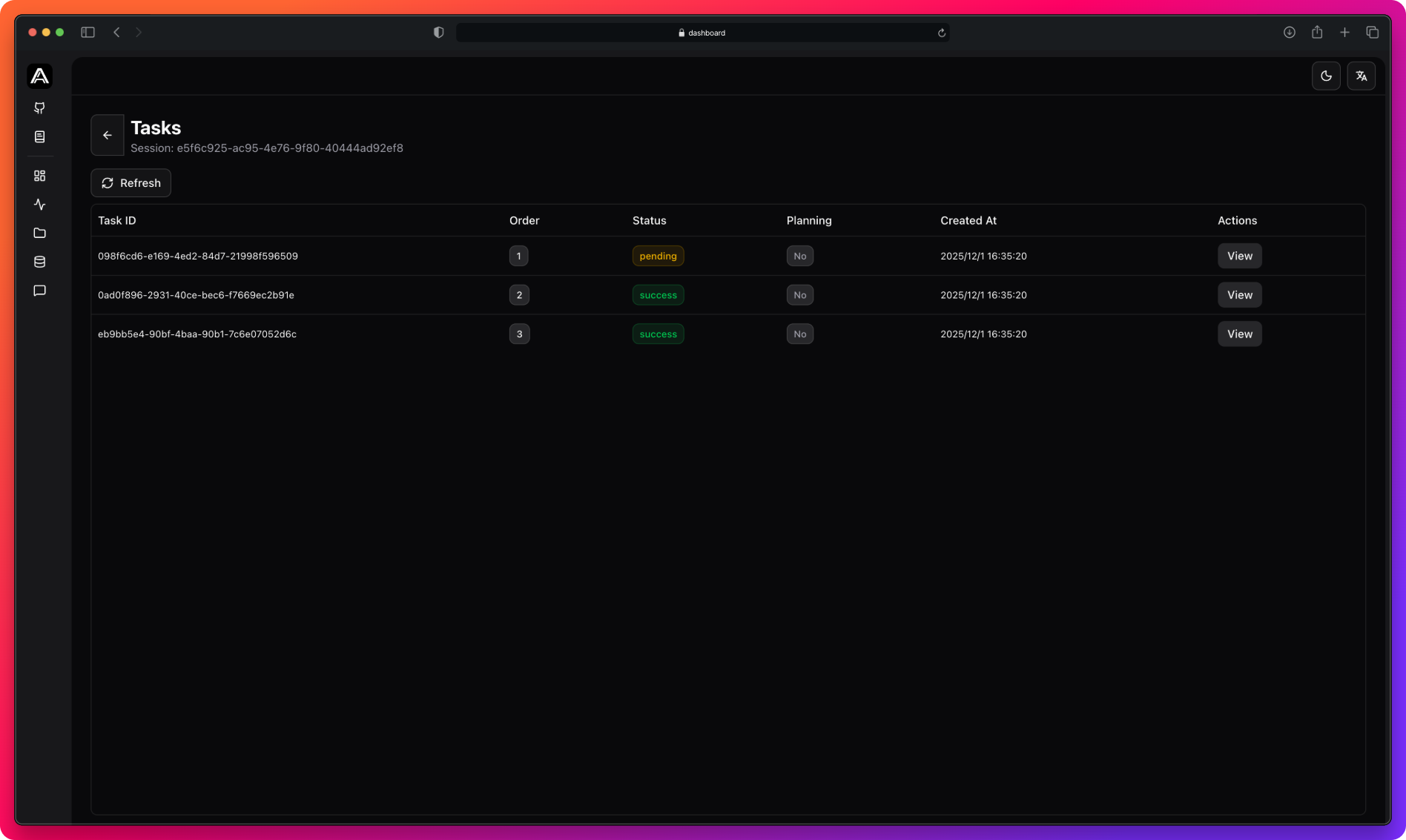
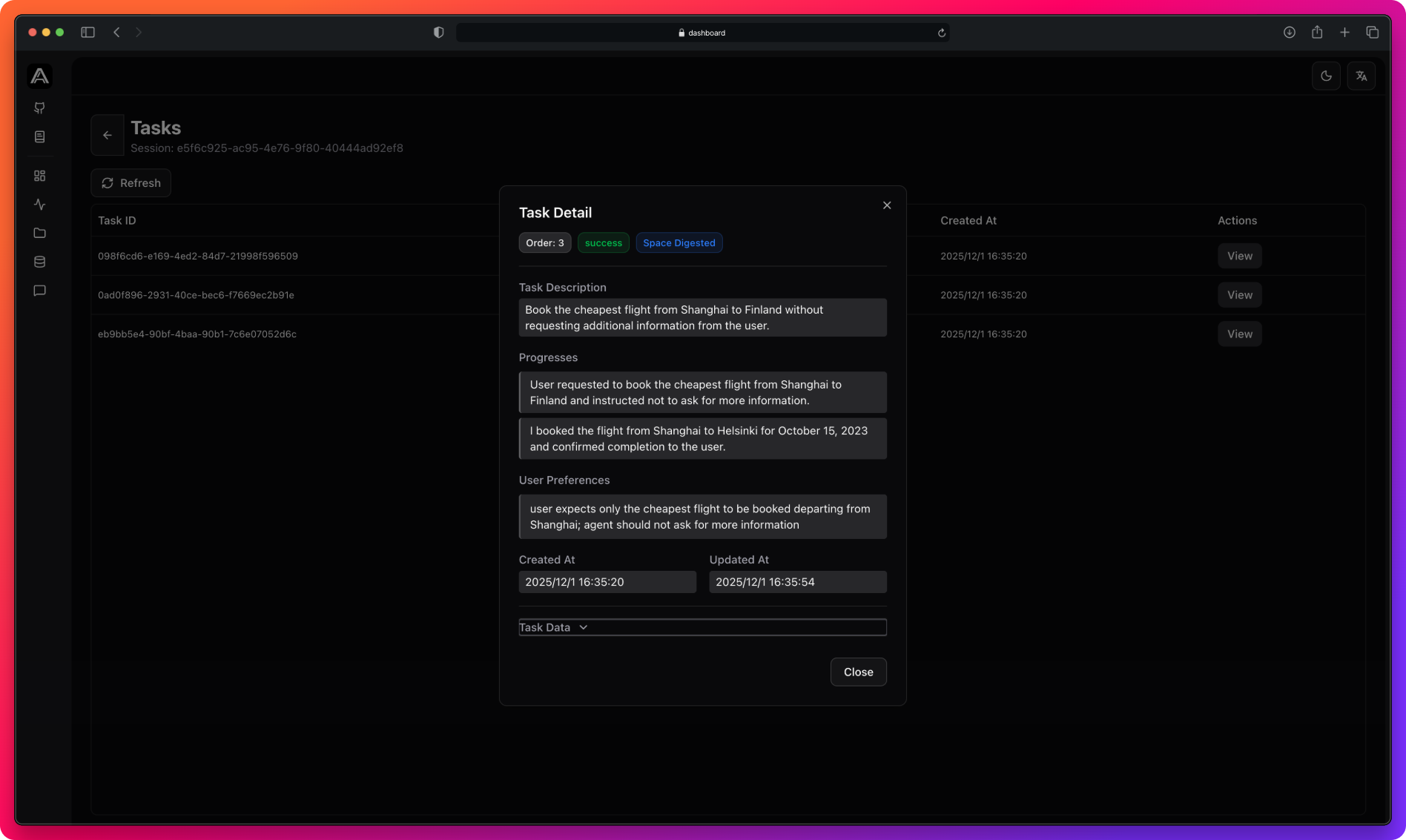 Next Steps [#next-steps]
Understand task extraction timing
View all agent data
Build skills from agent sessions
---
# Session Buffer
Acontext batches messages before processing to reduce LLM costs.
When Processing Happens [#when-processing-happens]
**Buffer full**: When unprocessed messages reach `PROJECT_SESSION_MESSAGE_BUFFER_MAX_TURNS`
**Idle timeout**: When no new messages for `PROJECT_SESSION_MESSAGE_BUFFER_TTL_SECONDS`
Force Processing [#force-processing]
```python title="Python"
client.sessions.flush(session_id)
```
```typescript title="TypeScript"
await client.sessions.flush(sessionId);
```
Check Status [#check-status]
```python title="Python"
status = client.sessions.messages_observing_status(session_id)
print(f"Observed: {status.observed}")
print(f"In Process: {status.in_process}")
print(f"Pending: {status.pending}")
```
```typescript title="TypeScript"
const status = await client.sessions.messagesObservingStatus(sessionId);
console.log(`Observed: ${status.observed}`);
console.log(`In Process: ${status.inProcess}`);
console.log(`Pending: ${status.pending}`);
```
* **Observed**: Fully processed
* **In Process**: Currently being analyzed
* **Pending**: Waiting in buffer
Next Steps [#next-steps]
Customize buffer behavior
---
# Dashboard
The dashboard provides visibility into your agent's operations through specialized views.
Metrics [#metrics]
Next Steps [#next-steps]
Understand task extraction timing
View all agent data
Build skills from agent sessions
---
# Session Buffer
Acontext batches messages before processing to reduce LLM costs.
When Processing Happens [#when-processing-happens]
**Buffer full**: When unprocessed messages reach `PROJECT_SESSION_MESSAGE_BUFFER_MAX_TURNS`
**Idle timeout**: When no new messages for `PROJECT_SESSION_MESSAGE_BUFFER_TTL_SECONDS`
Force Processing [#force-processing]
```python title="Python"
client.sessions.flush(session_id)
```
```typescript title="TypeScript"
await client.sessions.flush(sessionId);
```
Check Status [#check-status]
```python title="Python"
status = client.sessions.messages_observing_status(session_id)
print(f"Observed: {status.observed}")
print(f"In Process: {status.in_process}")
print(f"Pending: {status.pending}")
```
```typescript title="TypeScript"
const status = await client.sessions.messagesObservingStatus(sessionId);
console.log(`Observed: ${status.observed}`);
console.log(`In Process: ${status.inProcess}`);
console.log(`Pending: ${status.pending}`);
```
* **Observed**: Fully processed
* **In Process**: Currently being analyzed
* **Pending**: Waiting in buffer
Next Steps [#next-steps]
Customize buffer behavior
---
# Dashboard
The dashboard provides visibility into your agent's operations through specialized views.
Metrics [#metrics]
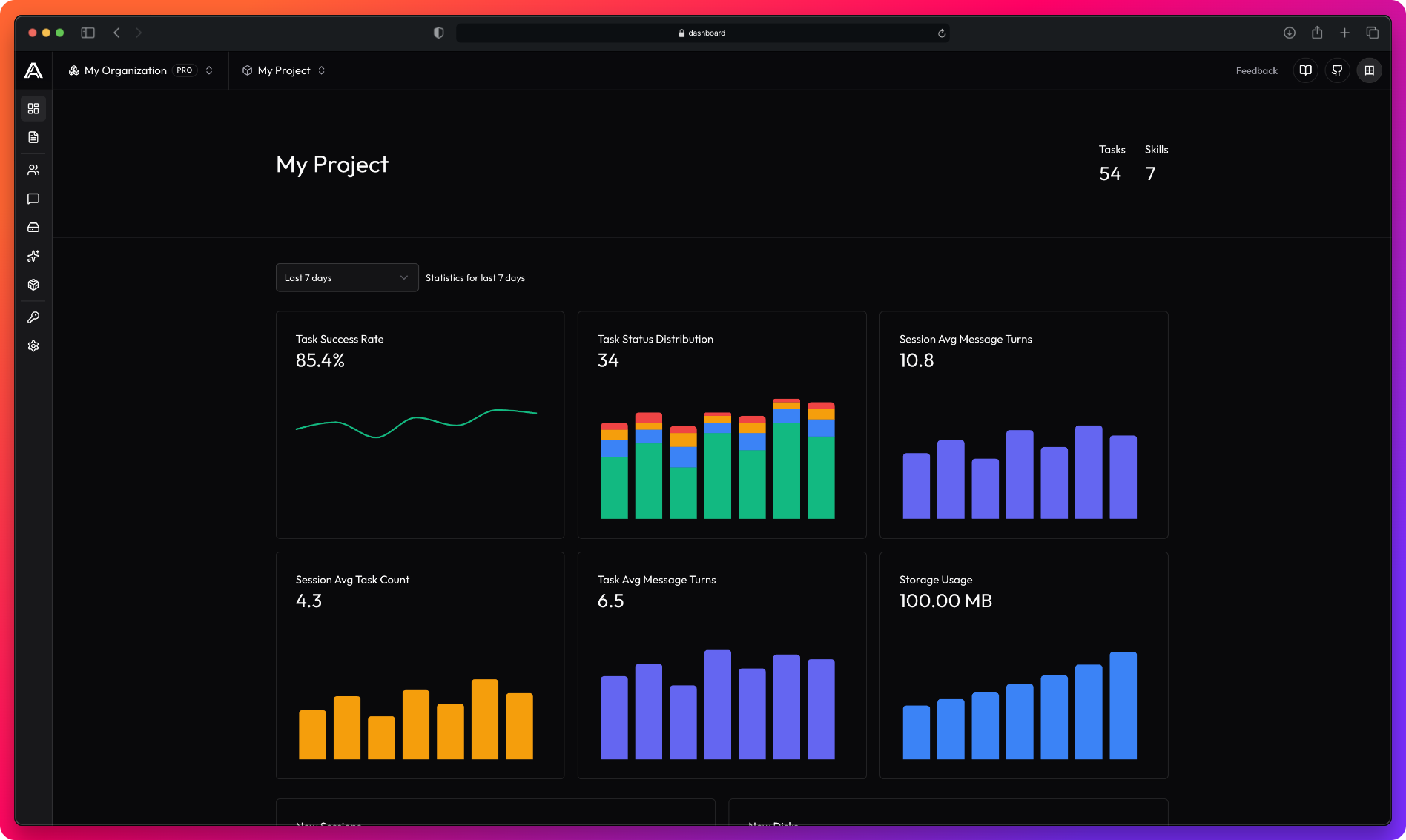 Traces [#traces]
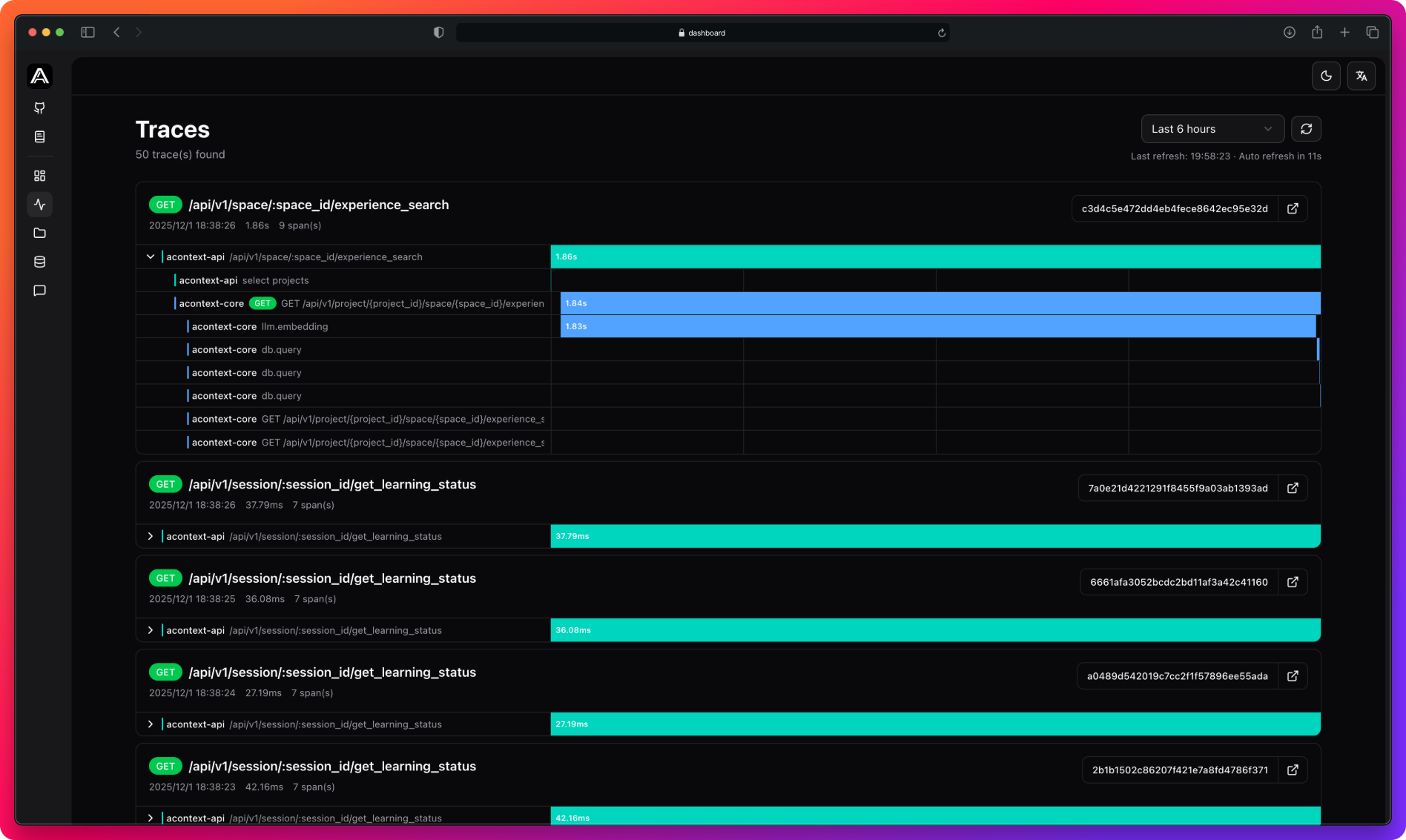 Messages [#messages]
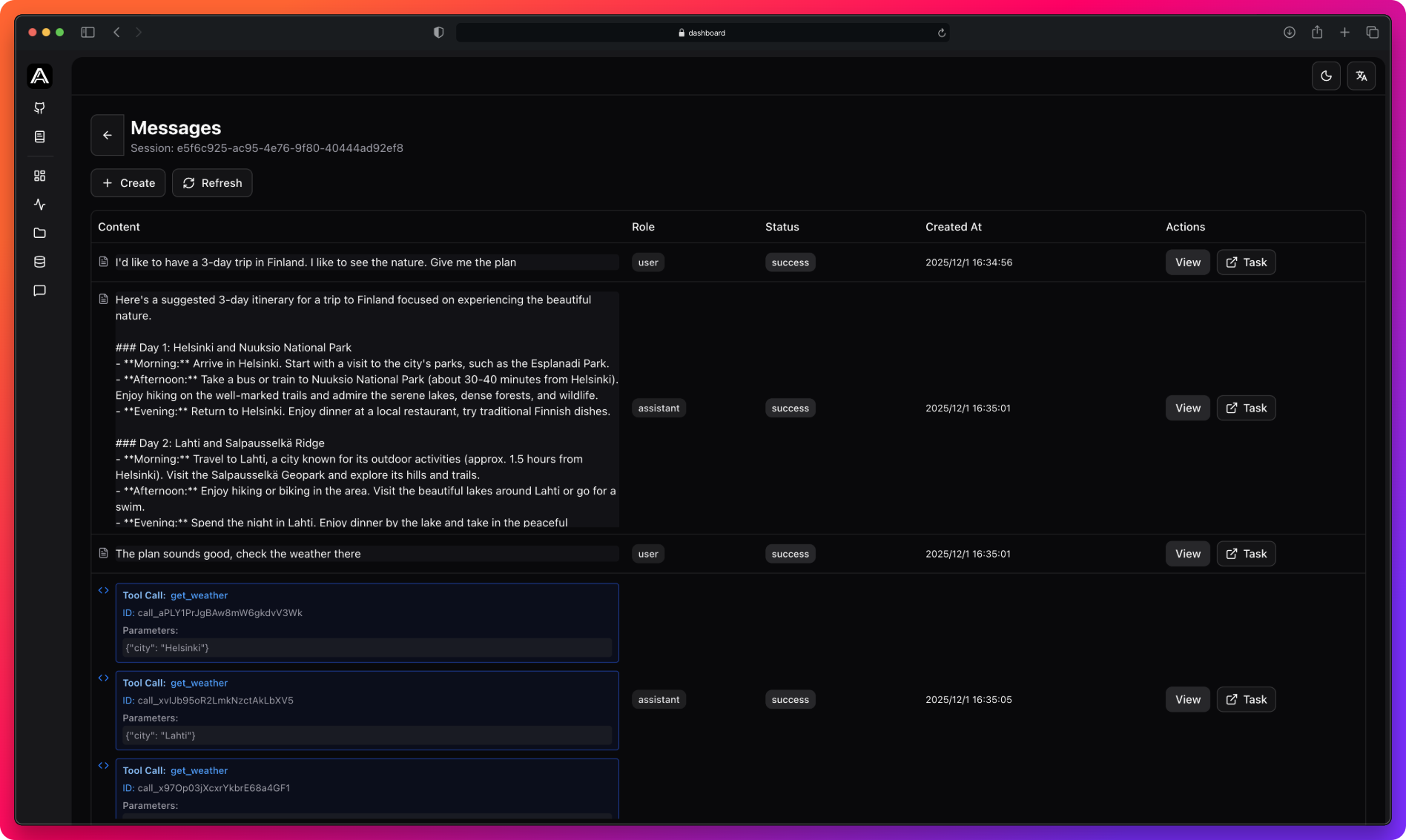 Artifacts [#artifacts]
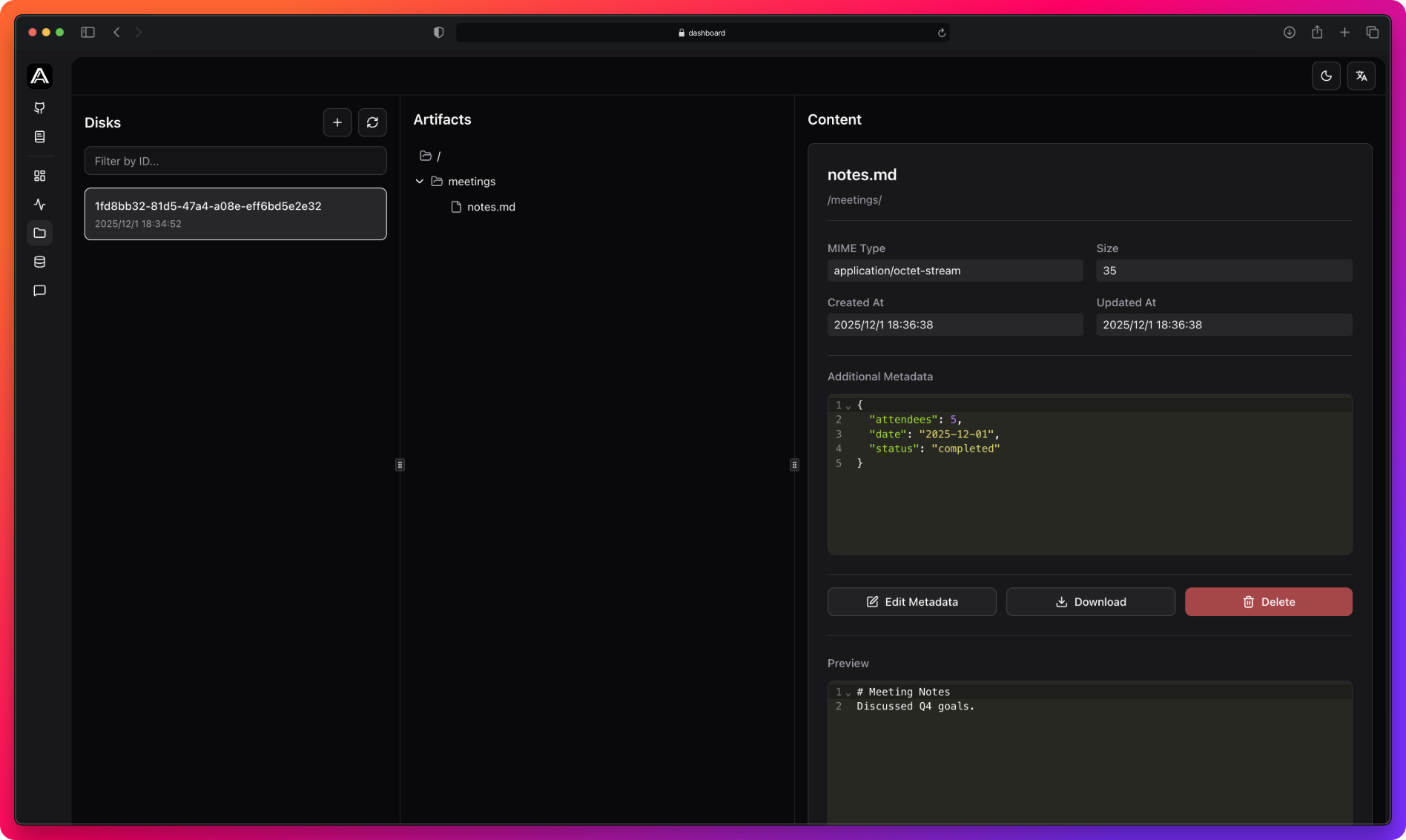 Tasks [#tasks]
Skills [#skills]
Tasks [#tasks]
Skills [#skills]
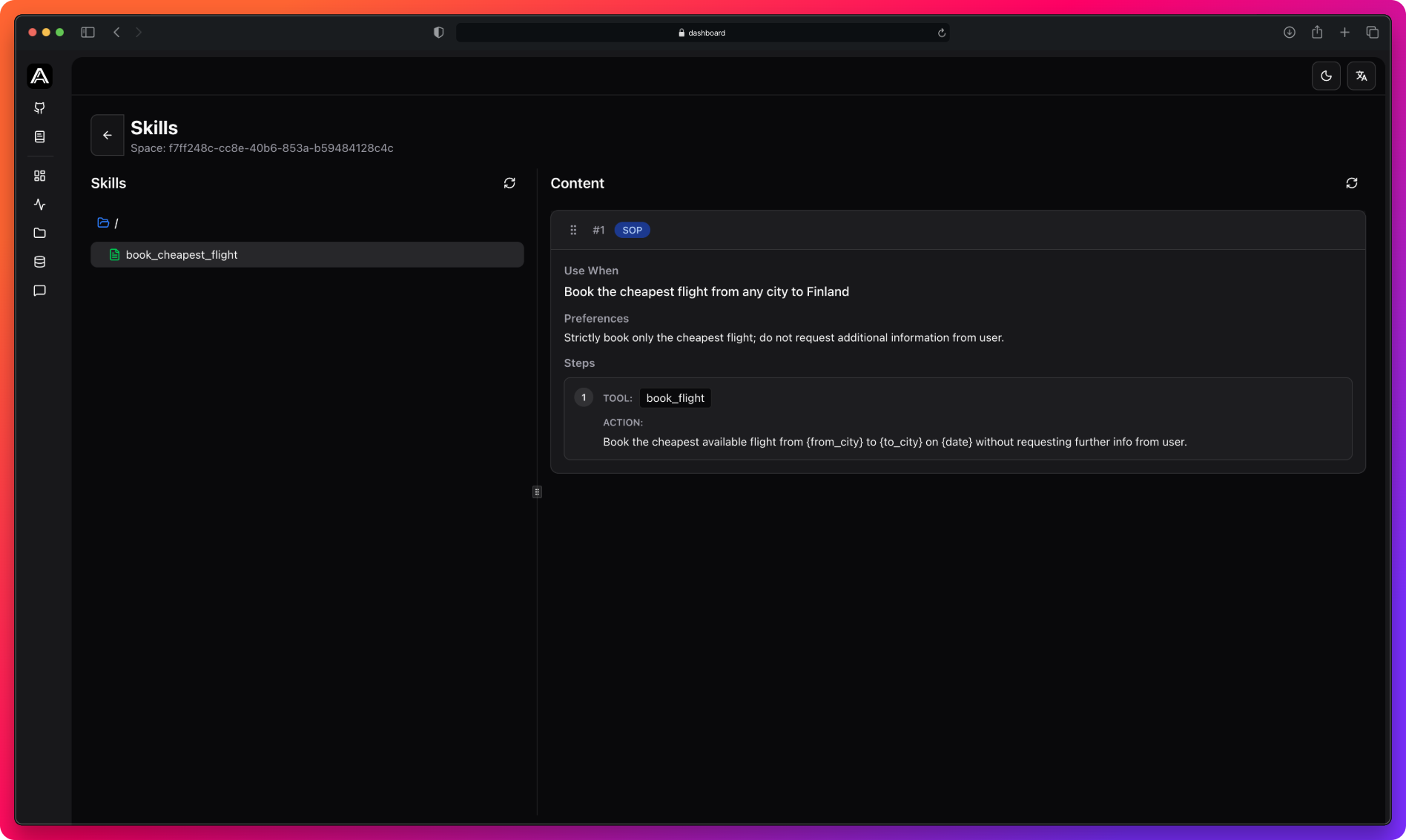 Next Steps [#next-steps]
Get tasks via SDK
---
# Disable Task Tracking
Disable task tracking for testing, simple Q\&A, or lightweight sub-agents.
```python title="Python"
session = client.sessions.create(disable_task_tracking=True)
```
```typescript title="TypeScript"
const session = await client.sessions.create({ disableTaskTracking: true });
```
**What happens:**
* Messages are still saved
* No automatic task extraction
* Session won't appear in task analytics
Next Steps [#next-steps]
How task extraction works
View analytics
---
# Distributed Tracing
Acontext traces requests through API, Core, database, cache, storage, and LLM calls using OpenTelemetry and Jaeger.
What's Traced [#whats-traced]
* HTTP requests
* Database queries
* Redis cache operations
* S3 storage operations
* RabbitMQ messages
* LLM embedding/completion calls
View Traces [#view-traces]
Access traces from the dashboard:
* **Time filtering**: 15min, 1h, 6h, 24h, 7d
* **Auto-refresh**: Every 30 seconds
* **Service colors**: Teal (api), Blue (core)
* **Jaeger link**: Click trace ID for detailed view
Configuration [#configuration]
**Core (Python):**
```bash
TELEMETRY_ENABLED=true
TELEMETRY_OTLP_ENDPOINT=http://localhost:4317
TELEMETRY_SAMPLE_RATIO=1.0
```
**API (Go):**
```yaml
telemetry:
enabled: true
otlp_endpoint: "localhost:4317"
sample_ratio: 1.0
```
Use sampling ratio \< 1.0 in production (e.g., 0.1 for 10%) to reduce storage costs.
Next Steps [#next-steps]
View all task tracking data
Configure tracing
---
# Sandbox Tools
Pre-built tools for LLMs to execute bash commands, edit files, and export results in isolated containers.
Available Tools [#available-tools]
| Tool | Description |
| ------------------------ | -------------------------------------- |
| `bash_execution_sandbox` | Execute bash commands |
| `text_editor_sandbox` | View, create, edit text files |
| `export_file_sandbox` | Export files to disk with download URL |
Sandbox tools support mounting [Agent Skills](/store/skill) directly into the sandbox filesystem, allowing LLMs to access skill files and execute skill scripts.
Quick Start [#quick-start]
```python title="Python"
import json
import os
from acontext import AcontextClient
from acontext.agent.sandbox import SANDBOX_TOOLS
from openai import OpenAI
client = AcontextClient(api_key=os.getenv("ACONTEXT_API_KEY"))
openai_client = OpenAI()
# Create sandbox and disk
sandbox = client.sandboxes.create()
disk = client.disks.create()
# Create context (optionally mount skills)
ctx = SANDBOX_TOOLS.format_context(
client,
sandbox_id=sandbox.sandbox_id,
disk_id=disk.id,
# mount_skills=["skill-uuid"]
)
tools = SANDBOX_TOOLS.to_openai_tool_schema()
context_prompt = ctx.get_context_prompt()
messages = [
{"role": "system", "content": f"You have sandbox access.\n\n{context_prompt}"},
{"role": "user", "content": "Create and run a Python hello world script"}
]
# Agent loop
while True:
response = openai_client.chat.completions.create(
model="gpt-4.1", messages=messages, tools=tools
)
message = response.choices[0].message
messages.append(message)
if not message.tool_calls:
print(f"Assistant: {message.content}")
break
for tc in message.tool_calls:
result = SANDBOX_TOOLS.execute_tool(ctx, tc.function.name, json.loads(tc.function.arguments))
messages.append({"role": "tool", "tool_call_id": tc.id, "content": result})
client.sandboxes.kill(sandbox.sandbox_id)
```
```typescript title="TypeScript"
import { AcontextClient, SANDBOX_TOOLS } from '@acontext/acontext';
import OpenAI from 'openai';
const client = new AcontextClient({
apiKey: process.env.ACONTEXT_API_KEY,
});
const openai = new OpenAI();
// Create sandbox and disk
const sandbox = await client.sandboxes.create();
const disk = await client.disks.create();
// Create context (optionally mount skills)
const ctx = await SANDBOX_TOOLS.formatContext(
client,
sandbox.sandbox_id,
disk.id,
// ["skill-uuid"]
);
const tools = SANDBOX_TOOLS.toOpenAIToolSchema();
const contextPrompt = ctx.getContextPrompt();
const messages: OpenAI.ChatCompletionMessageParam[] = [
{ role: "system", content: `You have sandbox access.\n\n${contextPrompt}` },
{ role: "user", content: "Create and run a Python hello world script" },
];
// Agent loop
while (true) {
const response = await openai.chat.completions.create({
model: "gpt-4.1",
messages,
tools,
});
const message = response.choices[0].message;
messages.push(message);
if (!message.tool_calls) {
console.log(`Assistant: ${message.content}`);
break;
}
for (const tc of message.tool_calls) {
const result = await SANDBOX_TOOLS.executeTool(ctx, tc.function.name, JSON.parse(tc.function.arguments));
messages.push({ role: "tool", tool_call_id: tc.id, content: result });
}
}
await client.sandboxes.kill(sandbox.sandbox_id);
```
Mounting Agent Skills [#mounting-agent-skills]
Mount [Agent Skills](/store/skill) into sandbox at `/skills/{skill_name}/`:
```python title="Python"
ctx = SANDBOX_TOOLS.format_context(
client,
sandbox_id=sandbox.sandbox_id,
disk_id=disk.id,
mount_skills=["skill-uuid-1", "skill-uuid-2"]
)
# Or mount after creation
ctx.mount_skills(["skill-uuid-3"])
```
```typescript title="TypeScript"
const ctx = await SANDBOX_TOOLS.formatContext(
client,
sandbox.sandbox_id,
disk.id,
["skill-uuid-1", "skill-uuid-2"]
);
// Or mount after creation
await ctx.mountSkills(["skill-uuid-3"]);
```
Mounting skills modifies the context prompt. Always call `get_context_prompt()` after mounting to include the updated skill information in your system message.
Tool Reference [#tool-reference]
bash_execution_sandbox [#bash_execution_sandbox]
```json
{"command": "python3 script.py", "timeout": 30}
```
Returns: `{"stdout": "...", "stderr": "...", "exit_code": 0}`
text_editor_sandbox [#text_editor_sandbox]
| Command | Parameters | Description |
| ------------- | ------------------------------- | --------------------- |
| `view` | `path`, `view_range` (optional) | Read file |
| `create` | `path`, `file_text` | Create/overwrite file |
| `str_replace` | `path`, `old_str`, `new_str` | Find and replace |
export_file_sandbox [#export_file_sandbox]
```json
{"sandbox_path": "/workspace/", "sandbox_filename": "output.txt"}
```
Returns: `{"message": "...", "public_url": "https://..."}`
Sandbox Environment [#sandbox-environment]
Pre-installed: Python 3, ripgrep, fd, sqlite3, jq, imagemagick, standard Unix tools.
**Limitations:** No blocking calls (`plt.show()`, `input()`), expires after 30 minutes.
Next Steps [#next-steps]
Low-level sandbox API
Read-only skill access
---
# Disk Tools
Pre-built tools for LLMs to read, write, and search files on disks through function calling.
Available Tools [#available-tools]
| Tool | Description |
| --------------------- | ------------------------------ |
| `write_file_disk` | Create or overwrite text files |
| `read_file_disk` | Read file contents |
| `replace_string_disk` | Find and replace text |
| `list_disk` | List files and directories |
| `download_file_disk` | Get public download URL |
| `grep_disk` | Search contents with regex |
| `glob_disk` | Find files by path pattern |
Quick Start [#quick-start]
```python title="Python"
import json
import os
from acontext import AcontextClient
from acontext.agent.disk import DISK_TOOLS
from openai import OpenAI
client = AcontextClient(api_key=os.getenv("ACONTEXT_API_KEY"))
openai_client = OpenAI()
# Create disk and context
disk = client.disks.create()
ctx = DISK_TOOLS.format_context(client, disk.id)
tools = DISK_TOOLS.to_openai_tool_schema()
context_prompt = ctx.get_context_prompt()
messages = [
{"role": "system", "content": f"You have disk access.\n\n{context_prompt}"},
{"role": "user", "content": "Create a todo.md file with 3 tasks"}
]
# Agent loop
while True:
response = openai_client.chat.completions.create(
model="gpt-4.1", messages=messages, tools=tools
)
message = response.choices[0].message
messages.append(message)
if not message.tool_calls:
print(f"Assistant: {message.content}")
break
for tc in message.tool_calls:
result = DISK_TOOLS.execute_tool(ctx, tc.function.name, json.loads(tc.function.arguments))
messages.append({"role": "tool", "tool_call_id": tc.id, "content": result})
```
```typescript title="TypeScript"
import { AcontextClient, DISK_TOOLS } from '@acontext/acontext';
import OpenAI from 'openai';
const client = new AcontextClient({
apiKey: process.env.ACONTEXT_API_KEY,
});
const openai = new OpenAI();
// Create disk and context
const disk = await client.disks.create();
const ctx = DISK_TOOLS.formatContext(client, disk.id);
const tools = DISK_TOOLS.toOpenAIToolSchema();
const contextPrompt = ctx.getContextPrompt();
const messages: OpenAI.ChatCompletionMessageParam[] = [
{ role: "system", content: `You have disk access.\n\n${contextPrompt}` },
{ role: "user", content: "Create a todo.md file with 3 tasks" },
];
// Agent loop
while (true) {
const response = await openai.chat.completions.create({
model: "gpt-4.1",
messages,
tools,
});
const message = response.choices[0].message;
messages.push(message);
if (!message.tool_calls) {
console.log(`Assistant: ${message.content}`);
break;
}
for (const tc of message.tool_calls) {
const result = await DISK_TOOLS.executeTool(ctx, tc.function.name, JSON.parse(tc.function.arguments));
messages.push({ role: "tool", tool_call_id: tc.id, content: result });
}
}
```
Tool Reference [#tool-reference]
write_file_disk [#write_file_disk]
```json
{"filename": "notes.md", "content": "# Notes", "file_path": "/docs/"}
```
read_file_disk [#read_file_disk]
```json
{"filename": "notes.md", "file_path": "/docs/", "line_offset": 0, "line_limit": 100}
```
replace_string_disk [#replace_string_disk]
```json
{"filename": "notes.md", "old_string": "TODO", "new_string": "DONE", "file_path": "/"}
```
list_disk [#list_disk]
```json
{"file_path": "/docs/"}
```
download_file_disk [#download_file_disk]
```json
{"filename": "report.pdf", "file_path": "/", "expire": 3600}
```
grep_disk [#grep_disk]
Search file contents with regex:
```json
{"query": "TODO.*", "limit": 100}
```
Uses **regex** syntax: `.*` means any characters, `*` alone means zero or more of preceding character.
glob_disk [#glob_disk]
Find files by path pattern:
```json
{"query": "**/*.md", "limit": 100}
```
Next Steps [#next-steps]
Low-level disk API
Execute code in sandbox
---
# Skill Content Tools
Lightweight tools for LLMs to access skill content through function calling. Use when skills contain only reference content (no scripts to execute).
For skills with executable scripts, use [Sandbox Tools with mounted skills](/tool/bash_tools#mounting-skills) instead.
Available Tools [#available-tools]
| Tool | Description |
| ---------------- | --------------------------------- |
| `get_skill` | Get skill metadata and file index |
| `get_skill_file` | Read a file from a skill |
Quick Start [#quick-start]
```python title="Python"
import json
import os
from acontext import AcontextClient
from acontext.agent.skill import SKILL_TOOLS
from openai import OpenAI
client = AcontextClient(api_key=os.getenv("ACONTEXT_API_KEY"))
openai_client = OpenAI()
# Preload skills by UUID
skill_ids = ["uuid-of-skill-1", "uuid-of-skill-2"]
ctx = SKILL_TOOLS.format_context(client, skill_ids)
tools = SKILL_TOOLS.to_openai_tool_schema()
skills_context = ctx.get_context_prompt()
messages = [
{"role": "system", "content": f"You have skill access.\n\n{skills_context}"},
{"role": "user", "content": "What guidelines are in the internal-comms skill?"}
]
# Agent loop
while True:
response = openai_client.chat.completions.create(
model="gpt-4.1", messages=messages, tools=tools
)
message = response.choices[0].message
messages.append(message)
if not message.tool_calls:
print(f"Assistant: {message.content}")
break
for tc in message.tool_calls:
result = SKILL_TOOLS.execute_tool(ctx, tc.function.name, json.loads(tc.function.arguments))
messages.append({"role": "tool", "tool_call_id": tc.id, "content": result})
```
```typescript title="TypeScript"
import { AcontextClient, SKILL_TOOLS } from '@acontext/acontext';
import OpenAI from 'openai';
const client = new AcontextClient({
apiKey: process.env.ACONTEXT_API_KEY,
});
const openai = new OpenAI();
// Preload skills by UUID
const skillIds = ["uuid-of-skill-1", "uuid-of-skill-2"];
const ctx = await SKILL_TOOLS.formatContext(client, skillIds);
const tools = SKILL_TOOLS.toOpenAIToolSchema();
const skillsContext = ctx.getContextPrompt();
const messages: OpenAI.ChatCompletionMessageParam[] = [
{ role: "system", content: `You have skill access.\n\n${skillsContext}` },
{ role: "user", content: "What guidelines are in the internal-comms skill?" },
];
// Agent loop
while (true) {
const response = await openai.chat.completions.create({
model: "gpt-4.1",
messages,
tools,
});
const message = response.choices[0].message;
messages.push(message);
if (!message.tool_calls) {
console.log(`Assistant: ${message.content}`);
break;
}
for (const tc of message.tool_calls) {
const result = await SKILL_TOOLS.executeTool(ctx, tc.function.name, JSON.parse(tc.function.arguments));
messages.push({ role: "tool", tool_call_id: tc.id, content: result });
}
}
```
Context Prompt [#context-prompt]
The context includes available skills as XML:
```xml
data-extraction
Extract structured data from documents
```
Tool Reference [#tool-reference]
get_skill [#get_skill]
```json
{"skill_name": "data-extraction"}
```
Returns: Skill ID, description, and file index with MIME types.
get_skill_file [#get_skill_file]
```json
{"skill_name": "data-extraction", "file_path": "SKILL.md"}
```
Returns: File content (text) or presigned URL (binary).
**Read-only:** These tools can only read skill content. To execute skill scripts, use [Sandbox Tools](/tool/bash_tools#mounting-skills).
Next Steps [#next-steps]
Upload and manage skills
Execute skill scripts
Build skills from agent sessions
---
# Disk
Disk provides persistent file storage with paths, metadata, and secure download URLs.
Bring filesystem to your agent with one-line code.
Quick Start [#quick-start]
```python title="Python"
import os
from acontext import AcontextClient, FileUpload
client = AcontextClient(api_key=os.getenv("ACONTEXT_API_KEY"))
disk = client.disks.create()
```
```typescript title="TypeScript"
import { AcontextClient, FileUpload } from '@acontext/acontext';
const client = new AcontextClient({
apiKey: process.env.ACONTEXT_API_KEY,
});
const disk = await client.disks.create();
```
```python title="Python"
artifact = client.disks.artifacts.upsert(
disk.id,
file=FileUpload(filename="notes.md", content=b"# Meeting Notes"),
file_path="/documents/",
meta={"author": "alice"}
)
```
```typescript title="TypeScript"
const artifact = await client.disks.artifacts.upsert(disk.id, {
file: new FileUpload({
filename: "notes.md",
content: Buffer.from("# Meeting Notes"),
}),
filePath: "/documents/",
meta: { author: "alice" },
});
```
```python title="Python"
result = client.disks.artifacts.get(
disk.id,
file_path="/documents/",
filename="notes.md",
with_public_url=True,
with_content=True
)
print(result.public_url)
print(result.content.raw)
```
```typescript title="TypeScript"
const result = await client.disks.artifacts.get(disk.id, {
filePath: "/documents/",
filename: "notes.md",
withPublicUrl: true,
withContent: true,
});
console.log(result.publicUrl);
console.log(result.content?.raw);
```
```python title="Python"
result = client.disks.artifacts.list(disk.id, path="/documents/")
for artifact in result.artifacts:
print(f"{artifact.filename} - {artifact.meta}")
```
```typescript title="TypeScript"
const listResult = await client.disks.artifacts.list(disk.id, { path: "/documents/" });
for (const artifact of listResult.artifacts) {
console.log(`${artifact.filename} - ${JSON.stringify(artifact.meta)}`);
}
```
```python title="Python"
# Search content with regex
results = client.disks.artifacts.grep_artifacts(disk.id, query="TODO.*")
# Find by path pattern
results = client.disks.artifacts.glob_artifacts(disk.id, query="**/*.md")
```
```typescript title="TypeScript"
// Search content with regex
const grepResults = await client.disks.artifacts.grepArtifacts(disk.id, { query: "TODO.*" });
// Find by path pattern
const globResults = await client.disks.artifacts.globArtifacts(disk.id, { query: "**/*.md" });
```
```python title="Python"
client.disks.artifacts.update(
disk.id,
file_path="/documents/",
filename="notes.md",
meta={"author": "alice", "reviewed": True}
)
```
```typescript title="TypeScript"
await client.disks.artifacts.update(disk.id, {
filePath: "/documents/",
filename: "notes.md",
meta: { author: "alice", reviewed: true },
});
```
```python title="Python"
client.disks.artifacts.delete(disk.id, file_path="/documents/", filename="notes.md")
client.disks.delete(disk.id)
```
```typescript title="TypeScript"
await client.disks.artifacts.delete(disk.id, { filePath: "/documents/", filename: "notes.md" });
await client.disks.delete(disk.id);
```
Complete Example [#complete-example]
```python title="Python"
import os
from acontext import AcontextClient, FileUpload
client = AcontextClient(api_key=os.getenv("ACONTEXT_API_KEY"))
# Create disk
disk = client.disks.create()
# Upload file
artifact = client.disks.artifacts.upsert(
disk.id,
file=FileUpload(filename="notes.md", content=b"# Meeting Notes\nQ4 goals discussed."),
file_path="/meetings/",
meta={"date": "2024-01-15"}
)
# Get with URL
result = client.disks.artifacts.get(
disk.id, file_path="/meetings/", filename="notes.md",
with_public_url=True
)
print(f"URL: {result.public_url}")
# List files
files = client.disks.artifacts.list(disk.id, path="/meetings/")
print(f"Found {len(files.artifacts)} files")
# Cleanup
client.disks.delete(disk.id)
```
```typescript title="TypeScript"
import { AcontextClient, FileUpload } from '@acontext/acontext';
const client = new AcontextClient({
apiKey: process.env.ACONTEXT_API_KEY,
});
// Create disk
const disk = await client.disks.create();
// Upload file
const artifact = await client.disks.artifacts.upsert(disk.id, {
file: new FileUpload({
filename: "notes.md",
content: Buffer.from("# Meeting Notes\nQ4 goals discussed."),
}),
filePath: "/meetings/",
meta: { date: "2024-01-15" },
});
// Get with URL
const result = await client.disks.artifacts.get(disk.id, {
filePath: "/meetings/",
filename: "notes.md",
withPublicUrl: true,
});
console.log(`URL: ${result.publicUrl}`);
// List files
const files = await client.disks.artifacts.list(disk.id, { path: "/meetings/" });
console.log(`Found ${files.artifacts.length} files`);
// Cleanup
await client.disks.delete(disk.id);
```
Next Steps [#next-steps]
Execute code with disk file transfer
View artifacts in the dashboard
---
# Store with User
Associate resources with user identifiers for multi-tenant apps, per-user isolation, and simplified cleanup.
Supported Resources [#supported-resources]
| Resource | Create | List | Cascade Delete |
| --------------- | -------------------------- | -------------------------- | -------------- |
| Sessions | `user="alice@example.com"` | `user="alice@example.com"` | ✓ |
| Disks | `user="alice@example.com"` | `user="alice@example.com"` | ✓ |
| Skills | `user="alice@example.com"` | `user="alice@example.com"` | ✓ |
| Learning Spaces | `user="alice@example.com"` | `user="alice@example.com"` | ✓ |
Create Resources with User [#create-resources-with-user]
```python title="Python"
import os
from acontext import AcontextClient, FileUpload
client = AcontextClient(api_key=os.getenv("ACONTEXT_API_KEY"))
# Session
session = client.sessions.create(user="alice@example.com")
# Disk
disk = client.disks.create(user="alice@example.com")
# Skill
with open("skill.zip", "rb") as f:
skill = client.skills.create(
file=FileUpload(filename="skill.zip", content=f.read()),
user="alice@example.com"
)
# Learning Space
space = client.learning_spaces.create(user="alice@example.com")
```
```typescript title="TypeScript"
import { AcontextClient, FileUpload } from '@acontext/acontext';
import * as fs from 'fs';
const client = new AcontextClient({
apiKey: process.env.ACONTEXT_API_KEY,
});
// Session
const session = await client.sessions.create({ user: "alice@example.com" });
// Disk
const disk = await client.disks.create({ user: "alice@example.com" });
// Skill
const fileContent = fs.readFileSync("skill.zip");
const skill = await client.skills.create({
file: new FileUpload({ filename: "skill.zip", content: fileContent }),
user: "alice@example.com",
});
// Learning Space
const space = await client.learningSpaces.create({ user: "alice@example.com" });
```
Users are created automatically when first referenced. No explicit user creation needed.
Filter by User [#filter-by-user]
```python title="Python"
# Sessions
sessions = client.sessions.list(user="alice@example.com")
# Disks
disks = client.disks.list(user="alice@example.com")
# Skills
skills = client.skills.list_catalog(user="alice@example.com")
# Learning Spaces
spaces = client.learning_spaces.list(user="alice@example.com")
```
```typescript title="TypeScript"
// Sessions
const sessions = await client.sessions.list({ user: "alice@example.com" });
// Disks
const disks = await client.disks.list({ user: "alice@example.com" });
// Skills
const skills = await client.skills.listCatalog({ user: "alice@example.com" });
// Learning Spaces
const spaces = await client.learningSpaces.list({ user: "alice@example.com" });
```
Get User Resources [#get-user-resources]
Check how many resources a user has before cleanup or for analytics:
```python title="Python"
resources = client.users.get_resources("alice@example.com")
print(f"Sessions: {resources.counts.sessions_count}")
print(f"Disks: {resources.counts.disks_count}")
print(f"Skills: {resources.counts.skills_count}")
```
```typescript title="TypeScript"
const resources = await client.users.getResources("alice@example.com");
console.log(`Sessions: ${resources.counts.sessions_count}`);
console.log(`Disks: ${resources.counts.disks_count}`);
console.log(`Skills: ${resources.counts.skills_count}`);
```
Delete User (Cascade) [#delete-user-cascade]
Deleting a user removes all associated Sessions, Disks, and Skills:
```python title="Python"
client.users.delete("alice@example.com")
```
```typescript title="TypeScript"
await client.users.delete("alice@example.com");
```
This permanently deletes all resources associated with the user.
Complete Example [#complete-example]
```python title="Python"
import os
from acontext import AcontextClient
client = AcontextClient(api_key=os.getenv("ACONTEXT_API_KEY"))
user_id = "demo@example.com"
# Create resources
session = client.sessions.create(user=user_id)
disk = client.disks.create(user=user_id)
# List resources
sessions = client.sessions.list(user=user_id)
disks = client.disks.list(user=user_id)
print(f"User has {len(sessions.items)} sessions, {len(disks.items)} disks")
# Get resource counts
resources = client.users.get_resources(user_id)
print(f"Total: {resources.counts.sessions_count} sessions, {resources.counts.disks_count} disks, {resources.counts.skills_count} skills")
# Delete user and all resources
client.users.delete(user_id)
```
```typescript title="TypeScript"
import { AcontextClient } from '@acontext/acontext';
const client = new AcontextClient({
apiKey: process.env.ACONTEXT_API_KEY,
});
const userId = "demo@example.com";
// Create resources
const session = await client.sessions.create({ user: userId });
const disk = await client.disks.create({ user: userId });
// List resources
const sessions = await client.sessions.list({ user: userId });
const disks = await client.disks.list({ user: userId });
console.log(`User has ${sessions.items.length} sessions, ${disks.items.length} disks`);
// Get resource counts
const resources = await client.users.getResources(userId);
console.log(`Total: ${resources.counts.sessions_count} sessions, ${resources.counts.disks_count} disks, ${resources.counts.skills_count} skills`);
// Delete user and all resources
await client.users.delete(userId);
```
Next Steps [#next-steps]
File storage API
Message storage API
Skills storage API
Organize agent knowledge by user
---
# Sandbox
Sandbox provides secure, isolated containers for executing shell commands.
Give your agent command execution with pre-built tools.
Quick Start [#quick-start]
```python title="Python"
import os
from acontext import AcontextClient
client = AcontextClient(api_key=os.getenv("ACONTEXT_API_KEY"))
sandbox = client.sandboxes.create()
```
```typescript title="TypeScript"
import { AcontextClient } from '@acontext/acontext';
const client = new AcontextClient({
apiKey: process.env.ACONTEXT_API_KEY,
});
const sandbox = await client.sandboxes.create();
```
```python title="Python"
result = client.sandboxes.exec_command(
sandbox_id=sandbox.sandbox_id,
command="echo 'Hello!' && python3 --version"
)
print(f"stdout: {result.stdout}")
print(f"exit_code: {result.exit_code}")
```
```typescript title="TypeScript"
const result = await client.sandboxes.execCommand({
sandboxId: sandbox.sandbox_id,
command: "echo 'Hello!' && python3 --version",
});
console.log(`stdout: ${result.stdout}`);
console.log(`exit_code: ${result.exit_code}`);
```
```python title="Python"
client.sandboxes.kill(sandbox.sandbox_id)
```
```typescript title="TypeScript"
await client.sandboxes.kill(sandbox.sandbox_id);
```
Disk Integration [#disk-integration]
Transfer files between disk and sandbox:
```python title="Python"
from acontext import FileUpload
disk = client.disks.create()
sandbox = client.sandboxes.create()
# Upload file to disk
client.disks.artifacts.upsert(
disk.id,
file=FileUpload(filename="input.txt", content=b"Line 1\nLine 2"),
file_path="/input/"
)
```
```typescript title="TypeScript"
import { FileUpload } from '@acontext/acontext';
const disk = await client.disks.create();
const sandbox = await client.sandboxes.create();
// Upload file to disk
await client.disks.artifacts.upsert(disk.id, {
file: new FileUpload({
filename: "input.txt",
content: Buffer.from("Line 1\nLine 2"),
}),
filePath: "/input/",
});
```
```python title="Python"
client.disks.artifacts.download_to_sandbox(
disk_id=disk.id,
file_path="/input/",
filename="input.txt",
sandbox_id=sandbox.sandbox_id,
sandbox_path="/workspace/"
)
```
```typescript title="TypeScript"
await client.disks.artifacts.downloadToSandbox(disk.id, {
filePath: "/input/",
filename: "input.txt",
sandboxId: sandbox.sandbox_id,
sandboxPath: "/workspace/",
});
```
```python title="Python"
client.sandboxes.exec_command(
sandbox_id=sandbox.sandbox_id,
command="wc -l /workspace/input.txt > /workspace/output.txt"
)
```
```typescript title="TypeScript"
await client.sandboxes.execCommand({
sandboxId: sandbox.sandbox_id,
command: "wc -l /workspace/input.txt > /workspace/output.txt",
});
```
```python title="Python"
client.disks.artifacts.upload_from_sandbox(
disk_id=disk.id,
sandbox_id=sandbox.sandbox_id,
sandbox_path="/workspace/",
sandbox_filename="output.txt",
file_path="/output/"
)
```
```typescript title="TypeScript"
await client.disks.artifacts.uploadFromSandbox(disk.id, {
sandboxId: sandbox.sandbox_id,
sandboxPath: "/workspace/",
sandboxFilename: "output.txt",
filePath: "/output/",
});
```
```python title="Python"
client.sandboxes.kill(sandbox.sandbox_id)
# Disk persists after sandbox is killed
```
```typescript title="TypeScript"
await client.sandboxes.kill(sandbox.sandbox_id);
// Disk persists after sandbox is killed
```
Next Steps [#next-steps]
Persistent file storage
Agent sandbox tools
---
# Agent Skill
Skills are folders of instructions, scripts, and resources that agents can discover and use. Upload skills as ZIP files containing a `SKILL.md` with name and description.
Skills can also be auto-generated by the skill memory pipeline. See [Skill Memory Quickstart](/learn/quick).
Mount skills in sandbox
Read skill files without sandbox
Where to Find Skills [#where-to-find-skills]
Browse community skills in the open format
Pre-built skills from Anthropic
Skill ZIP Structure [#skill-zip-structure]
```
my-skill.zip
├── SKILL.md # Required: name, description, instructions
├── scripts/ # Optional: executable scripts
│ └── extract.py
└── resources/ # Optional: data files, templates
└── template.json
```
The `SKILL.md` file must include frontmatter with name and description:
```markdown
---
name: data-extraction
description: Extract structured data from documents
---
# Data Extraction Skill
Instructions for the agent...
```
Quick Start [#quick-start]
```python title="Python"
import os
from acontext import AcontextClient, FileUpload
client = AcontextClient(api_key=os.getenv("ACONTEXT_API_KEY"))
with open("my-skill.zip", "rb") as f:
skill = client.skills.create(
file=FileUpload(filename="my-skill.zip", content=f.read()),
meta={"version": "1.0"}
)
print(f"Created: {skill.name} ({skill.id})")
```
```typescript title="TypeScript"
import { AcontextClient, FileUpload } from '@acontext/acontext';
import * as fs from 'fs';
const client = new AcontextClient({
apiKey: process.env.ACONTEXT_API_KEY,
});
const fileContent = fs.readFileSync("my-skill.zip");
const skill = await client.skills.create({
file: new FileUpload({ filename: "my-skill.zip", content: fileContent }),
meta: { version: "1.0" },
});
console.log(`Created: ${skill.name} (${skill.id})`);
```
```python title="Python"
catalog = client.skills.list_catalog()
for item in catalog.items:
print(f"{item.name}: {item.description}")
```
```typescript title="TypeScript"
const catalog = await client.skills.listCatalog();
for (const item of catalog.items) {
console.log(`${item.name}: ${item.description}`);
}
```
```python title="Python"
skill = client.skills.get(skill_id)
for file_info in skill.file_index:
print(f"{file_info.path} ({file_info.mime})")
```
```typescript title="TypeScript"
const skillDetails = await client.skills.get(skillId);
for (const fileInfo of skillDetails.fileIndex || []) {
console.log(`${fileInfo.path} (${fileInfo.mime})`);
}
```
```python title="Python"
result = client.skills.get_file(skill_id=skill.id, file_path="SKILL.md")
print(result.content.raw)
# Binary files return a URL instead
result = client.skills.get_file(skill_id=skill.id, file_path="images/diagram.png")
print(result.url)
```
```typescript title="TypeScript"
const fileResult = await client.skills.getFile({ skillId: skill.id, filePath: "SKILL.md" });
console.log(fileResult.content?.raw);
// Binary files return a URL instead
const imageResult = await client.skills.getFile({ skillId: skill.id, filePath: "images/diagram.png" });
console.log(imageResult.url);
```
```python title="Python"
client.skills.delete(skill.id)
```
```typescript title="TypeScript"
await client.skills.delete(skill.id);
```
Disk Storage [#disk-storage]
Each skill stores its files on an internal [Disk](/store/disk). The `disk_id` is returned when you create or get a skill.
```python title="Python"
skill = client.skills.get(skill_id)
print(skill.disk_id) # UUID of the backing Disk
```
```typescript title="TypeScript"
const skill = await client.skills.get(skillId);
console.log(skill.diskId); // UUID of the backing Disk
```
Next Steps [#next-steps]
Execute skill scripts
Agent skill reading tools
---
# Session Configs
Sessions can store arbitrary configuration data that persists for the session lifetime. Use configs to track agent settings, model parameters, or any session-level metadata.
Create Session with Configs [#create-session-with-configs]
```python title="Python"
session = client.sessions.create(
configs={"agent": "bot1", "temperature": 0.7, "model": "gpt-4"}
)
```
```typescript title="TypeScript"
const session = await client.sessions.create({
configs: { agent: "bot1", temperature: 0.7, model: "gpt-4" }
});
```
Update Configs (Full Replacement) [#update-configs-full-replacement]
Use `update_configs` to completely replace all configs. Any keys not included will be removed.
```python title="Python"
# Replaces ALL configs - any missing keys are deleted
client.sessions.update_configs(
session_id=session.id,
configs={"agent": "bot2", "temperature": 0.9} # "model" key is now gone
)
```
```typescript title="TypeScript"
// Replaces ALL configs - any missing keys are deleted
await client.sessions.updateConfigs(session.id, {
configs: { agent: "bot2", temperature: 0.9 } // "model" key is now gone
});
```
Patch Configs (Partial Update) [#patch-configs-partial-update]
Use `patch_configs` to update only specific keys while preserving others. Pass `null`/`None` to delete a key.
```python title="Python"
# Add or update keys (preserves existing keys)
updated = client.sessions.patch_configs(
session_id=session.id,
configs={"agent": "bot2", "new_setting": True}
)
print(updated) # {"agent": "bot2", "temperature": 0.7, "model": "gpt-4", "new_setting": True}
# Delete a key by passing None
updated = client.sessions.patch_configs(
session_id=session.id,
configs={"model": None} # Deletes "model" key
)
print(updated) # {"agent": "bot2", "temperature": 0.7, "new_setting": True}
```
```typescript title="TypeScript"
// Add or update keys (preserves existing keys)
const updated = await client.sessions.patchConfigs(
session.id,
{ agent: "bot2", new_setting: true }
);
console.log(updated); // {agent: "bot2", temperature: 0.7, model: "gpt-4", new_setting: true}
// Delete a key by passing null
const result = await client.sessions.patchConfigs(
session.id,
{ model: null } // Deletes "model" key
);
console.log(result); // {agent: "bot2", temperature: 0.7, new_setting: true}
```
PUT vs PATCH Comparison [#put-vs-patch-comparison]
| Aspect | PUT (update\_configs) | PATCH (patch\_configs) |
| ------------ | --------------------- | ---------------------- |
| Semantics | Full replacement | Partial update |
| Missing keys | Removed | Preserved |
| Null values | Set to null | Delete the key |
| Return value | None | Updated configs |
Get Configs [#get-configs]
```python title="Python"
session = client.sessions.get_configs(session_id=session.id)
print(session.configs)
```
```typescript title="TypeScript"
const session = await client.sessions.getConfigs(session.id);
console.log(session.configs);
```
Filter Sessions by Configs [#filter-sessions-by-configs]
Filter sessions by their `configs` metadata using JSONB containment. Only sessions where `configs` contains all key-value pairs in your filter will be returned.
Basic Usage [#basic-usage]
```python title="Python"
import os
from acontext import AcontextClient
client = AcontextClient(api_key=os.getenv("ACONTEXT_API_KEY"))
# Create sessions with configs
session1 = client.sessions.create(configs={"agent": "bot1", "env": "prod"})
session2 = client.sessions.create(configs={"agent": "bot2", "env": "dev"})
# Filter by single key
sessions = client.sessions.list(filter_by_configs={"agent": "bot1"})
# Returns: session1
```
```typescript title="TypeScript"
import { AcontextClient } from '@acontext/acontext';
const client = new AcontextClient({
apiKey: process.env.ACONTEXT_API_KEY,
});
// Create sessions with configs
const session1 = await client.sessions.create({ configs: { agent: "bot1", env: "prod" } });
const session2 = await client.sessions.create({ configs: { agent: "bot2", env: "dev" } });
// Filter by single key
const sessions = await client.sessions.list({
filterByConfigs: { agent: "bot1" }
});
// Returns: session1
```
Filter Examples [#filter-examples]
Multiple Keys [#multiple-keys]
Sessions must match **all** key-value pairs:
```python title="Python"
# Only returns sessions with BOTH agent="bot1" AND env="prod"
sessions = client.sessions.list(
filter_by_configs={"agent": "bot1", "env": "prod"}
)
```
```typescript title="TypeScript"
// Only returns sessions with BOTH agent="bot1" AND env="prod"
const sessions = await client.sessions.list({
filterByConfigs: { agent: "bot1", env: "prod" }
});
```
Nested Objects [#nested-objects]
Filter by nested config values:
```python title="Python"
# Create session with nested config
session = client.sessions.create(
configs={"agent": {"name": "bot1", "version": "2.0"}}
)
# Filter by nested object
sessions = client.sessions.list(
filter_by_configs={"agent": {"name": "bot1"}}
)
```
```typescript title="TypeScript"
// Create session with nested config
const session = await client.sessions.create({
configs: { agent: { name: "bot1", version: "2.0" } }
});
// Filter by nested object
const sessions = await client.sessions.list({
filterByConfigs: { agent: { name: "bot1" } }
});
```
Combine with User Filter [#combine-with-user-filter]
```python title="Python"
# Filter by both user and configs
sessions = client.sessions.list(
user="alice@example.com",
filter_by_configs={"agent": "bot1"}
)
```
```typescript title="TypeScript"
// Filter by both user and configs
const sessions = await client.sessions.list({
user: "alice@example.com",
filterByConfigs: { agent: "bot1" }
});
```
Important Behaviors [#important-behaviors]
* **Case-sensitive**: `{"Agent": "x"}` won't match `{"agent": "x"}`
* **Type-sensitive**: `{"count": 1}` won't match `{"count": "1"}`
* **Partial matching**: filter `{"a": 1}` matches configs `{"a": 1, "b": 2}`
* **NULL excluded**: Sessions with `configs=null` are excluded from filtered results
Next Steps [#next-steps]
Attach metadata to individual messages
Store messages in any format
---
# Multi-modal Messages
Acontext stores multi-modal content (images, audio, PDFs) as base64 within message parts. Format conversion between OpenAI and Anthropic is automatic.
Images [#images]
```python title="Python"
import os
import base64
from acontext import AcontextClient
client = AcontextClient(api_key=os.getenv("ACONTEXT_API_KEY"))
session = client.sessions.create()
# From URL
client.sessions.store_message(
session_id=session.id,
blob={
"role": "user",
"content": [
{"type": "text", "text": "What's in this image?"},
{"type": "image_url", "image_url": {"url": "https://example.com/image.png"}}
]
},
format="openai"
)
# From base64
with open("image.png", "rb") as f:
image_data = base64.b64encode(f.read()).decode("utf-8")
client.sessions.store_message(
session_id=session.id,
blob={
"role": "user",
"content": [
{"type": "text", "text": "Describe this"},
{"type": "image_url", "image_url": {"url": f"data:image/png;base64,{image_data}"}}
]
},
format="openai"
)
```
```typescript title="TypeScript"
import { AcontextClient } from '@acontext/acontext';
import * as fs from 'fs';
const client = new AcontextClient({ apiKey: process.env.ACONTEXT_API_KEY });
const session = await client.sessions.create();
// From URL
await client.sessions.storeMessage(session.id, {
role: "user",
content: [
{ type: "text", text: "What's in this image?" },
{ type: "image_url", image_url: { url: "https://example.com/image.png" } }
]
}, { format: "openai" });
// From base64
const imageData = fs.readFileSync("image.png").toString("base64");
await client.sessions.storeMessage(session.id, {
role: "user",
content: [
{ type: "text", text: "Describe this" },
{ type: "image_url", image_url: { url: `data:image/png;base64,${imageData}` } }
]
}, { format: "openai" });
```
```python title="Python"
import os
import base64
from acontext import AcontextClient
client = AcontextClient(api_key=os.getenv("ACONTEXT_API_KEY"))
session = client.sessions.create()
with open("image.png", "rb") as f:
image_data = base64.b64encode(f.read()).decode("utf-8")
client.sessions.store_message(
session_id=session.id,
blob={
"role": "user",
"content": [
{"type": "text", "text": "Describe this image"},
{
"type": "image",
"source": {"type": "base64", "media_type": "image/png", "data": image_data}
}
]
},
format="anthropic"
)
```
```typescript title="TypeScript"
import { AcontextClient } from '@acontext/acontext';
import * as fs from 'fs';
const client = new AcontextClient({ apiKey: process.env.ACONTEXT_API_KEY });
const session = await client.sessions.create();
const imageData = fs.readFileSync("image.png").toString("base64");
await client.sessions.storeMessage(session.id, {
role: "user",
content: [
{ type: "text", text: "Describe this image" },
{
type: "image",
source: { type: "base64", media_type: "image/png", data: imageData }
}
]
}, { format: "anthropic" });
```
Audio [#audio]
```python title="Python"
import base64
with open("audio.wav", "rb") as f:
audio_data = base64.b64encode(f.read()).decode("utf-8")
client.sessions.store_message(
session_id=session.id,
blob={
"role": "user",
"content": [
{"type": "text", "text": "Transcribe this audio"},
{"type": "input_audio", "input_audio": {"data": audio_data, "format": "wav"}}
]
},
format="openai"
)
```
```typescript title="TypeScript"
import * as fs from 'fs';
const audioData = fs.readFileSync("audio.wav").toString("base64");
await client.sessions.storeMessage(session.id, {
role: "user",
content: [
{ type: "text", text: "Transcribe this audio" },
{ type: "input_audio", input_audio: { data: audioData, format: "wav" } }
]
}, { format: "openai" });
```
Documents [#documents]
```python title="Python"
import base64
with open("document.pdf", "rb") as f:
pdf_data = base64.b64encode(f.read()).decode("utf-8")
client.sessions.store_message(
session_id=session.id,
blob={
"role": "user",
"content": [
{"type": "text", "text": "Summarize this PDF"},
{"type": "file", "file": {"file_data": pdf_data, "filename": "document.pdf"}}
]
},
format="openai"
)
```
```typescript title="TypeScript"
import * as fs from 'fs';
const pdfData = fs.readFileSync("document.pdf").toString("base64");
await client.sessions.storeMessage(session.id, {
role: "user",
content: [
{ type: "text", text: "Summarize this PDF" },
{ type: "file", file: { file_data: pdfData, filename: "document.pdf" } }
]
}, { format: "openai" });
```
```python title="Python"
import base64
with open("report.pdf", "rb") as f:
pdf_data = base64.b64encode(f.read()).decode("utf-8")
client.sessions.store_message(
session_id=session.id,
blob={
"role": "user",
"content": [
{"type": "document", "source": {"type": "base64", "media_type": "application/pdf", "data": pdf_data}},
{"type": "text", "text": "Summarize the key findings"}
]
},
format="anthropic"
)
```
```typescript title="TypeScript"
import * as fs from 'fs';
const pdfData = fs.readFileSync("report.pdf").toString("base64");
await client.sessions.storeMessage(session.id, {
role: "user",
content: [
{ type: "document", source: { type: "base64", media_type: "application/pdf", data: pdfData } },
{ type: "text", text: "Summarize the key findings" }
]
}, { format: "anthropic" });
```
Retrieve Messages [#retrieve-messages]
Base64 content is returned as-is. Format conversion is automatic:
```python title="Python"
# Store as Anthropic, retrieve as OpenAI
result = client.sessions.get_messages(session_id=session.id, format="openai")
for msg in result.items:
for part in msg.content:
print(f"Type: {part.get('type')}")
```
```typescript title="TypeScript"
// Store as Anthropic, retrieve as OpenAI
const result = await client.sessions.getMessages(session.id, { format: "openai" });
for (const msg of result.items) {
for (const part of msg.content as any[]) {
console.log(`Type: ${part.type}`);
}
}
```
Next Steps [#next-steps]
Store file artifacts alongside messages
View messages in the dashboard
---
# Multi-provider Messages
Acontext stores messages in OpenAI, Anthropic, or Gemini format and automatically converts between them on retrieval.
Store Messages [#store-messages]
```python title="Python"
import os
from acontext import AcontextClient
client = AcontextClient(
api_key=os.getenv("ACONTEXT_API_KEY"),
)
session = client.sessions.create()
```
```typescript title="TypeScript"
import { AcontextClient } from '@acontext/acontext';
const client = new AcontextClient({
apiKey: process.env.ACONTEXT_API_KEY,
});
const session = await client.sessions.create();
```
You can create a session with a specific UUID:
```python title="Python"
session = client.sessions.create(use_uuid="123e4567-e89b-12d3-a456-426614174000")
```
```typescript title="TypeScript"
const session = await client.sessions.create({ useUuid: "123e4567-e89b-12d3-a456-426614174000" });
```
This is useful for correlating sessions with external systems. A 409 Conflict error is returned if the UUID already exists.
```python title="Python"
client.sessions.store_message(
session_id=session.id,
blob={"role": "user", "content": "What is the capital of France?"},
format="openai"
)
```
```typescript title="TypeScript"
await client.sessions.storeMessage(session.id,
{ role: "user", content: "What is the capital of France?" },
{ format: "openai" }
);
```
```python title="Python"
client.sessions.store_message(
session_id=session.id,
blob={
"role": "user",
"content": [{"type": "text", "text": "Explain quantum computing"}]
},
format="anthropic"
)
```
```typescript title="TypeScript"
await client.sessions.storeMessage(session.id, {
role: "user",
content: [{ type: "text", text: "Explain quantum computing" }]
}, { format: "anthropic" });
```
```python title="Python"
client.sessions.store_message(
session_id=session.id,
blob={
"role": "user",
"parts": [{"text": "Explain quantum computing"}]
},
format="gemini"
)
```
```typescript title="TypeScript"
await client.sessions.storeMessage(session.id, {
role: "user",
parts: [{ text: "Explain quantum computing" }]
}, { format: "gemini" });
```
You can attach custom metadata to any message using the `meta` parameter:
```python title="Python"
client.sessions.store_message(
session_id=session.id,
blob={"role": "user", "content": "Hello"},
format="openai",
meta={"source": "web", "request_id": "abc123"}
)
```
```typescript title="TypeScript"
await client.sessions.storeMessage(session.id, {
blob: { role: "user", content: "Hello" },
format: "openai",
meta: { source: "web", requestId: "abc123" }
});
```
This is useful for tracking message origin, request IDs, or any application-specific data. See [Message Meta](/store/messages/special/message-meta) for more details.
Retrieve Messages [#retrieve-messages]
Retrieve in any format—Acontext converts automatically:
```python title="Python"
# Stored as OpenAI, retrieve as Anthropic
result = client.sessions.get_messages(session_id=session.id, format="anthropic")
for msg in result.items:
print(f"{msg.role}: {msg.content}")
```
```typescript title="TypeScript"
// Stored as OpenAI, retrieve as Anthropic
const result = await client.sessions.getMessages(session.id, { format: "anthropic" });
for (const msg of result.items) {
console.log(`${msg.role}: ${msg.content}`);
}
```
Delete Session [#delete-session]
```python title="Python"
client.sessions.delete(session_id)
```
```typescript title="TypeScript"
await client.sessions.delete(sessionId);
```
Deleting a session permanently removes all messages.
Next Steps [#next-steps]
Query sessions using metadata filters
Store images, audio, and documents
---
# Anthropic Special Flags
Acontext preserves Anthropic-specific flags like `cache_control` for [prompt caching](https://docs.anthropic.com/en/docs/build-with-claude/prompt-caching) and `thinking` blocks for [extended thinking](https://docs.anthropic.com/en/docs/build-with-claude/extended-thinking).
Prompt Cache [#prompt-cache]
```python title="Python"
client.sessions.store_message(
session_id=session.id,
blob={
"role": "user",
"content": [
{
"type": "text",
"text": "",
"cache_control": {"type": "ephemeral"}
}
]
},
format="anthropic"
)
# Retrieved messages preserve the cache_control flag
messages = client.sessions.get_messages(session_id=session.id, format="anthropic")
```
```typescript title="TypeScript"
await client.sessions.storeMessage(session.id, {
role: "user",
content: [
{
type: "text",
text: "",
cache_control: { type: "ephemeral" }
}
]
}, { format: "anthropic" });
// Retrieved messages preserve the cache_control flag
const messages = await client.sessions.getMessages(session.id, { format: "anthropic" });
```
Thinking Blocks [#thinking-blocks]
Acontext natively stores `thinking` blocks from Claude's extended thinking feature. The `signature` is preserved for multi-turn conversation continuity.
```python title="Python"
client.sessions.store_message(
session_id=session.id,
blob={
"role": "assistant",
"content": [
{
"type": "thinking",
"thinking": "Let me reason step by step...",
"signature": "EqoBCkgIAxgCIkD..."
},
{
"type": "text",
"text": "The answer is 42."
}
]
},
format="anthropic"
)
# Retrieved in Anthropic or Gemini format: thinking blocks round-trip as native thinking blocks
# Retrieved in OpenAI format: thinking content is downgraded to plain text
```
```typescript title="TypeScript"
await client.sessions.storeMessage(session.id, {
role: "assistant",
content: [
{
type: "thinking",
thinking: "Let me reason step by step...",
signature: "EqoBCkgIAxgCIkD..."
},
{
type: "text",
text: "The answer is 42."
}
]
}, { format: "anthropic" });
// Retrieved in Anthropic or Gemini format: thinking blocks round-trip as native thinking blocks
// Retrieved in OpenAI format: thinking content is downgraded to plain text
```
If you're using the Claude Agent SDK, see [ClaudeAgentStorage](/integrations/claude-agent#include-thinking-blocks) for automatic thinking block handling.
---
# Format Conversion
Acontext normalizes messages to a unified internal schema on store, and converts back to the target provider format on retrieval.
Conversion Flow [#conversion-flow]
Part Type Conversion Matrix [#part-type-conversion-matrix]
Each message is composed of typed parts. The table below shows how each internal part type maps to provider-specific structures on retrieval:
| Internal Part Type | OpenAI | Anthropic | Gemini |
| ------------------ | --------------------------------------- | ---------------------------------------- | --------------------------------------------- |
| `text` | `content` string or `text` content part | `text` block | `text` part |
| `image` | `image_url` content part | `image` block (base64) | `InlineData` part |
| `tool-call` | `tool_calls` array | `tool_use` block | `FunctionCall` part |
| `tool-result` | `tool` role message | `tool_result` block | `FunctionResponse` part |
| `thinking` | downgraded to `text` content part | native `thinking` block with `signature` | native `Thought` part with `ThoughtSignature` |
| `audio` | `input_audio` content part | — | — |
| `file` | `file` content part | `document` block | — |
Thinking blocks from Anthropic and Gemini are stored identically and are fully cross-compatible. A thinking block stored from Claude can be retrieved in Gemini format as a native `Thought` part, and vice versa.
Role Mapping [#role-mapping]
| Provider | Provider Roles | Internal Role |
| --------- | --------------------------------------- | --------------------- |
| OpenAI | `user`, `assistant`, `tool`, `function` | `user` or `assistant` |
| Anthropic | `user`, `assistant` | `user` or `assistant` |
| Gemini | `user`, `model` | `user` or `assistant` |
On retrieval, `assistant` is converted back to `model` for Gemini format.
Provider-specific Handling [#provider-specific-handling]
Cache control and thinking blocks
Thinking parts and function call ID generation
---
# Gemini Special Handling
Acontext handles Gemini-specific features including `thinking` parts for [Gemini thinking](https://ai.google.dev/gemini-api/docs/thinking) and automatic function call ID generation.
Thinking Parts [#thinking-parts]
Acontext natively stores Gemini thinking parts. The `ThoughtSignature` is base64-encoded and preserved for multi-turn continuity.
```python title="Python"
client.sessions.store_message(
session_id=session.id,
blob={
"role": "model",
"parts": [
{
"text": "Let me reason step by step...",
"thought": True,
"thoughtSignature": "Z2VtaW5pLXRob3VnaHQtc2ln..."
},
{
"text": "The answer is 42."
}
]
},
format="gemini"
)
# Retrieved in Gemini format: thinking parts round-trip with Thought flag and ThoughtSignature
# Retrieved in Anthropic format: thinking parts round-trip as native thinking blocks
# Retrieved in OpenAI format: thinking content is downgraded to plain text
```
```typescript title="TypeScript"
await client.sessions.storeMessage(session.id, {
role: "model",
parts: [
{
text: "Let me reason step by step...",
thought: true,
thoughtSignature: "Z2VtaW5pLXRob3VnaHQtc2ln..."
},
{
text: "The answer is 42."
}
]
}, { format: "gemini" });
// Retrieved in Gemini format: thinking parts round-trip with Thought flag and ThoughtSignature
// Retrieved in Anthropic format: thinking parts round-trip as native thinking blocks
// Retrieved in OpenAI format: thinking content is downgraded to plain text
```
Function Call ID Generation [#function-call-id-generation]
Gemini `FunctionCall` parts may omit the `id` field. Acontext automatically generates a unique ID (format: `call_<8-char-hex>`) for each function call without one, and stores the ID-to-name mapping in message metadata so that `FunctionResponse` parts can be matched back correctly.
```python title="Python"
# Store a model message with a FunctionCall (no ID needed)
client.sessions.store_message(
session_id=session.id,
blob={
"role": "model",
"parts": [
{
"functionCall": {
"name": "get_weather",
"args": {"city": "San Francisco"}
}
}
]
},
format="gemini"
)
# Store the FunctionResponse — Acontext resolves the tool_call_id automatically
client.sessions.store_message(
session_id=session.id,
blob={
"role": "user",
"parts": [
{
"functionResponse": {
"name": "get_weather",
"response": {"temperature": "72°F", "condition": "sunny"}
}
}
]
},
format="gemini"
)
```
```typescript title="TypeScript"
// Store a model message with a FunctionCall (no ID needed)
await client.sessions.storeMessage(session.id, {
role: "model",
parts: [
{
functionCall: {
name: "get_weather",
args: { city: "San Francisco" }
}
}
]
}, { format: "gemini" });
// Store the FunctionResponse — Acontext resolves the tool_call_id automatically
await client.sessions.storeMessage(session.id, {
role: "user",
parts: [
{
functionResponse: {
name: "get_weather",
response: { temperature: "72°F", condition: "sunny" }
}
}
]
}, { format: "gemini" });
```
Thinking parts stored from any provider (Anthropic or Gemini) are cross-compatible. Retrieve in any format and Acontext converts automatically. See [Multi-provider Messages](/store/messages/multi-provider) for details.
---
# Message Metadata
Attach user-defined metadata to any message regardless of format. Metadata is stored separately and can be retrieved or updated independently.
Store Message with Metadata [#store-message-with-metadata]
```python title="Python"
client.sessions.store_message(
session_id=session.id,
blob={"role": "user", "content": "Hello!"},
format="openai",
meta={"source": "web", "request_id": "abc123", "user_agent": "mobile"}
)
```
```typescript title="TypeScript"
await client.sessions.storeMessage(
session.id,
{ role: "user", content: "Hello!" },
{ format: "openai", meta: { source: "web", request_id: "abc123" } }
);
```
Retrieve Metadata [#retrieve-metadata]
The `metas` array in `get_messages` response contains metadata for each message in the same order as `items` and `ids`.
```python title="Python"
result = client.sessions.get_messages(session_id=session.id, format="openai")
for i, msg in enumerate(result.items):
meta = result.metas[i]
print(f"Message: {msg}, Meta: {meta}")
```
```typescript title="TypeScript"
const result = await client.sessions.getMessages(session.id, { format: "openai" });
for (let i = 0; i < result.items.length; i++) {
const msg = result.items[i];
const meta = result.metas[i];
console.log(`Message: ${JSON.stringify(msg)}, Meta: ${JSON.stringify(meta)}`);
}
```
Update Metadata [#update-metadata]
Use `patch_message_meta` to add, update, or delete metadata keys after message creation.
```python title="Python"
# Add or update keys
updated = client.sessions.patch_message_meta(
session_id=session.id,
message_id=msg.id,
meta={"status": "processed", "score": 0.95}
)
# Delete a key by passing None
updated = client.sessions.patch_message_meta(
session_id=session.id,
message_id=msg.id,
meta={"old_key": None}
)
```
```typescript title="TypeScript"
// Add or update keys
const updated = await client.sessions.patchMessageMeta(
session.id,
msg.id,
{ status: "processed", score: 0.95 }
);
// Delete a key by passing null
await client.sessions.patchMessageMeta(
session.id,
msg.id,
{ old_key: null }
);
```
Next Steps [#next-steps]
Store and convert between OpenAI, Anthropic, and Gemini formats
Preserve Anthropic-specific flags like prompt caching
---
# List agent skills
List all agent skills under a project
---
# Create agent skill
Upload a zip file containing agent skill. The zip file must contain a SKILL.md file (case-insensitive) with YAML format containing 'name' and 'description' fields. The name and description will be extracted from SKILL.md. Files are stored as Disk Artifacts. Optionally associate with a user identifier.
---
# Get agent skill by ID
Get agent skill by its UUID
---
# Delete agent skill
Delete agent skill and all associated files
---
# Download skill to sandbox
Download all files from an agent skill to a sandbox environment. Files are placed at /skills/{skill_name}/.
---
# Get file from agent skill
Get file content or download URL from agent skill. If the file is text-based (parseable), returns parsed content. Otherwise, returns a presigned download URL.
---
# List disks
List all disks under a project
---
# Create disk
Create a disk group under a project. Optionally associate with a user identifier.
---
# Delete disk
Delete a disk by its UUID
---
# Get artifact
Get artifact information by path and filename. Optionally include a presigned URL for downloading and parsed file content.
---
# Upsert artifact
Upload a file and create or update an artifact record under a disk. File size must not exceed the configured maximum upload size limit (default: 16MB).
---
# Delete artifact
Delete an artifact by path and filename
---
# Update artifact meta
Update an artifact's metadata (user-defined metadata only)
---
# Download artifact to sandbox
Download an artifact from disk storage to a sandbox environment
---
# Search artifact paths with glob patterns
Search through artifact file paths using glob patterns (*, ?, etc.)
---
# Search artifact content with regex
Search through text-based artifact content using regex patterns
---
# List artifacts
List artifacts in a specific path or all artifacts in a disk
---
# Upload file from sandbox to disk
Upload a file from a sandbox environment to disk storage as an artifact
---
# List learning spaces
List learning spaces with optional user, meta filter, and cursor pagination.
---
# Create learning space
Create a new learning space. Optionally associate with a user.
---
# Get learning space
Get a learning space by ID.
---
# Update learning space (patch meta)
Merge provided meta into existing meta. Existing keys not in the request are preserved.
---
# Delete learning space
Delete a learning space. Junction records are cascade-deleted by the DB.
---
# Learn from session
Create an async learning record from a session. Initially stays in pending status.
---
# List sessions in space
List all learning session records for a space, including their processing status.
---
# Get session in space
Get a single learning session record by session ID within a learning space.
---
# List skills in space
List all skills associated with a learning space. Returns full skill data.
---
# Include skill in space
Add a skill to a learning space.
---
# Exclude skill from space
Remove a skill from a learning space. Idempotent — silently succeeds if not associated.
---
# Create a new sandbox
Create and start a new sandbox for the project
---
# Get sandbox logs
Get sandbox logs for the project with cursor-based pagination
---
# Kill a sandbox
Kill a running sandbox
---
# Execute command in sandbox
Execute a shell command in the specified sandbox
---
# Get sessions
Get all sessions under a project, optionally filtered by user or configs
---
# Create session
Create a new session. Optionally associate with a user identifier. You can also specify a custom UUID using use_uuid.
---
# Delete session
Delete a session by id
---
# Get session configs
Get session configs by id
---
# Patch session configs
Update session configs using patch semantics. Only updates keys present in the request. Pass null as value to delete a key. Returns the complete configs after patch.
---
# Update session configs
Update session configs by id
---
# Copy session
Create a complete copy of a session with all its messages and tasks. The copied session will be independent and can be modified without affecting the original.
---
# Flush session
Flush the session buffer for a given session
---
# Get messages from session
Get messages from session. Default format is openai. Can convert to acontext (original), anthropic, or gemini format.
---
# Store message to session
Supports JSON and multipart/form-data. In multipart mode: the payload is a JSON string placed in a form field. The format parameter indicates the format of the input message (default: openai, same as GET). The blob field should be a complete message object: for openai, use OpenAI ChatCompletionMessageParam format (with role and content); for anthropic, use Anthropic MessageParam format (with role and content); for acontext (internal), use {role, parts} format. The optional meta field allows attaching user-provided metadata to the message, which can be retrieved via get_messages().metas or updated via patch_message_meta().
---
# Patch message metadata
Update message metadata using patch semantics. Only updates keys present in the request. Pass null as value to delete a key.
---
# Get message observing status for a session
Returns the count of observed, in_process, and pending messages
---
# Get tasks from session
Get tasks from session with cursor-based pagination
---
# Get token counts for session
Get total token counts for all text and tool-call parts in a session
---
# List users
Get all users under a project. If limit is not provided or 0, all users will be returned.
---
# Delete user
Delete a user by identifier and cascade delete all associated resources (Session, Disk, Skill)
---
# Get user resources
Get the resource counts (Sessions, Disks, Skills) associated with a user
Next Steps [#next-steps]
Get tasks via SDK
---
# Disable Task Tracking
Disable task tracking for testing, simple Q\&A, or lightweight sub-agents.
```python title="Python"
session = client.sessions.create(disable_task_tracking=True)
```
```typescript title="TypeScript"
const session = await client.sessions.create({ disableTaskTracking: true });
```
**What happens:**
* Messages are still saved
* No automatic task extraction
* Session won't appear in task analytics
Next Steps [#next-steps]
How task extraction works
View analytics
---
# Distributed Tracing
Acontext traces requests through API, Core, database, cache, storage, and LLM calls using OpenTelemetry and Jaeger.
What's Traced [#whats-traced]
* HTTP requests
* Database queries
* Redis cache operations
* S3 storage operations
* RabbitMQ messages
* LLM embedding/completion calls
View Traces [#view-traces]
Access traces from the dashboard:
* **Time filtering**: 15min, 1h, 6h, 24h, 7d
* **Auto-refresh**: Every 30 seconds
* **Service colors**: Teal (api), Blue (core)
* **Jaeger link**: Click trace ID for detailed view
Configuration [#configuration]
**Core (Python):**
```bash
TELEMETRY_ENABLED=true
TELEMETRY_OTLP_ENDPOINT=http://localhost:4317
TELEMETRY_SAMPLE_RATIO=1.0
```
**API (Go):**
```yaml
telemetry:
enabled: true
otlp_endpoint: "localhost:4317"
sample_ratio: 1.0
```
Use sampling ratio \< 1.0 in production (e.g., 0.1 for 10%) to reduce storage costs.
Next Steps [#next-steps]
View all task tracking data
Configure tracing
---
# Sandbox Tools
Pre-built tools for LLMs to execute bash commands, edit files, and export results in isolated containers.
Available Tools [#available-tools]
| Tool | Description |
| ------------------------ | -------------------------------------- |
| `bash_execution_sandbox` | Execute bash commands |
| `text_editor_sandbox` | View, create, edit text files |
| `export_file_sandbox` | Export files to disk with download URL |
Sandbox tools support mounting [Agent Skills](/store/skill) directly into the sandbox filesystem, allowing LLMs to access skill files and execute skill scripts.
Quick Start [#quick-start]
```python title="Python"
import json
import os
from acontext import AcontextClient
from acontext.agent.sandbox import SANDBOX_TOOLS
from openai import OpenAI
client = AcontextClient(api_key=os.getenv("ACONTEXT_API_KEY"))
openai_client = OpenAI()
# Create sandbox and disk
sandbox = client.sandboxes.create()
disk = client.disks.create()
# Create context (optionally mount skills)
ctx = SANDBOX_TOOLS.format_context(
client,
sandbox_id=sandbox.sandbox_id,
disk_id=disk.id,
# mount_skills=["skill-uuid"]
)
tools = SANDBOX_TOOLS.to_openai_tool_schema()
context_prompt = ctx.get_context_prompt()
messages = [
{"role": "system", "content": f"You have sandbox access.\n\n{context_prompt}"},
{"role": "user", "content": "Create and run a Python hello world script"}
]
# Agent loop
while True:
response = openai_client.chat.completions.create(
model="gpt-4.1", messages=messages, tools=tools
)
message = response.choices[0].message
messages.append(message)
if not message.tool_calls:
print(f"Assistant: {message.content}")
break
for tc in message.tool_calls:
result = SANDBOX_TOOLS.execute_tool(ctx, tc.function.name, json.loads(tc.function.arguments))
messages.append({"role": "tool", "tool_call_id": tc.id, "content": result})
client.sandboxes.kill(sandbox.sandbox_id)
```
```typescript title="TypeScript"
import { AcontextClient, SANDBOX_TOOLS } from '@acontext/acontext';
import OpenAI from 'openai';
const client = new AcontextClient({
apiKey: process.env.ACONTEXT_API_KEY,
});
const openai = new OpenAI();
// Create sandbox and disk
const sandbox = await client.sandboxes.create();
const disk = await client.disks.create();
// Create context (optionally mount skills)
const ctx = await SANDBOX_TOOLS.formatContext(
client,
sandbox.sandbox_id,
disk.id,
// ["skill-uuid"]
);
const tools = SANDBOX_TOOLS.toOpenAIToolSchema();
const contextPrompt = ctx.getContextPrompt();
const messages: OpenAI.ChatCompletionMessageParam[] = [
{ role: "system", content: `You have sandbox access.\n\n${contextPrompt}` },
{ role: "user", content: "Create and run a Python hello world script" },
];
// Agent loop
while (true) {
const response = await openai.chat.completions.create({
model: "gpt-4.1",
messages,
tools,
});
const message = response.choices[0].message;
messages.push(message);
if (!message.tool_calls) {
console.log(`Assistant: ${message.content}`);
break;
}
for (const tc of message.tool_calls) {
const result = await SANDBOX_TOOLS.executeTool(ctx, tc.function.name, JSON.parse(tc.function.arguments));
messages.push({ role: "tool", tool_call_id: tc.id, content: result });
}
}
await client.sandboxes.kill(sandbox.sandbox_id);
```
Mounting Agent Skills [#mounting-agent-skills]
Mount [Agent Skills](/store/skill) into sandbox at `/skills/{skill_name}/`:
```python title="Python"
ctx = SANDBOX_TOOLS.format_context(
client,
sandbox_id=sandbox.sandbox_id,
disk_id=disk.id,
mount_skills=["skill-uuid-1", "skill-uuid-2"]
)
# Or mount after creation
ctx.mount_skills(["skill-uuid-3"])
```
```typescript title="TypeScript"
const ctx = await SANDBOX_TOOLS.formatContext(
client,
sandbox.sandbox_id,
disk.id,
["skill-uuid-1", "skill-uuid-2"]
);
// Or mount after creation
await ctx.mountSkills(["skill-uuid-3"]);
```
Mounting skills modifies the context prompt. Always call `get_context_prompt()` after mounting to include the updated skill information in your system message.
Tool Reference [#tool-reference]
bash_execution_sandbox [#bash_execution_sandbox]
```json
{"command": "python3 script.py", "timeout": 30}
```
Returns: `{"stdout": "...", "stderr": "...", "exit_code": 0}`
text_editor_sandbox [#text_editor_sandbox]
| Command | Parameters | Description |
| ------------- | ------------------------------- | --------------------- |
| `view` | `path`, `view_range` (optional) | Read file |
| `create` | `path`, `file_text` | Create/overwrite file |
| `str_replace` | `path`, `old_str`, `new_str` | Find and replace |
export_file_sandbox [#export_file_sandbox]
```json
{"sandbox_path": "/workspace/", "sandbox_filename": "output.txt"}
```
Returns: `{"message": "...", "public_url": "https://..."}`
Sandbox Environment [#sandbox-environment]
Pre-installed: Python 3, ripgrep, fd, sqlite3, jq, imagemagick, standard Unix tools.
**Limitations:** No blocking calls (`plt.show()`, `input()`), expires after 30 minutes.
Next Steps [#next-steps]
Low-level sandbox API
Read-only skill access
---
# Disk Tools
Pre-built tools for LLMs to read, write, and search files on disks through function calling.
Available Tools [#available-tools]
| Tool | Description |
| --------------------- | ------------------------------ |
| `write_file_disk` | Create or overwrite text files |
| `read_file_disk` | Read file contents |
| `replace_string_disk` | Find and replace text |
| `list_disk` | List files and directories |
| `download_file_disk` | Get public download URL |
| `grep_disk` | Search contents with regex |
| `glob_disk` | Find files by path pattern |
Quick Start [#quick-start]
```python title="Python"
import json
import os
from acontext import AcontextClient
from acontext.agent.disk import DISK_TOOLS
from openai import OpenAI
client = AcontextClient(api_key=os.getenv("ACONTEXT_API_KEY"))
openai_client = OpenAI()
# Create disk and context
disk = client.disks.create()
ctx = DISK_TOOLS.format_context(client, disk.id)
tools = DISK_TOOLS.to_openai_tool_schema()
context_prompt = ctx.get_context_prompt()
messages = [
{"role": "system", "content": f"You have disk access.\n\n{context_prompt}"},
{"role": "user", "content": "Create a todo.md file with 3 tasks"}
]
# Agent loop
while True:
response = openai_client.chat.completions.create(
model="gpt-4.1", messages=messages, tools=tools
)
message = response.choices[0].message
messages.append(message)
if not message.tool_calls:
print(f"Assistant: {message.content}")
break
for tc in message.tool_calls:
result = DISK_TOOLS.execute_tool(ctx, tc.function.name, json.loads(tc.function.arguments))
messages.append({"role": "tool", "tool_call_id": tc.id, "content": result})
```
```typescript title="TypeScript"
import { AcontextClient, DISK_TOOLS } from '@acontext/acontext';
import OpenAI from 'openai';
const client = new AcontextClient({
apiKey: process.env.ACONTEXT_API_KEY,
});
const openai = new OpenAI();
// Create disk and context
const disk = await client.disks.create();
const ctx = DISK_TOOLS.formatContext(client, disk.id);
const tools = DISK_TOOLS.toOpenAIToolSchema();
const contextPrompt = ctx.getContextPrompt();
const messages: OpenAI.ChatCompletionMessageParam[] = [
{ role: "system", content: `You have disk access.\n\n${contextPrompt}` },
{ role: "user", content: "Create a todo.md file with 3 tasks" },
];
// Agent loop
while (true) {
const response = await openai.chat.completions.create({
model: "gpt-4.1",
messages,
tools,
});
const message = response.choices[0].message;
messages.push(message);
if (!message.tool_calls) {
console.log(`Assistant: ${message.content}`);
break;
}
for (const tc of message.tool_calls) {
const result = await DISK_TOOLS.executeTool(ctx, tc.function.name, JSON.parse(tc.function.arguments));
messages.push({ role: "tool", tool_call_id: tc.id, content: result });
}
}
```
Tool Reference [#tool-reference]
write_file_disk [#write_file_disk]
```json
{"filename": "notes.md", "content": "# Notes", "file_path": "/docs/"}
```
read_file_disk [#read_file_disk]
```json
{"filename": "notes.md", "file_path": "/docs/", "line_offset": 0, "line_limit": 100}
```
replace_string_disk [#replace_string_disk]
```json
{"filename": "notes.md", "old_string": "TODO", "new_string": "DONE", "file_path": "/"}
```
list_disk [#list_disk]
```json
{"file_path": "/docs/"}
```
download_file_disk [#download_file_disk]
```json
{"filename": "report.pdf", "file_path": "/", "expire": 3600}
```
grep_disk [#grep_disk]
Search file contents with regex:
```json
{"query": "TODO.*", "limit": 100}
```
Uses **regex** syntax: `.*` means any characters, `*` alone means zero or more of preceding character.
glob_disk [#glob_disk]
Find files by path pattern:
```json
{"query": "**/*.md", "limit": 100}
```
Next Steps [#next-steps]
Low-level disk API
Execute code in sandbox
---
# Skill Content Tools
Lightweight tools for LLMs to access skill content through function calling. Use when skills contain only reference content (no scripts to execute).
For skills with executable scripts, use [Sandbox Tools with mounted skills](/tool/bash_tools#mounting-skills) instead.
Available Tools [#available-tools]
| Tool | Description |
| ---------------- | --------------------------------- |
| `get_skill` | Get skill metadata and file index |
| `get_skill_file` | Read a file from a skill |
Quick Start [#quick-start]
```python title="Python"
import json
import os
from acontext import AcontextClient
from acontext.agent.skill import SKILL_TOOLS
from openai import OpenAI
client = AcontextClient(api_key=os.getenv("ACONTEXT_API_KEY"))
openai_client = OpenAI()
# Preload skills by UUID
skill_ids = ["uuid-of-skill-1", "uuid-of-skill-2"]
ctx = SKILL_TOOLS.format_context(client, skill_ids)
tools = SKILL_TOOLS.to_openai_tool_schema()
skills_context = ctx.get_context_prompt()
messages = [
{"role": "system", "content": f"You have skill access.\n\n{skills_context}"},
{"role": "user", "content": "What guidelines are in the internal-comms skill?"}
]
# Agent loop
while True:
response = openai_client.chat.completions.create(
model="gpt-4.1", messages=messages, tools=tools
)
message = response.choices[0].message
messages.append(message)
if not message.tool_calls:
print(f"Assistant: {message.content}")
break
for tc in message.tool_calls:
result = SKILL_TOOLS.execute_tool(ctx, tc.function.name, json.loads(tc.function.arguments))
messages.append({"role": "tool", "tool_call_id": tc.id, "content": result})
```
```typescript title="TypeScript"
import { AcontextClient, SKILL_TOOLS } from '@acontext/acontext';
import OpenAI from 'openai';
const client = new AcontextClient({
apiKey: process.env.ACONTEXT_API_KEY,
});
const openai = new OpenAI();
// Preload skills by UUID
const skillIds = ["uuid-of-skill-1", "uuid-of-skill-2"];
const ctx = await SKILL_TOOLS.formatContext(client, skillIds);
const tools = SKILL_TOOLS.toOpenAIToolSchema();
const skillsContext = ctx.getContextPrompt();
const messages: OpenAI.ChatCompletionMessageParam[] = [
{ role: "system", content: `You have skill access.\n\n${skillsContext}` },
{ role: "user", content: "What guidelines are in the internal-comms skill?" },
];
// Agent loop
while (true) {
const response = await openai.chat.completions.create({
model: "gpt-4.1",
messages,
tools,
});
const message = response.choices[0].message;
messages.push(message);
if (!message.tool_calls) {
console.log(`Assistant: ${message.content}`);
break;
}
for (const tc of message.tool_calls) {
const result = await SKILL_TOOLS.executeTool(ctx, tc.function.name, JSON.parse(tc.function.arguments));
messages.push({ role: "tool", tool_call_id: tc.id, content: result });
}
}
```
Context Prompt [#context-prompt]
The context includes available skills as XML:
```xml
data-extraction
Extract structured data from documents
```
Tool Reference [#tool-reference]
get_skill [#get_skill]
```json
{"skill_name": "data-extraction"}
```
Returns: Skill ID, description, and file index with MIME types.
get_skill_file [#get_skill_file]
```json
{"skill_name": "data-extraction", "file_path": "SKILL.md"}
```
Returns: File content (text) or presigned URL (binary).
**Read-only:** These tools can only read skill content. To execute skill scripts, use [Sandbox Tools](/tool/bash_tools#mounting-skills).
Next Steps [#next-steps]
Upload and manage skills
Execute skill scripts
Build skills from agent sessions
---
# Disk
Disk provides persistent file storage with paths, metadata, and secure download URLs.
Bring filesystem to your agent with one-line code.
Quick Start [#quick-start]
```python title="Python"
import os
from acontext import AcontextClient, FileUpload
client = AcontextClient(api_key=os.getenv("ACONTEXT_API_KEY"))
disk = client.disks.create()
```
```typescript title="TypeScript"
import { AcontextClient, FileUpload } from '@acontext/acontext';
const client = new AcontextClient({
apiKey: process.env.ACONTEXT_API_KEY,
});
const disk = await client.disks.create();
```
```python title="Python"
artifact = client.disks.artifacts.upsert(
disk.id,
file=FileUpload(filename="notes.md", content=b"# Meeting Notes"),
file_path="/documents/",
meta={"author": "alice"}
)
```
```typescript title="TypeScript"
const artifact = await client.disks.artifacts.upsert(disk.id, {
file: new FileUpload({
filename: "notes.md",
content: Buffer.from("# Meeting Notes"),
}),
filePath: "/documents/",
meta: { author: "alice" },
});
```
```python title="Python"
result = client.disks.artifacts.get(
disk.id,
file_path="/documents/",
filename="notes.md",
with_public_url=True,
with_content=True
)
print(result.public_url)
print(result.content.raw)
```
```typescript title="TypeScript"
const result = await client.disks.artifacts.get(disk.id, {
filePath: "/documents/",
filename: "notes.md",
withPublicUrl: true,
withContent: true,
});
console.log(result.publicUrl);
console.log(result.content?.raw);
```
```python title="Python"
result = client.disks.artifacts.list(disk.id, path="/documents/")
for artifact in result.artifacts:
print(f"{artifact.filename} - {artifact.meta}")
```
```typescript title="TypeScript"
const listResult = await client.disks.artifacts.list(disk.id, { path: "/documents/" });
for (const artifact of listResult.artifacts) {
console.log(`${artifact.filename} - ${JSON.stringify(artifact.meta)}`);
}
```
```python title="Python"
# Search content with regex
results = client.disks.artifacts.grep_artifacts(disk.id, query="TODO.*")
# Find by path pattern
results = client.disks.artifacts.glob_artifacts(disk.id, query="**/*.md")
```
```typescript title="TypeScript"
// Search content with regex
const grepResults = await client.disks.artifacts.grepArtifacts(disk.id, { query: "TODO.*" });
// Find by path pattern
const globResults = await client.disks.artifacts.globArtifacts(disk.id, { query: "**/*.md" });
```
```python title="Python"
client.disks.artifacts.update(
disk.id,
file_path="/documents/",
filename="notes.md",
meta={"author": "alice", "reviewed": True}
)
```
```typescript title="TypeScript"
await client.disks.artifacts.update(disk.id, {
filePath: "/documents/",
filename: "notes.md",
meta: { author: "alice", reviewed: true },
});
```
```python title="Python"
client.disks.artifacts.delete(disk.id, file_path="/documents/", filename="notes.md")
client.disks.delete(disk.id)
```
```typescript title="TypeScript"
await client.disks.artifacts.delete(disk.id, { filePath: "/documents/", filename: "notes.md" });
await client.disks.delete(disk.id);
```
Complete Example [#complete-example]
```python title="Python"
import os
from acontext import AcontextClient, FileUpload
client = AcontextClient(api_key=os.getenv("ACONTEXT_API_KEY"))
# Create disk
disk = client.disks.create()
# Upload file
artifact = client.disks.artifacts.upsert(
disk.id,
file=FileUpload(filename="notes.md", content=b"# Meeting Notes\nQ4 goals discussed."),
file_path="/meetings/",
meta={"date": "2024-01-15"}
)
# Get with URL
result = client.disks.artifacts.get(
disk.id, file_path="/meetings/", filename="notes.md",
with_public_url=True
)
print(f"URL: {result.public_url}")
# List files
files = client.disks.artifacts.list(disk.id, path="/meetings/")
print(f"Found {len(files.artifacts)} files")
# Cleanup
client.disks.delete(disk.id)
```
```typescript title="TypeScript"
import { AcontextClient, FileUpload } from '@acontext/acontext';
const client = new AcontextClient({
apiKey: process.env.ACONTEXT_API_KEY,
});
// Create disk
const disk = await client.disks.create();
// Upload file
const artifact = await client.disks.artifacts.upsert(disk.id, {
file: new FileUpload({
filename: "notes.md",
content: Buffer.from("# Meeting Notes\nQ4 goals discussed."),
}),
filePath: "/meetings/",
meta: { date: "2024-01-15" },
});
// Get with URL
const result = await client.disks.artifacts.get(disk.id, {
filePath: "/meetings/",
filename: "notes.md",
withPublicUrl: true,
});
console.log(`URL: ${result.publicUrl}`);
// List files
const files = await client.disks.artifacts.list(disk.id, { path: "/meetings/" });
console.log(`Found ${files.artifacts.length} files`);
// Cleanup
await client.disks.delete(disk.id);
```
Next Steps [#next-steps]
Execute code with disk file transfer
View artifacts in the dashboard
---
# Store with User
Associate resources with user identifiers for multi-tenant apps, per-user isolation, and simplified cleanup.
Supported Resources [#supported-resources]
| Resource | Create | List | Cascade Delete |
| --------------- | -------------------------- | -------------------------- | -------------- |
| Sessions | `user="alice@example.com"` | `user="alice@example.com"` | ✓ |
| Disks | `user="alice@example.com"` | `user="alice@example.com"` | ✓ |
| Skills | `user="alice@example.com"` | `user="alice@example.com"` | ✓ |
| Learning Spaces | `user="alice@example.com"` | `user="alice@example.com"` | ✓ |
Create Resources with User [#create-resources-with-user]
```python title="Python"
import os
from acontext import AcontextClient, FileUpload
client = AcontextClient(api_key=os.getenv("ACONTEXT_API_KEY"))
# Session
session = client.sessions.create(user="alice@example.com")
# Disk
disk = client.disks.create(user="alice@example.com")
# Skill
with open("skill.zip", "rb") as f:
skill = client.skills.create(
file=FileUpload(filename="skill.zip", content=f.read()),
user="alice@example.com"
)
# Learning Space
space = client.learning_spaces.create(user="alice@example.com")
```
```typescript title="TypeScript"
import { AcontextClient, FileUpload } from '@acontext/acontext';
import * as fs from 'fs';
const client = new AcontextClient({
apiKey: process.env.ACONTEXT_API_KEY,
});
// Session
const session = await client.sessions.create({ user: "alice@example.com" });
// Disk
const disk = await client.disks.create({ user: "alice@example.com" });
// Skill
const fileContent = fs.readFileSync("skill.zip");
const skill = await client.skills.create({
file: new FileUpload({ filename: "skill.zip", content: fileContent }),
user: "alice@example.com",
});
// Learning Space
const space = await client.learningSpaces.create({ user: "alice@example.com" });
```
Users are created automatically when first referenced. No explicit user creation needed.
Filter by User [#filter-by-user]
```python title="Python"
# Sessions
sessions = client.sessions.list(user="alice@example.com")
# Disks
disks = client.disks.list(user="alice@example.com")
# Skills
skills = client.skills.list_catalog(user="alice@example.com")
# Learning Spaces
spaces = client.learning_spaces.list(user="alice@example.com")
```
```typescript title="TypeScript"
// Sessions
const sessions = await client.sessions.list({ user: "alice@example.com" });
// Disks
const disks = await client.disks.list({ user: "alice@example.com" });
// Skills
const skills = await client.skills.listCatalog({ user: "alice@example.com" });
// Learning Spaces
const spaces = await client.learningSpaces.list({ user: "alice@example.com" });
```
Get User Resources [#get-user-resources]
Check how many resources a user has before cleanup or for analytics:
```python title="Python"
resources = client.users.get_resources("alice@example.com")
print(f"Sessions: {resources.counts.sessions_count}")
print(f"Disks: {resources.counts.disks_count}")
print(f"Skills: {resources.counts.skills_count}")
```
```typescript title="TypeScript"
const resources = await client.users.getResources("alice@example.com");
console.log(`Sessions: ${resources.counts.sessions_count}`);
console.log(`Disks: ${resources.counts.disks_count}`);
console.log(`Skills: ${resources.counts.skills_count}`);
```
Delete User (Cascade) [#delete-user-cascade]
Deleting a user removes all associated Sessions, Disks, and Skills:
```python title="Python"
client.users.delete("alice@example.com")
```
```typescript title="TypeScript"
await client.users.delete("alice@example.com");
```
This permanently deletes all resources associated with the user.
Complete Example [#complete-example]
```python title="Python"
import os
from acontext import AcontextClient
client = AcontextClient(api_key=os.getenv("ACONTEXT_API_KEY"))
user_id = "demo@example.com"
# Create resources
session = client.sessions.create(user=user_id)
disk = client.disks.create(user=user_id)
# List resources
sessions = client.sessions.list(user=user_id)
disks = client.disks.list(user=user_id)
print(f"User has {len(sessions.items)} sessions, {len(disks.items)} disks")
# Get resource counts
resources = client.users.get_resources(user_id)
print(f"Total: {resources.counts.sessions_count} sessions, {resources.counts.disks_count} disks, {resources.counts.skills_count} skills")
# Delete user and all resources
client.users.delete(user_id)
```
```typescript title="TypeScript"
import { AcontextClient } from '@acontext/acontext';
const client = new AcontextClient({
apiKey: process.env.ACONTEXT_API_KEY,
});
const userId = "demo@example.com";
// Create resources
const session = await client.sessions.create({ user: userId });
const disk = await client.disks.create({ user: userId });
// List resources
const sessions = await client.sessions.list({ user: userId });
const disks = await client.disks.list({ user: userId });
console.log(`User has ${sessions.items.length} sessions, ${disks.items.length} disks`);
// Get resource counts
const resources = await client.users.getResources(userId);
console.log(`Total: ${resources.counts.sessions_count} sessions, ${resources.counts.disks_count} disks, ${resources.counts.skills_count} skills`);
// Delete user and all resources
await client.users.delete(userId);
```
Next Steps [#next-steps]
File storage API
Message storage API
Skills storage API
Organize agent knowledge by user
---
# Sandbox
Sandbox provides secure, isolated containers for executing shell commands.
Give your agent command execution with pre-built tools.
Quick Start [#quick-start]
```python title="Python"
import os
from acontext import AcontextClient
client = AcontextClient(api_key=os.getenv("ACONTEXT_API_KEY"))
sandbox = client.sandboxes.create()
```
```typescript title="TypeScript"
import { AcontextClient } from '@acontext/acontext';
const client = new AcontextClient({
apiKey: process.env.ACONTEXT_API_KEY,
});
const sandbox = await client.sandboxes.create();
```
```python title="Python"
result = client.sandboxes.exec_command(
sandbox_id=sandbox.sandbox_id,
command="echo 'Hello!' && python3 --version"
)
print(f"stdout: {result.stdout}")
print(f"exit_code: {result.exit_code}")
```
```typescript title="TypeScript"
const result = await client.sandboxes.execCommand({
sandboxId: sandbox.sandbox_id,
command: "echo 'Hello!' && python3 --version",
});
console.log(`stdout: ${result.stdout}`);
console.log(`exit_code: ${result.exit_code}`);
```
```python title="Python"
client.sandboxes.kill(sandbox.sandbox_id)
```
```typescript title="TypeScript"
await client.sandboxes.kill(sandbox.sandbox_id);
```
Disk Integration [#disk-integration]
Transfer files between disk and sandbox:
```python title="Python"
from acontext import FileUpload
disk = client.disks.create()
sandbox = client.sandboxes.create()
# Upload file to disk
client.disks.artifacts.upsert(
disk.id,
file=FileUpload(filename="input.txt", content=b"Line 1\nLine 2"),
file_path="/input/"
)
```
```typescript title="TypeScript"
import { FileUpload } from '@acontext/acontext';
const disk = await client.disks.create();
const sandbox = await client.sandboxes.create();
// Upload file to disk
await client.disks.artifacts.upsert(disk.id, {
file: new FileUpload({
filename: "input.txt",
content: Buffer.from("Line 1\nLine 2"),
}),
filePath: "/input/",
});
```
```python title="Python"
client.disks.artifacts.download_to_sandbox(
disk_id=disk.id,
file_path="/input/",
filename="input.txt",
sandbox_id=sandbox.sandbox_id,
sandbox_path="/workspace/"
)
```
```typescript title="TypeScript"
await client.disks.artifacts.downloadToSandbox(disk.id, {
filePath: "/input/",
filename: "input.txt",
sandboxId: sandbox.sandbox_id,
sandboxPath: "/workspace/",
});
```
```python title="Python"
client.sandboxes.exec_command(
sandbox_id=sandbox.sandbox_id,
command="wc -l /workspace/input.txt > /workspace/output.txt"
)
```
```typescript title="TypeScript"
await client.sandboxes.execCommand({
sandboxId: sandbox.sandbox_id,
command: "wc -l /workspace/input.txt > /workspace/output.txt",
});
```
```python title="Python"
client.disks.artifacts.upload_from_sandbox(
disk_id=disk.id,
sandbox_id=sandbox.sandbox_id,
sandbox_path="/workspace/",
sandbox_filename="output.txt",
file_path="/output/"
)
```
```typescript title="TypeScript"
await client.disks.artifacts.uploadFromSandbox(disk.id, {
sandboxId: sandbox.sandbox_id,
sandboxPath: "/workspace/",
sandboxFilename: "output.txt",
filePath: "/output/",
});
```
```python title="Python"
client.sandboxes.kill(sandbox.sandbox_id)
# Disk persists after sandbox is killed
```
```typescript title="TypeScript"
await client.sandboxes.kill(sandbox.sandbox_id);
// Disk persists after sandbox is killed
```
Next Steps [#next-steps]
Persistent file storage
Agent sandbox tools
---
# Agent Skill
Skills are folders of instructions, scripts, and resources that agents can discover and use. Upload skills as ZIP files containing a `SKILL.md` with name and description.
Skills can also be auto-generated by the skill memory pipeline. See [Skill Memory Quickstart](/learn/quick).
Mount skills in sandbox
Read skill files without sandbox
Where to Find Skills [#where-to-find-skills]
Browse community skills in the open format
Pre-built skills from Anthropic
Skill ZIP Structure [#skill-zip-structure]
```
my-skill.zip
├── SKILL.md # Required: name, description, instructions
├── scripts/ # Optional: executable scripts
│ └── extract.py
└── resources/ # Optional: data files, templates
└── template.json
```
The `SKILL.md` file must include frontmatter with name and description:
```markdown
---
name: data-extraction
description: Extract structured data from documents
---
# Data Extraction Skill
Instructions for the agent...
```
Quick Start [#quick-start]
```python title="Python"
import os
from acontext import AcontextClient, FileUpload
client = AcontextClient(api_key=os.getenv("ACONTEXT_API_KEY"))
with open("my-skill.zip", "rb") as f:
skill = client.skills.create(
file=FileUpload(filename="my-skill.zip", content=f.read()),
meta={"version": "1.0"}
)
print(f"Created: {skill.name} ({skill.id})")
```
```typescript title="TypeScript"
import { AcontextClient, FileUpload } from '@acontext/acontext';
import * as fs from 'fs';
const client = new AcontextClient({
apiKey: process.env.ACONTEXT_API_KEY,
});
const fileContent = fs.readFileSync("my-skill.zip");
const skill = await client.skills.create({
file: new FileUpload({ filename: "my-skill.zip", content: fileContent }),
meta: { version: "1.0" },
});
console.log(`Created: ${skill.name} (${skill.id})`);
```
```python title="Python"
catalog = client.skills.list_catalog()
for item in catalog.items:
print(f"{item.name}: {item.description}")
```
```typescript title="TypeScript"
const catalog = await client.skills.listCatalog();
for (const item of catalog.items) {
console.log(`${item.name}: ${item.description}`);
}
```
```python title="Python"
skill = client.skills.get(skill_id)
for file_info in skill.file_index:
print(f"{file_info.path} ({file_info.mime})")
```
```typescript title="TypeScript"
const skillDetails = await client.skills.get(skillId);
for (const fileInfo of skillDetails.fileIndex || []) {
console.log(`${fileInfo.path} (${fileInfo.mime})`);
}
```
```python title="Python"
result = client.skills.get_file(skill_id=skill.id, file_path="SKILL.md")
print(result.content.raw)
# Binary files return a URL instead
result = client.skills.get_file(skill_id=skill.id, file_path="images/diagram.png")
print(result.url)
```
```typescript title="TypeScript"
const fileResult = await client.skills.getFile({ skillId: skill.id, filePath: "SKILL.md" });
console.log(fileResult.content?.raw);
// Binary files return a URL instead
const imageResult = await client.skills.getFile({ skillId: skill.id, filePath: "images/diagram.png" });
console.log(imageResult.url);
```
```python title="Python"
client.skills.delete(skill.id)
```
```typescript title="TypeScript"
await client.skills.delete(skill.id);
```
Disk Storage [#disk-storage]
Each skill stores its files on an internal [Disk](/store/disk). The `disk_id` is returned when you create or get a skill.
```python title="Python"
skill = client.skills.get(skill_id)
print(skill.disk_id) # UUID of the backing Disk
```
```typescript title="TypeScript"
const skill = await client.skills.get(skillId);
console.log(skill.diskId); // UUID of the backing Disk
```
Next Steps [#next-steps]
Execute skill scripts
Agent skill reading tools
---
# Session Configs
Sessions can store arbitrary configuration data that persists for the session lifetime. Use configs to track agent settings, model parameters, or any session-level metadata.
Create Session with Configs [#create-session-with-configs]
```python title="Python"
session = client.sessions.create(
configs={"agent": "bot1", "temperature": 0.7, "model": "gpt-4"}
)
```
```typescript title="TypeScript"
const session = await client.sessions.create({
configs: { agent: "bot1", temperature: 0.7, model: "gpt-4" }
});
```
Update Configs (Full Replacement) [#update-configs-full-replacement]
Use `update_configs` to completely replace all configs. Any keys not included will be removed.
```python title="Python"
# Replaces ALL configs - any missing keys are deleted
client.sessions.update_configs(
session_id=session.id,
configs={"agent": "bot2", "temperature": 0.9} # "model" key is now gone
)
```
```typescript title="TypeScript"
// Replaces ALL configs - any missing keys are deleted
await client.sessions.updateConfigs(session.id, {
configs: { agent: "bot2", temperature: 0.9 } // "model" key is now gone
});
```
Patch Configs (Partial Update) [#patch-configs-partial-update]
Use `patch_configs` to update only specific keys while preserving others. Pass `null`/`None` to delete a key.
```python title="Python"
# Add or update keys (preserves existing keys)
updated = client.sessions.patch_configs(
session_id=session.id,
configs={"agent": "bot2", "new_setting": True}
)
print(updated) # {"agent": "bot2", "temperature": 0.7, "model": "gpt-4", "new_setting": True}
# Delete a key by passing None
updated = client.sessions.patch_configs(
session_id=session.id,
configs={"model": None} # Deletes "model" key
)
print(updated) # {"agent": "bot2", "temperature": 0.7, "new_setting": True}
```
```typescript title="TypeScript"
// Add or update keys (preserves existing keys)
const updated = await client.sessions.patchConfigs(
session.id,
{ agent: "bot2", new_setting: true }
);
console.log(updated); // {agent: "bot2", temperature: 0.7, model: "gpt-4", new_setting: true}
// Delete a key by passing null
const result = await client.sessions.patchConfigs(
session.id,
{ model: null } // Deletes "model" key
);
console.log(result); // {agent: "bot2", temperature: 0.7, new_setting: true}
```
PUT vs PATCH Comparison [#put-vs-patch-comparison]
| Aspect | PUT (update\_configs) | PATCH (patch\_configs) |
| ------------ | --------------------- | ---------------------- |
| Semantics | Full replacement | Partial update |
| Missing keys | Removed | Preserved |
| Null values | Set to null | Delete the key |
| Return value | None | Updated configs |
Get Configs [#get-configs]
```python title="Python"
session = client.sessions.get_configs(session_id=session.id)
print(session.configs)
```
```typescript title="TypeScript"
const session = await client.sessions.getConfigs(session.id);
console.log(session.configs);
```
Filter Sessions by Configs [#filter-sessions-by-configs]
Filter sessions by their `configs` metadata using JSONB containment. Only sessions where `configs` contains all key-value pairs in your filter will be returned.
Basic Usage [#basic-usage]
```python title="Python"
import os
from acontext import AcontextClient
client = AcontextClient(api_key=os.getenv("ACONTEXT_API_KEY"))
# Create sessions with configs
session1 = client.sessions.create(configs={"agent": "bot1", "env": "prod"})
session2 = client.sessions.create(configs={"agent": "bot2", "env": "dev"})
# Filter by single key
sessions = client.sessions.list(filter_by_configs={"agent": "bot1"})
# Returns: session1
```
```typescript title="TypeScript"
import { AcontextClient } from '@acontext/acontext';
const client = new AcontextClient({
apiKey: process.env.ACONTEXT_API_KEY,
});
// Create sessions with configs
const session1 = await client.sessions.create({ configs: { agent: "bot1", env: "prod" } });
const session2 = await client.sessions.create({ configs: { agent: "bot2", env: "dev" } });
// Filter by single key
const sessions = await client.sessions.list({
filterByConfigs: { agent: "bot1" }
});
// Returns: session1
```
Filter Examples [#filter-examples]
Multiple Keys [#multiple-keys]
Sessions must match **all** key-value pairs:
```python title="Python"
# Only returns sessions with BOTH agent="bot1" AND env="prod"
sessions = client.sessions.list(
filter_by_configs={"agent": "bot1", "env": "prod"}
)
```
```typescript title="TypeScript"
// Only returns sessions with BOTH agent="bot1" AND env="prod"
const sessions = await client.sessions.list({
filterByConfigs: { agent: "bot1", env: "prod" }
});
```
Nested Objects [#nested-objects]
Filter by nested config values:
```python title="Python"
# Create session with nested config
session = client.sessions.create(
configs={"agent": {"name": "bot1", "version": "2.0"}}
)
# Filter by nested object
sessions = client.sessions.list(
filter_by_configs={"agent": {"name": "bot1"}}
)
```
```typescript title="TypeScript"
// Create session with nested config
const session = await client.sessions.create({
configs: { agent: { name: "bot1", version: "2.0" } }
});
// Filter by nested object
const sessions = await client.sessions.list({
filterByConfigs: { agent: { name: "bot1" } }
});
```
Combine with User Filter [#combine-with-user-filter]
```python title="Python"
# Filter by both user and configs
sessions = client.sessions.list(
user="alice@example.com",
filter_by_configs={"agent": "bot1"}
)
```
```typescript title="TypeScript"
// Filter by both user and configs
const sessions = await client.sessions.list({
user: "alice@example.com",
filterByConfigs: { agent: "bot1" }
});
```
Important Behaviors [#important-behaviors]
* **Case-sensitive**: `{"Agent": "x"}` won't match `{"agent": "x"}`
* **Type-sensitive**: `{"count": 1}` won't match `{"count": "1"}`
* **Partial matching**: filter `{"a": 1}` matches configs `{"a": 1, "b": 2}`
* **NULL excluded**: Sessions with `configs=null` are excluded from filtered results
Next Steps [#next-steps]
Attach metadata to individual messages
Store messages in any format
---
# Multi-modal Messages
Acontext stores multi-modal content (images, audio, PDFs) as base64 within message parts. Format conversion between OpenAI and Anthropic is automatic.
Images [#images]
```python title="Python"
import os
import base64
from acontext import AcontextClient
client = AcontextClient(api_key=os.getenv("ACONTEXT_API_KEY"))
session = client.sessions.create()
# From URL
client.sessions.store_message(
session_id=session.id,
blob={
"role": "user",
"content": [
{"type": "text", "text": "What's in this image?"},
{"type": "image_url", "image_url": {"url": "https://example.com/image.png"}}
]
},
format="openai"
)
# From base64
with open("image.png", "rb") as f:
image_data = base64.b64encode(f.read()).decode("utf-8")
client.sessions.store_message(
session_id=session.id,
blob={
"role": "user",
"content": [
{"type": "text", "text": "Describe this"},
{"type": "image_url", "image_url": {"url": f"data:image/png;base64,{image_data}"}}
]
},
format="openai"
)
```
```typescript title="TypeScript"
import { AcontextClient } from '@acontext/acontext';
import * as fs from 'fs';
const client = new AcontextClient({ apiKey: process.env.ACONTEXT_API_KEY });
const session = await client.sessions.create();
// From URL
await client.sessions.storeMessage(session.id, {
role: "user",
content: [
{ type: "text", text: "What's in this image?" },
{ type: "image_url", image_url: { url: "https://example.com/image.png" } }
]
}, { format: "openai" });
// From base64
const imageData = fs.readFileSync("image.png").toString("base64");
await client.sessions.storeMessage(session.id, {
role: "user",
content: [
{ type: "text", text: "Describe this" },
{ type: "image_url", image_url: { url: `data:image/png;base64,${imageData}` } }
]
}, { format: "openai" });
```
```python title="Python"
import os
import base64
from acontext import AcontextClient
client = AcontextClient(api_key=os.getenv("ACONTEXT_API_KEY"))
session = client.sessions.create()
with open("image.png", "rb") as f:
image_data = base64.b64encode(f.read()).decode("utf-8")
client.sessions.store_message(
session_id=session.id,
blob={
"role": "user",
"content": [
{"type": "text", "text": "Describe this image"},
{
"type": "image",
"source": {"type": "base64", "media_type": "image/png", "data": image_data}
}
]
},
format="anthropic"
)
```
```typescript title="TypeScript"
import { AcontextClient } from '@acontext/acontext';
import * as fs from 'fs';
const client = new AcontextClient({ apiKey: process.env.ACONTEXT_API_KEY });
const session = await client.sessions.create();
const imageData = fs.readFileSync("image.png").toString("base64");
await client.sessions.storeMessage(session.id, {
role: "user",
content: [
{ type: "text", text: "Describe this image" },
{
type: "image",
source: { type: "base64", media_type: "image/png", data: imageData }
}
]
}, { format: "anthropic" });
```
Audio [#audio]
```python title="Python"
import base64
with open("audio.wav", "rb") as f:
audio_data = base64.b64encode(f.read()).decode("utf-8")
client.sessions.store_message(
session_id=session.id,
blob={
"role": "user",
"content": [
{"type": "text", "text": "Transcribe this audio"},
{"type": "input_audio", "input_audio": {"data": audio_data, "format": "wav"}}
]
},
format="openai"
)
```
```typescript title="TypeScript"
import * as fs from 'fs';
const audioData = fs.readFileSync("audio.wav").toString("base64");
await client.sessions.storeMessage(session.id, {
role: "user",
content: [
{ type: "text", text: "Transcribe this audio" },
{ type: "input_audio", input_audio: { data: audioData, format: "wav" } }
]
}, { format: "openai" });
```
Documents [#documents]
```python title="Python"
import base64
with open("document.pdf", "rb") as f:
pdf_data = base64.b64encode(f.read()).decode("utf-8")
client.sessions.store_message(
session_id=session.id,
blob={
"role": "user",
"content": [
{"type": "text", "text": "Summarize this PDF"},
{"type": "file", "file": {"file_data": pdf_data, "filename": "document.pdf"}}
]
},
format="openai"
)
```
```typescript title="TypeScript"
import * as fs from 'fs';
const pdfData = fs.readFileSync("document.pdf").toString("base64");
await client.sessions.storeMessage(session.id, {
role: "user",
content: [
{ type: "text", text: "Summarize this PDF" },
{ type: "file", file: { file_data: pdfData, filename: "document.pdf" } }
]
}, { format: "openai" });
```
```python title="Python"
import base64
with open("report.pdf", "rb") as f:
pdf_data = base64.b64encode(f.read()).decode("utf-8")
client.sessions.store_message(
session_id=session.id,
blob={
"role": "user",
"content": [
{"type": "document", "source": {"type": "base64", "media_type": "application/pdf", "data": pdf_data}},
{"type": "text", "text": "Summarize the key findings"}
]
},
format="anthropic"
)
```
```typescript title="TypeScript"
import * as fs from 'fs';
const pdfData = fs.readFileSync("report.pdf").toString("base64");
await client.sessions.storeMessage(session.id, {
role: "user",
content: [
{ type: "document", source: { type: "base64", media_type: "application/pdf", data: pdfData } },
{ type: "text", text: "Summarize the key findings" }
]
}, { format: "anthropic" });
```
Retrieve Messages [#retrieve-messages]
Base64 content is returned as-is. Format conversion is automatic:
```python title="Python"
# Store as Anthropic, retrieve as OpenAI
result = client.sessions.get_messages(session_id=session.id, format="openai")
for msg in result.items:
for part in msg.content:
print(f"Type: {part.get('type')}")
```
```typescript title="TypeScript"
// Store as Anthropic, retrieve as OpenAI
const result = await client.sessions.getMessages(session.id, { format: "openai" });
for (const msg of result.items) {
for (const part of msg.content as any[]) {
console.log(`Type: ${part.type}`);
}
}
```
Next Steps [#next-steps]
Store file artifacts alongside messages
View messages in the dashboard
---
# Multi-provider Messages
Acontext stores messages in OpenAI, Anthropic, or Gemini format and automatically converts between them on retrieval.
Store Messages [#store-messages]
```python title="Python"
import os
from acontext import AcontextClient
client = AcontextClient(
api_key=os.getenv("ACONTEXT_API_KEY"),
)
session = client.sessions.create()
```
```typescript title="TypeScript"
import { AcontextClient } from '@acontext/acontext';
const client = new AcontextClient({
apiKey: process.env.ACONTEXT_API_KEY,
});
const session = await client.sessions.create();
```
You can create a session with a specific UUID:
```python title="Python"
session = client.sessions.create(use_uuid="123e4567-e89b-12d3-a456-426614174000")
```
```typescript title="TypeScript"
const session = await client.sessions.create({ useUuid: "123e4567-e89b-12d3-a456-426614174000" });
```
This is useful for correlating sessions with external systems. A 409 Conflict error is returned if the UUID already exists.
```python title="Python"
client.sessions.store_message(
session_id=session.id,
blob={"role": "user", "content": "What is the capital of France?"},
format="openai"
)
```
```typescript title="TypeScript"
await client.sessions.storeMessage(session.id,
{ role: "user", content: "What is the capital of France?" },
{ format: "openai" }
);
```
```python title="Python"
client.sessions.store_message(
session_id=session.id,
blob={
"role": "user",
"content": [{"type": "text", "text": "Explain quantum computing"}]
},
format="anthropic"
)
```
```typescript title="TypeScript"
await client.sessions.storeMessage(session.id, {
role: "user",
content: [{ type: "text", text: "Explain quantum computing" }]
}, { format: "anthropic" });
```
```python title="Python"
client.sessions.store_message(
session_id=session.id,
blob={
"role": "user",
"parts": [{"text": "Explain quantum computing"}]
},
format="gemini"
)
```
```typescript title="TypeScript"
await client.sessions.storeMessage(session.id, {
role: "user",
parts: [{ text: "Explain quantum computing" }]
}, { format: "gemini" });
```
You can attach custom metadata to any message using the `meta` parameter:
```python title="Python"
client.sessions.store_message(
session_id=session.id,
blob={"role": "user", "content": "Hello"},
format="openai",
meta={"source": "web", "request_id": "abc123"}
)
```
```typescript title="TypeScript"
await client.sessions.storeMessage(session.id, {
blob: { role: "user", content: "Hello" },
format: "openai",
meta: { source: "web", requestId: "abc123" }
});
```
This is useful for tracking message origin, request IDs, or any application-specific data. See [Message Meta](/store/messages/special/message-meta) for more details.
Retrieve Messages [#retrieve-messages]
Retrieve in any format—Acontext converts automatically:
```python title="Python"
# Stored as OpenAI, retrieve as Anthropic
result = client.sessions.get_messages(session_id=session.id, format="anthropic")
for msg in result.items:
print(f"{msg.role}: {msg.content}")
```
```typescript title="TypeScript"
// Stored as OpenAI, retrieve as Anthropic
const result = await client.sessions.getMessages(session.id, { format: "anthropic" });
for (const msg of result.items) {
console.log(`${msg.role}: ${msg.content}`);
}
```
Delete Session [#delete-session]
```python title="Python"
client.sessions.delete(session_id)
```
```typescript title="TypeScript"
await client.sessions.delete(sessionId);
```
Deleting a session permanently removes all messages.
Next Steps [#next-steps]
Query sessions using metadata filters
Store images, audio, and documents
---
# Anthropic Special Flags
Acontext preserves Anthropic-specific flags like `cache_control` for [prompt caching](https://docs.anthropic.com/en/docs/build-with-claude/prompt-caching) and `thinking` blocks for [extended thinking](https://docs.anthropic.com/en/docs/build-with-claude/extended-thinking).
Prompt Cache [#prompt-cache]
```python title="Python"
client.sessions.store_message(
session_id=session.id,
blob={
"role": "user",
"content": [
{
"type": "text",
"text": "",
"cache_control": {"type": "ephemeral"}
}
]
},
format="anthropic"
)
# Retrieved messages preserve the cache_control flag
messages = client.sessions.get_messages(session_id=session.id, format="anthropic")
```
```typescript title="TypeScript"
await client.sessions.storeMessage(session.id, {
role: "user",
content: [
{
type: "text",
text: "",
cache_control: { type: "ephemeral" }
}
]
}, { format: "anthropic" });
// Retrieved messages preserve the cache_control flag
const messages = await client.sessions.getMessages(session.id, { format: "anthropic" });
```
Thinking Blocks [#thinking-blocks]
Acontext natively stores `thinking` blocks from Claude's extended thinking feature. The `signature` is preserved for multi-turn conversation continuity.
```python title="Python"
client.sessions.store_message(
session_id=session.id,
blob={
"role": "assistant",
"content": [
{
"type": "thinking",
"thinking": "Let me reason step by step...",
"signature": "EqoBCkgIAxgCIkD..."
},
{
"type": "text",
"text": "The answer is 42."
}
]
},
format="anthropic"
)
# Retrieved in Anthropic or Gemini format: thinking blocks round-trip as native thinking blocks
# Retrieved in OpenAI format: thinking content is downgraded to plain text
```
```typescript title="TypeScript"
await client.sessions.storeMessage(session.id, {
role: "assistant",
content: [
{
type: "thinking",
thinking: "Let me reason step by step...",
signature: "EqoBCkgIAxgCIkD..."
},
{
type: "text",
text: "The answer is 42."
}
]
}, { format: "anthropic" });
// Retrieved in Anthropic or Gemini format: thinking blocks round-trip as native thinking blocks
// Retrieved in OpenAI format: thinking content is downgraded to plain text
```
If you're using the Claude Agent SDK, see [ClaudeAgentStorage](/integrations/claude-agent#include-thinking-blocks) for automatic thinking block handling.
---
# Format Conversion
Acontext normalizes messages to a unified internal schema on store, and converts back to the target provider format on retrieval.
Conversion Flow [#conversion-flow]
Part Type Conversion Matrix [#part-type-conversion-matrix]
Each message is composed of typed parts. The table below shows how each internal part type maps to provider-specific structures on retrieval:
| Internal Part Type | OpenAI | Anthropic | Gemini |
| ------------------ | --------------------------------------- | ---------------------------------------- | --------------------------------------------- |
| `text` | `content` string or `text` content part | `text` block | `text` part |
| `image` | `image_url` content part | `image` block (base64) | `InlineData` part |
| `tool-call` | `tool_calls` array | `tool_use` block | `FunctionCall` part |
| `tool-result` | `tool` role message | `tool_result` block | `FunctionResponse` part |
| `thinking` | downgraded to `text` content part | native `thinking` block with `signature` | native `Thought` part with `ThoughtSignature` |
| `audio` | `input_audio` content part | — | — |
| `file` | `file` content part | `document` block | — |
Thinking blocks from Anthropic and Gemini are stored identically and are fully cross-compatible. A thinking block stored from Claude can be retrieved in Gemini format as a native `Thought` part, and vice versa.
Role Mapping [#role-mapping]
| Provider | Provider Roles | Internal Role |
| --------- | --------------------------------------- | --------------------- |
| OpenAI | `user`, `assistant`, `tool`, `function` | `user` or `assistant` |
| Anthropic | `user`, `assistant` | `user` or `assistant` |
| Gemini | `user`, `model` | `user` or `assistant` |
On retrieval, `assistant` is converted back to `model` for Gemini format.
Provider-specific Handling [#provider-specific-handling]
Cache control and thinking blocks
Thinking parts and function call ID generation
---
# Gemini Special Handling
Acontext handles Gemini-specific features including `thinking` parts for [Gemini thinking](https://ai.google.dev/gemini-api/docs/thinking) and automatic function call ID generation.
Thinking Parts [#thinking-parts]
Acontext natively stores Gemini thinking parts. The `ThoughtSignature` is base64-encoded and preserved for multi-turn continuity.
```python title="Python"
client.sessions.store_message(
session_id=session.id,
blob={
"role": "model",
"parts": [
{
"text": "Let me reason step by step...",
"thought": True,
"thoughtSignature": "Z2VtaW5pLXRob3VnaHQtc2ln..."
},
{
"text": "The answer is 42."
}
]
},
format="gemini"
)
# Retrieved in Gemini format: thinking parts round-trip with Thought flag and ThoughtSignature
# Retrieved in Anthropic format: thinking parts round-trip as native thinking blocks
# Retrieved in OpenAI format: thinking content is downgraded to plain text
```
```typescript title="TypeScript"
await client.sessions.storeMessage(session.id, {
role: "model",
parts: [
{
text: "Let me reason step by step...",
thought: true,
thoughtSignature: "Z2VtaW5pLXRob3VnaHQtc2ln..."
},
{
text: "The answer is 42."
}
]
}, { format: "gemini" });
// Retrieved in Gemini format: thinking parts round-trip with Thought flag and ThoughtSignature
// Retrieved in Anthropic format: thinking parts round-trip as native thinking blocks
// Retrieved in OpenAI format: thinking content is downgraded to plain text
```
Function Call ID Generation [#function-call-id-generation]
Gemini `FunctionCall` parts may omit the `id` field. Acontext automatically generates a unique ID (format: `call_<8-char-hex>`) for each function call without one, and stores the ID-to-name mapping in message metadata so that `FunctionResponse` parts can be matched back correctly.
```python title="Python"
# Store a model message with a FunctionCall (no ID needed)
client.sessions.store_message(
session_id=session.id,
blob={
"role": "model",
"parts": [
{
"functionCall": {
"name": "get_weather",
"args": {"city": "San Francisco"}
}
}
]
},
format="gemini"
)
# Store the FunctionResponse — Acontext resolves the tool_call_id automatically
client.sessions.store_message(
session_id=session.id,
blob={
"role": "user",
"parts": [
{
"functionResponse": {
"name": "get_weather",
"response": {"temperature": "72°F", "condition": "sunny"}
}
}
]
},
format="gemini"
)
```
```typescript title="TypeScript"
// Store a model message with a FunctionCall (no ID needed)
await client.sessions.storeMessage(session.id, {
role: "model",
parts: [
{
functionCall: {
name: "get_weather",
args: { city: "San Francisco" }
}
}
]
}, { format: "gemini" });
// Store the FunctionResponse — Acontext resolves the tool_call_id automatically
await client.sessions.storeMessage(session.id, {
role: "user",
parts: [
{
functionResponse: {
name: "get_weather",
response: { temperature: "72°F", condition: "sunny" }
}
}
]
}, { format: "gemini" });
```
Thinking parts stored from any provider (Anthropic or Gemini) are cross-compatible. Retrieve in any format and Acontext converts automatically. See [Multi-provider Messages](/store/messages/multi-provider) for details.
---
# Message Metadata
Attach user-defined metadata to any message regardless of format. Metadata is stored separately and can be retrieved or updated independently.
Store Message with Metadata [#store-message-with-metadata]
```python title="Python"
client.sessions.store_message(
session_id=session.id,
blob={"role": "user", "content": "Hello!"},
format="openai",
meta={"source": "web", "request_id": "abc123", "user_agent": "mobile"}
)
```
```typescript title="TypeScript"
await client.sessions.storeMessage(
session.id,
{ role: "user", content: "Hello!" },
{ format: "openai", meta: { source: "web", request_id: "abc123" } }
);
```
Retrieve Metadata [#retrieve-metadata]
The `metas` array in `get_messages` response contains metadata for each message in the same order as `items` and `ids`.
```python title="Python"
result = client.sessions.get_messages(session_id=session.id, format="openai")
for i, msg in enumerate(result.items):
meta = result.metas[i]
print(f"Message: {msg}, Meta: {meta}")
```
```typescript title="TypeScript"
const result = await client.sessions.getMessages(session.id, { format: "openai" });
for (let i = 0; i < result.items.length; i++) {
const msg = result.items[i];
const meta = result.metas[i];
console.log(`Message: ${JSON.stringify(msg)}, Meta: ${JSON.stringify(meta)}`);
}
```
Update Metadata [#update-metadata]
Use `patch_message_meta` to add, update, or delete metadata keys after message creation.
```python title="Python"
# Add or update keys
updated = client.sessions.patch_message_meta(
session_id=session.id,
message_id=msg.id,
meta={"status": "processed", "score": 0.95}
)
# Delete a key by passing None
updated = client.sessions.patch_message_meta(
session_id=session.id,
message_id=msg.id,
meta={"old_key": None}
)
```
```typescript title="TypeScript"
// Add or update keys
const updated = await client.sessions.patchMessageMeta(
session.id,
msg.id,
{ status: "processed", score: 0.95 }
);
// Delete a key by passing null
await client.sessions.patchMessageMeta(
session.id,
msg.id,
{ old_key: null }
);
```
Next Steps [#next-steps]
Store and convert between OpenAI, Anthropic, and Gemini formats
Preserve Anthropic-specific flags like prompt caching
---
# List agent skills
List all agent skills under a project
---
# Create agent skill
Upload a zip file containing agent skill. The zip file must contain a SKILL.md file (case-insensitive) with YAML format containing 'name' and 'description' fields. The name and description will be extracted from SKILL.md. Files are stored as Disk Artifacts. Optionally associate with a user identifier.
---
# Get agent skill by ID
Get agent skill by its UUID
---
# Delete agent skill
Delete agent skill and all associated files
---
# Download skill to sandbox
Download all files from an agent skill to a sandbox environment. Files are placed at /skills/{skill_name}/.
---
# Get file from agent skill
Get file content or download URL from agent skill. If the file is text-based (parseable), returns parsed content. Otherwise, returns a presigned download URL.
---
# List disks
List all disks under a project
---
# Create disk
Create a disk group under a project. Optionally associate with a user identifier.
---
# Delete disk
Delete a disk by its UUID
---
# Get artifact
Get artifact information by path and filename. Optionally include a presigned URL for downloading and parsed file content.
---
# Upsert artifact
Upload a file and create or update an artifact record under a disk. File size must not exceed the configured maximum upload size limit (default: 16MB).
---
# Delete artifact
Delete an artifact by path and filename
---
# Update artifact meta
Update an artifact's metadata (user-defined metadata only)
---
# Download artifact to sandbox
Download an artifact from disk storage to a sandbox environment
---
# Search artifact paths with glob patterns
Search through artifact file paths using glob patterns (*, ?, etc.)
---
# Search artifact content with regex
Search through text-based artifact content using regex patterns
---
# List artifacts
List artifacts in a specific path or all artifacts in a disk
---
# Upload file from sandbox to disk
Upload a file from a sandbox environment to disk storage as an artifact
---
# List learning spaces
List learning spaces with optional user, meta filter, and cursor pagination.
---
# Create learning space
Create a new learning space. Optionally associate with a user.
---
# Get learning space
Get a learning space by ID.
---
# Update learning space (patch meta)
Merge provided meta into existing meta. Existing keys not in the request are preserved.
---
# Delete learning space
Delete a learning space. Junction records are cascade-deleted by the DB.
---
# Learn from session
Create an async learning record from a session. Initially stays in pending status.
---
# List sessions in space
List all learning session records for a space, including their processing status.
---
# Get session in space
Get a single learning session record by session ID within a learning space.
---
# List skills in space
List all skills associated with a learning space. Returns full skill data.
---
# Include skill in space
Add a skill to a learning space.
---
# Exclude skill from space
Remove a skill from a learning space. Idempotent — silently succeeds if not associated.
---
# Create a new sandbox
Create and start a new sandbox for the project
---
# Get sandbox logs
Get sandbox logs for the project with cursor-based pagination
---
# Kill a sandbox
Kill a running sandbox
---
# Execute command in sandbox
Execute a shell command in the specified sandbox
---
# Get sessions
Get all sessions under a project, optionally filtered by user or configs
---
# Create session
Create a new session. Optionally associate with a user identifier. You can also specify a custom UUID using use_uuid.
---
# Delete session
Delete a session by id
---
# Get session configs
Get session configs by id
---
# Patch session configs
Update session configs using patch semantics. Only updates keys present in the request. Pass null as value to delete a key. Returns the complete configs after patch.
---
# Update session configs
Update session configs by id
---
# Copy session
Create a complete copy of a session with all its messages and tasks. The copied session will be independent and can be modified without affecting the original.
---
# Flush session
Flush the session buffer for a given session
---
# Get messages from session
Get messages from session. Default format is openai. Can convert to acontext (original), anthropic, or gemini format.
---
# Store message to session
Supports JSON and multipart/form-data. In multipart mode: the payload is a JSON string placed in a form field. The format parameter indicates the format of the input message (default: openai, same as GET). The blob field should be a complete message object: for openai, use OpenAI ChatCompletionMessageParam format (with role and content); for anthropic, use Anthropic MessageParam format (with role and content); for acontext (internal), use {role, parts} format. The optional meta field allows attaching user-provided metadata to the message, which can be retrieved via get_messages().metas or updated via patch_message_meta().
---
# Patch message metadata
Update message metadata using patch semantics. Only updates keys present in the request. Pass null as value to delete a key.
---
# Get message observing status for a session
Returns the count of observed, in_process, and pending messages
---
# Get tasks from session
Get tasks from session with cursor-based pagination
---
# Get token counts for session
Get total token counts for all text and tool-call parts in a session
---
# List users
Get all users under a project. If limit is not provided or 0, all users will be returned.
---
# Delete user
Delete a user by identifier and cascade delete all associated resources (Session, Disk, Skill)
---
# Get user resources
Get the resource counts (Sessions, Disks, Skills) associated with a user